Top 12 Best Social Media Management Tools for Small Business
Discover the best social media management tools for small business to grow your online presence. Find the perfect solution today!

For small business owners, managing a social media presence is non-negotiable for growth. Yet, the daily reality often involves a time-consuming cycle of creating, scheduling, and analysing content across platforms like Instagram, Facebook, and TikTok. This manual process doesn't just drain hours from your day; it actively hinders your ability to scale. It's a common bottleneck where valuable time that could be dedicated to product development or customer service is instead lost to repetitive administrative tasks. This constant juggling act makes it difficult to maintain a consistent posting schedule, engage with your audience effectively, and gather meaningful performance data.
To overcome these challenges, many small businesses turn to top social media automation tools that streamline their workflow and reclaim precious time. This guide is designed to help you find the right solution by providing a detailed breakdown of the best social media management tools for small business owners. We will dive into the specific features, pricing, and practical use cases for each platform, complete with screenshots and direct links to help you compare your options. Forget guesswork; this list provides the clarity needed to transform your social media efforts from a daily chore into a powerful and efficient engine for business growth.
1. Repostly
Best for: Automated multi-platform content distribution and rapid audience growth.
Repostly stands out as one of the best social media management tools for small business owners and content creators focused on efficiency and reach. Its core strength lies in its powerful automation engine, which seamlessly distributes content across six key platforms: TikTok, YouTube, Instagram, Facebook, Snapchat, and Threads. This eliminates the tedious, time-consuming process of manual posting, freeing up valuable hours each week.
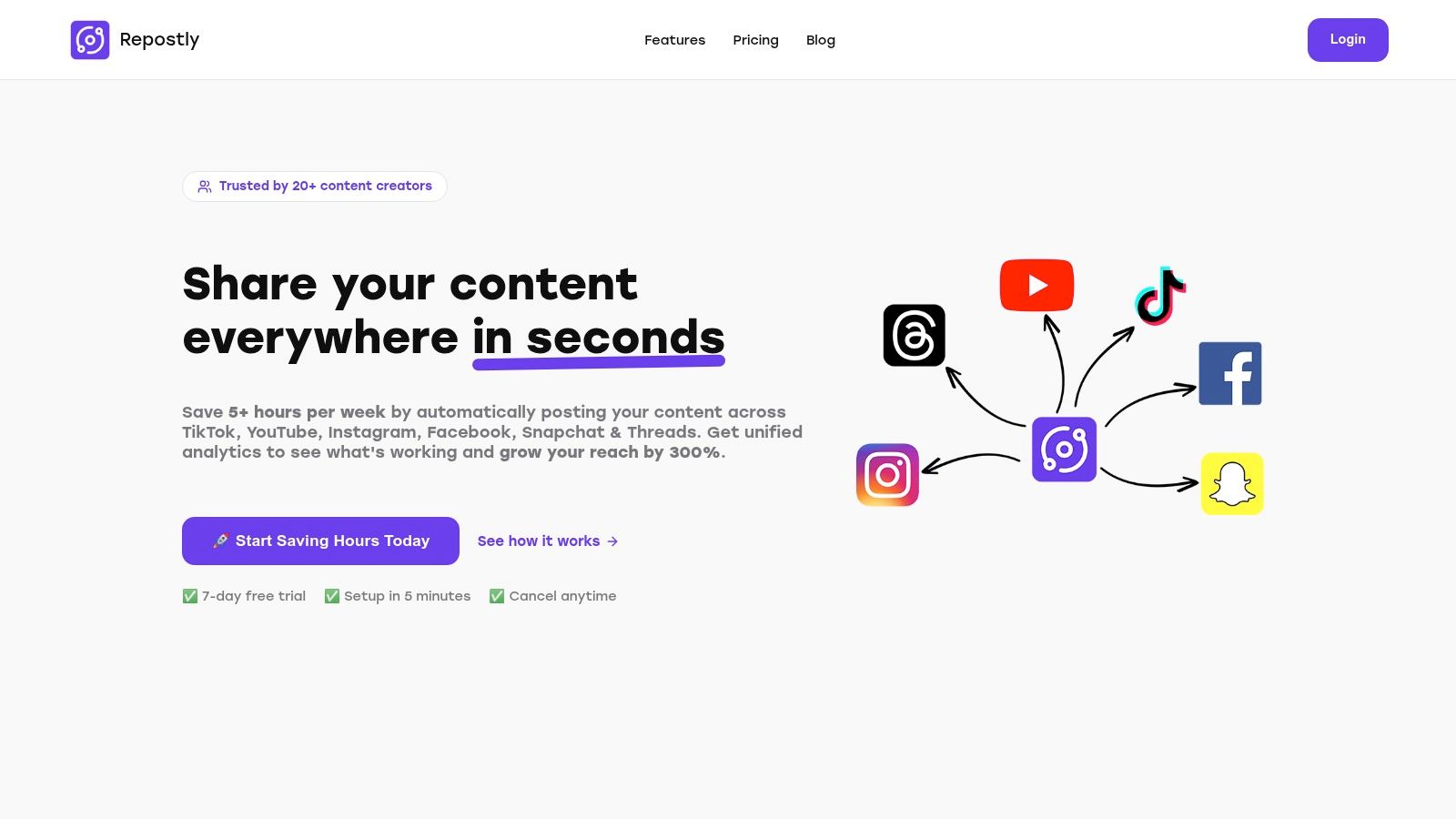
The platform is engineered for growth, with users reporting an impressive average reach increase of 300% within their first month. This is achieved through its smart scheduling feature, which optimises posting times for peak user engagement. The unified dashboard provides a central command centre for all social media activities, offering real-time analytics to track vital metrics like views, likes, and follower growth across every connected account.
Key Features and Pricing
- Unified Dashboard: Manage all social accounts, schedule content, and monitor performance from a single, intuitive interface.
- Automated Workflows: Set up your content once and let Repostly handle the distribution across multiple networks, saving over five hours weekly.
- Comprehensive Analytics: Gain actionable insights with real-time tracking of engagement metrics to refine your content strategy.
- Secure Integration: Uses secure OAuth connections, meaning you never have to share your social media passwords, ensuring account privacy.
Pricing is highly accessible for small businesses, starting with a Starter plan at $5.33/month (billed annually) for up to 5 social accounts. For agencies or power users, the Expert tier supports unlimited accounts. A 7-day free trial allows you to test the full feature set.
Website: https://repostly.app
2. Hootsuite
Hootsuite is one of the most established and recognisable names in the social media management space. It offers a powerful, all-in-one platform that allows small businesses to manage scheduling, engagement, analytics, and basic social listening from a single dashboard. Its longevity in the market means it has a mature ecosystem with a vast number of integrations, making it a reliable choice for businesses that use a diverse set of marketing tools.
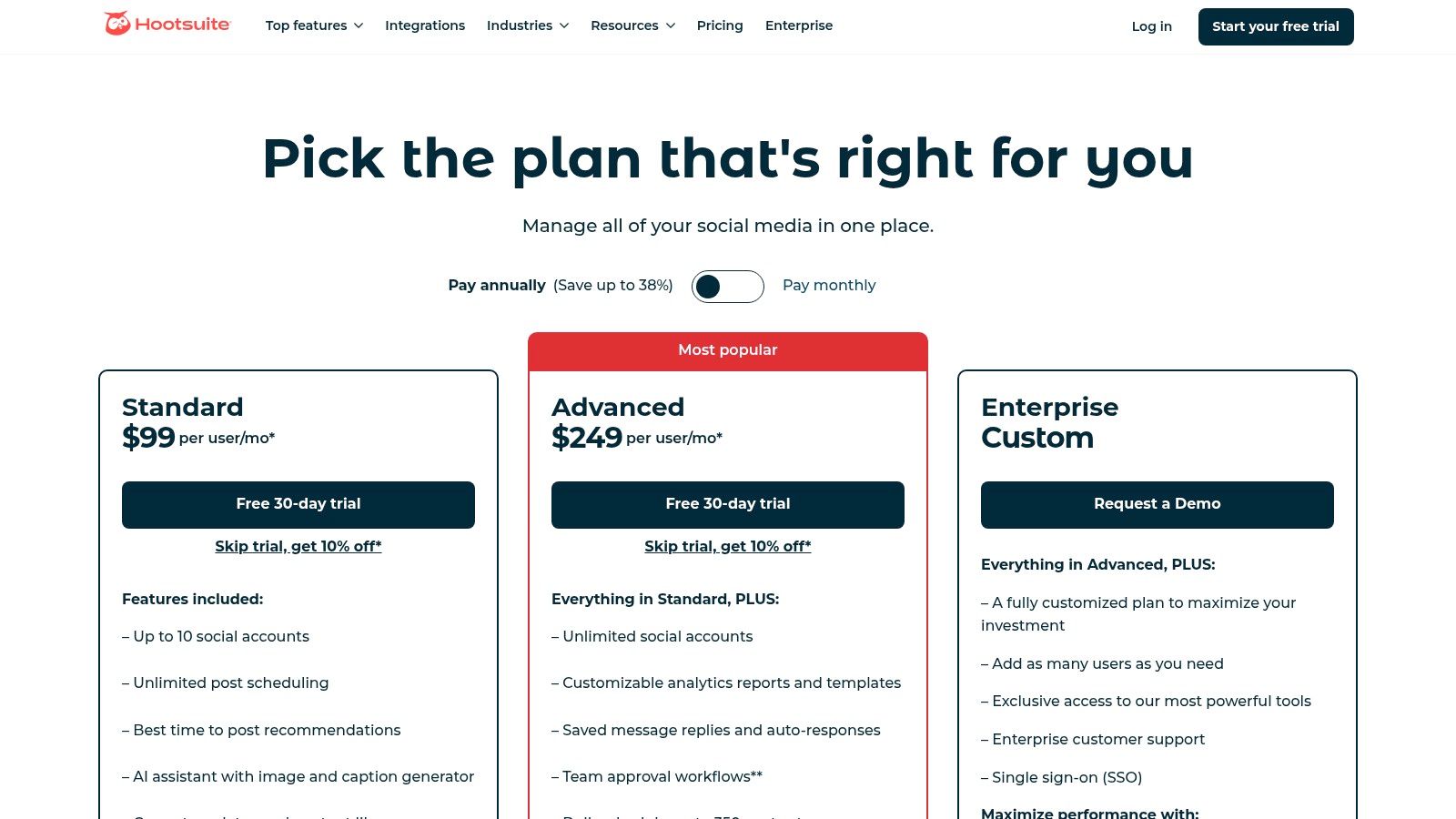
The platform is particularly well-suited for teams, offering robust workflow and permission settings that can scale as a business grows. Features like the unified inbox for managing all messages and mentions, alongside AI-powered tools for caption writing and identifying the optimal time to post, help streamline daily operations. Integrating Hootsuite into your workflow can significantly enhance your content planning, which is a core component of effective social media marketing strategies for small businesses.
Key Features:
- Unified Scheduling & Inbox: Manage posts and conversations across Facebook, Instagram, X (formerly Twitter), LinkedIn, and more from one place.
- AI Content Assistant: "OwlyWriter AI" helps generate captions, post ideas, and repurpose content.
- Analytics & Benchmarking: Track performance with customisable reports and see how you stack up against competitors.
Pricing:
The Professional plan starts at €99 per month for one user and 10 social accounts. The Team plan, at €249 per month, supports 3 users and 20 accounts.
| Pros | Cons |
|---|---|
| Mature platform with many integrations | Entry-level pricing is higher than some competitors |
| Excellent for team collaboration | Advanced analytics are locked behind higher tiers |
3. Buffer
Buffer is celebrated for its clean, intuitive interface and user-friendly approach, making it an excellent starting point for freelancers and very small businesses. It strips away the complexity found in more enterprise-focused platforms, centring its experience on straightforward scheduling and basic analytics. Its simplicity is its core strength, allowing users to get their content queued and organised across multiple channels with a minimal learning curve.
The platform's standout feature is its queue-based publishing system, which lets you pre-fill a schedule with content that posts automatically at optimised times. This "set it and forget it" model is ideal for maintaining a consistent presence without daily hands-on management. For those just beginning to formalise their social media strategy, Buffer offers one of the best social media management tools for small businesses that prioritise ease of use and affordability over advanced, complex features.
Key Features:
- Queue-Based Publishing & Visual Calendar: Easily fill a content queue or drag-and-drop posts onto a visual calendar.
- AI Assistant: Helps generate post ideas, rewrite copy, and repurpose existing content for different channels.
- Engagement Tools: Manage comments and interactions from a simple, unified inbox to stay on top of conversations.
Pricing:
A generous free plan is available for up to 3 channels. The Essentials plan starts at $6 per month, per channel, with add-ons available for analytics and engagement features.
| Pros | Cons |
|---|---|
| Extremely simple onboarding and user experience | Less advanced listening and reporting than premium suites |
| Transparent per-channel pricing for cost predictability | Add-ons and multiple channels can increase total cost |
4. Sprout Social
Sprout Social positions itself as a premium, all-in-one social media management suite, designed for businesses that prioritise data-driven decisions and demonstrating ROI. Its platform excels in analytics, customer care, and cross-functional team collaboration, making it a powerful choice for small businesses looking to scale their social media efforts with enterprise-grade tools. It is consistently ranked as a leader on review sites like G2 for its polish and robust feature set.
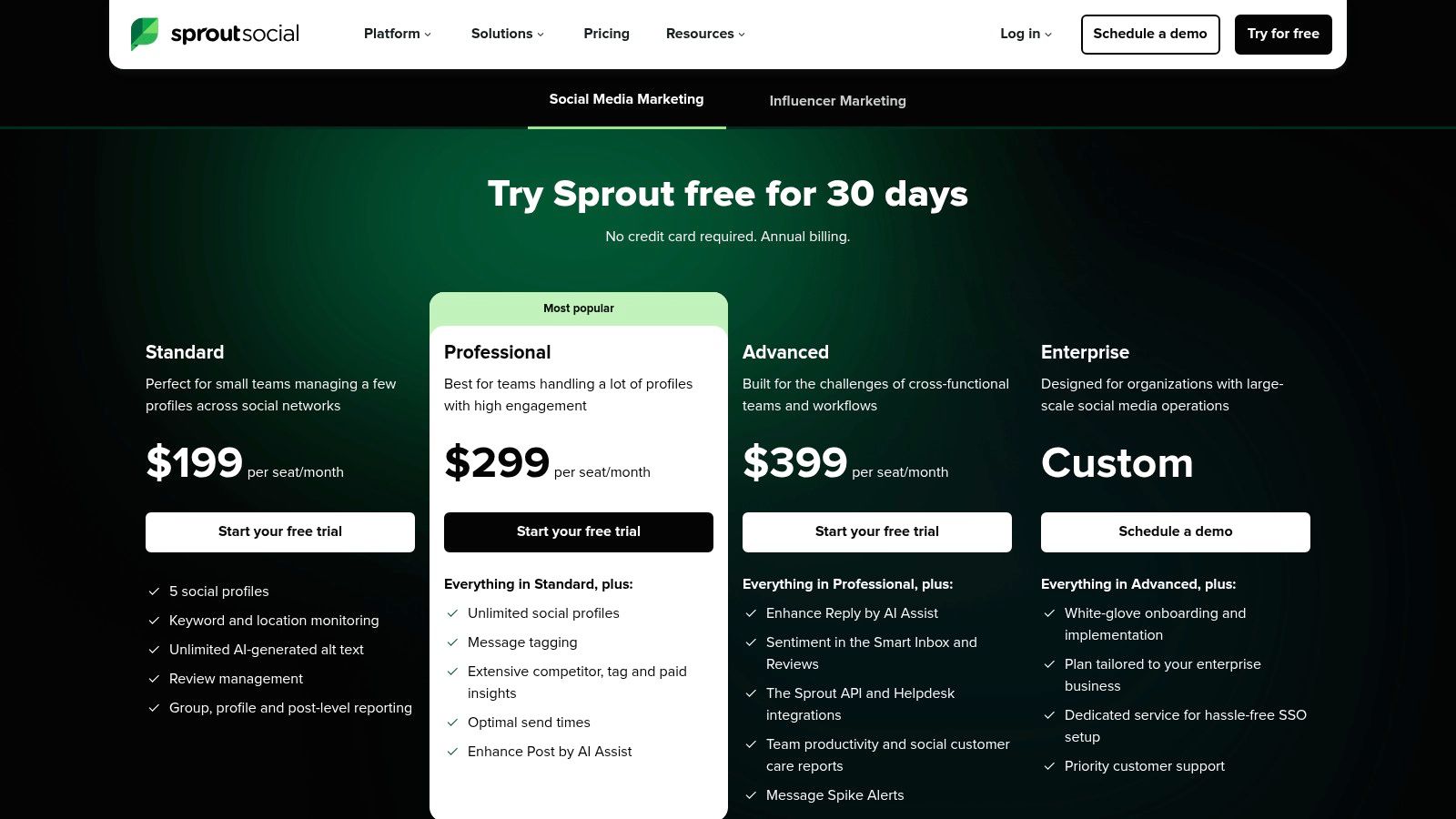
The platform is particularly strong for teams needing structured workflows. Features like a unified Smart Inbox with advanced message tagging and automation, alongside sophisticated approval processes and a shared asset library, help keep content organised and brand-consistent. For businesses focused on customer service, Sprout Social’s integration of review management and detailed reporting provides the deep insights needed to refine strategy, making it one of the best social media management tools for small business teams aiming for operational excellence.
Key Features:
- Advanced Analytics & Reporting: In-depth, presentation-ready reports that connect social media activity to business results.
- Unified Smart Inbox: Manage conversations, reviews, and tasks with sophisticated tagging and automation rules.
- Robust Collaboration Tools: Features include content approvals, a shared asset library, and detailed user permissions.
Pricing:
The Standard plan starts at $249 per month for one user. The Professional plan, at $399 per month, adds more advanced reporting and automation features.
| Pros | Cons |
|---|---|
| Enterprise-grade polish and excellent data depth | One of the highest starting price points for SMBs |
| Top-tier reporting and analytics capabilities | Per-seat pricing can become costly for growing teams |
5. Zoho Social
Zoho Social stands out as a highly cost-effective solution, especially for small businesses already invested in the Zoho ecosystem. It offers a comprehensive suite of tools that integrates seamlessly with Zoho CRM and Zoho Desk, creating a unified customer experience hub. This makes it one of the best social media management tools for small business owners who want to align their sales, support, and marketing efforts without juggling multiple vendors.
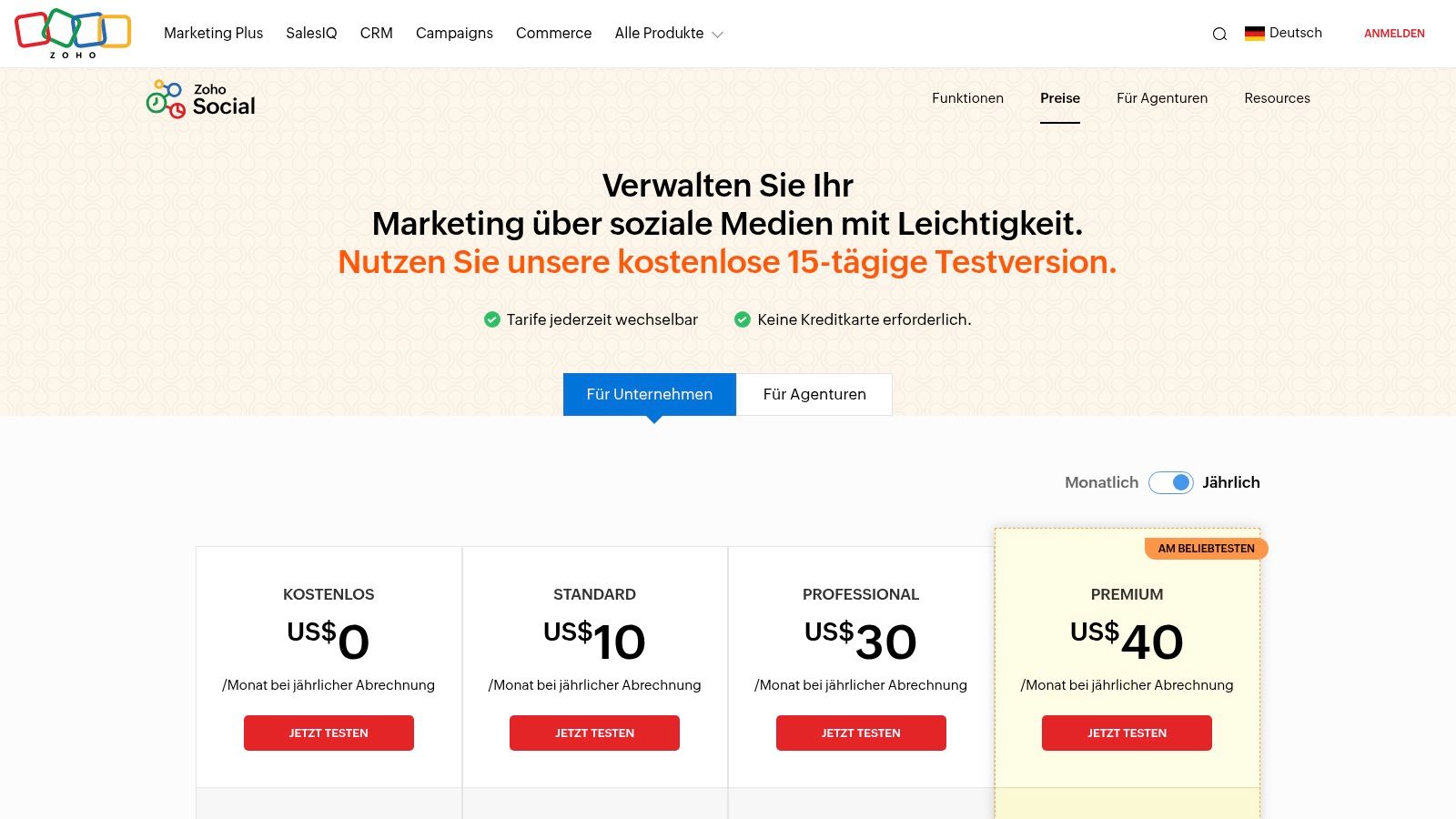
The platform supports scheduling across established networks as well as emerging ones like Threads, Mastodon, and Bluesky, showing a commitment to staying current. Features like the SmartQ publishing queue, which suggests the optimal time to post for maximum engagement, and customisable approval workflows are particularly useful for teams. Using these features helps to build a more cohesive and impactful online presence, which is a vital part of any modern social media strategy. For more insights, you can learn about creating a robust social media strategy on our blog.
Key Features:
- Broad Network Support: Schedule posts for Facebook, X (formerly Twitter), Instagram, LinkedIn, Mastodon, Bluesky, and Threads.
- SmartQ Predictions: Automatically queues posts for times when your audience is most active.
- CRM & Desk Integration: Connect social media interactions directly with customer records in Zoho CRM and support tickets in Zoho Desk.
Pricing:
The Standard plan is highly affordable at €15 per month for one user and 7 social channels. The Professional plan at €40 per month adds more features for 2 users and 8 channels.
| Pros | Cons |
|---|---|
| Very competitive EUR pricing | Interface feels less polished than premium competitors |
| Clear agency editions for multi-brands | Some advanced analytics require higher-tier plans |
6. Sendible
Sendible is a powerful and versatile platform, specifically organised to serve agencies and consultants managing multiple brands. Its standout feature is the ability to create separate, customised dashboards for each client, allowing for secure brand management and tailored workflows. This makes it an ideal choice for freelancers or small agencies in Germany looking to scale their social media services without compromising on organisation or client privacy.
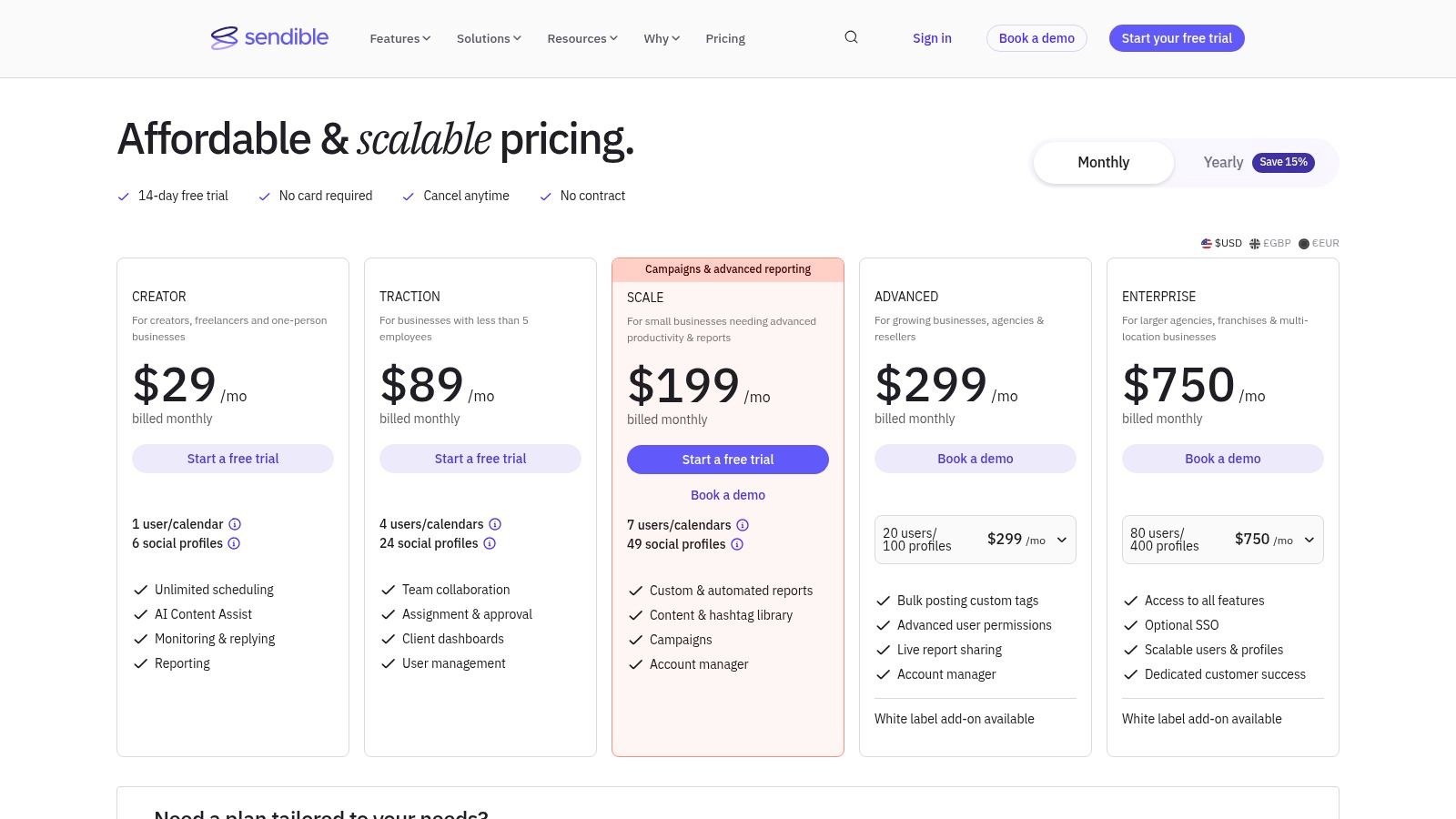
The platform offers a comprehensive suite of features, including a unified social inbox, a content suggestion engine, and robust scheduling capabilities. For businesses managing client accounts, the white-label options on higher-tier plans provide a professional, branded experience. As one of the best social media management tools for small business growth, Sendible's structure supports a seamless transition from managing a single brand to handling a full roster of clients.
Key Features:
- Client & Brand Workspaces: Create distinct, secure dashboards for each client to manage content and reports separately.
- Unified Scheduling & Engagement: A smart inbox consolidates messages, comments, and mentions from all connected profiles.
- Automated & Custom Reports: Generate in-depth, presentation-ready reports that can be automatically sent to clients.
Pricing:
The Creator plan starts at €25 per month for one user and 4 profiles. The Traction plan, designed for small agencies, is €76 per month for 4 users and 24 profiles.
| Pros | Cons |
|---|---|
| Excellent for managing multiple client brands | User interface can feel utilitarian compared to newer tools |
| Plans tailored to team and client growth | Advanced white-label features require higher-tier plans |
7. Metricool
Metricool is an analytics-forward social media management tool that offers remarkable value, particularly for data-driven small businesses. It combines scheduling, inbox management, and incredibly deep analytics into a single, affordable platform. What sets Metricool apart is its focus on comprehensive reporting and competitor benchmarking, features often reserved for more expensive enterprise-level software.
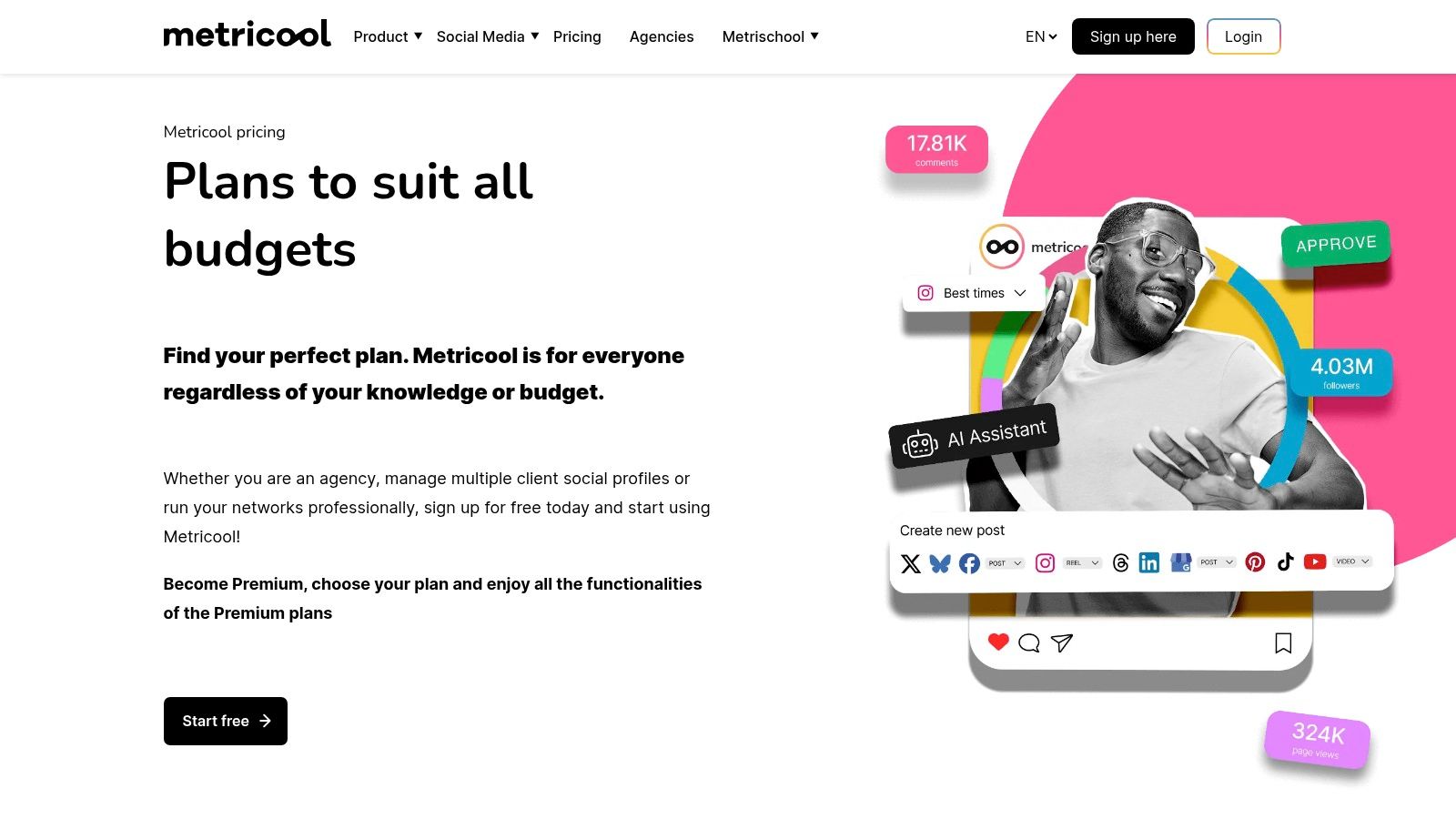
The platform empowers users to analyse their performance with unlimited historical data and generate professional reports in formats like PDF or PPT. Its integration capabilities, including a Looker Studio connector, allow businesses to centralise their marketing data for a holistic view. For small businesses looking for one of the best social media management tools that prioritises performance measurement and competitor analysis without a hefty price tag, Metricool is an excellent contender, especially for European businesses familiar with its EUR-based pricing.
Key Features:
- Deep Analytics & Reporting: Track unlimited historical data, analyse competitors, and create customisable reports with easy export options.
- Unified Planner: Schedule unlimited posts on paid plans across multiple networks from a visual calendar.
- Data Integration: Connect with Looker Studio and utilise an API (on advanced plans) for deeper data analysis.
Pricing:
The Starter plan is €18 per month for one brand (up to 10 accounts). The Advanced plan, at €45 per month, supports five brands.
| Pros | Cons |
|---|---|
| Very competitive EUR pricing; scalable by brand | X/Twitter connections require an additional add-on |
| Strong competitor and reporting features | Some channel limits and features are on higher tiers |
8. Later (Later Social)
Later began its life primarily as an Instagram scheduling tool and has since evolved into a powerful, visual-first social media management platform. It excels in helping small businesses and creators plan and organise their visual content, particularly for platforms like Instagram, TikTok, and Pinterest. Its standout feature is the drag-and-drop visual calendar, which allows you to see exactly how your feed will look before you publish, a crucial element for maintaining a cohesive brand aesthetic.
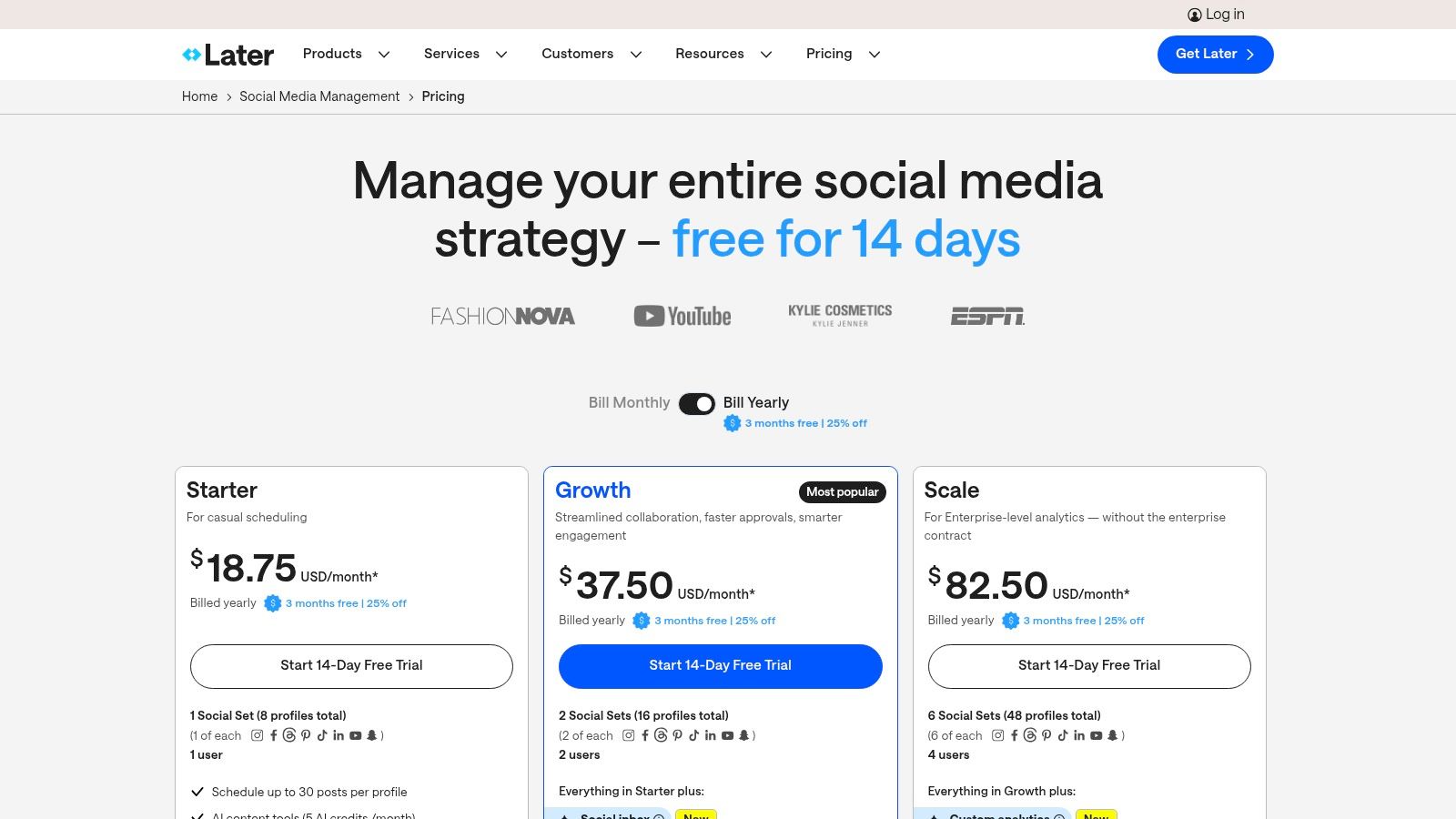
The platform is designed with an approachable and clean user interface, making it one of the most user-friendly tools on the market, especially for those new to social media management. Features like its built-in link-in-bio tool (Linkin.bio) help drive traffic and sales directly from Instagram and TikTok posts. As you explore the various options, you can learn more about its place among the best social media scheduling tools to see how it fits your content strategy. Later offers a great entry point for businesses that prioritise visual storytelling in their marketing efforts.
Key Features:
- Visual-First Content Calendar: Plan your feed with a drag-and-drop interface to preview your posts visually.
- Linkin.bio: A customisable link-in-bio page that turns your feed into a clickable, shoppable landing page.
- Best Time to Post Suggestions: Automatically get recommendations for the best times to post for maximum engagement.
Pricing:
The Starter plan begins at $25 per month for one user and one "social set" (one profile per platform). The Growth plan is $45 per month, adding analytics and more features.
| Pros | Cons |
|---|---|
| Very approachable UI for creators and small teams | Starter plan limits the number of scheduled posts per profile |
| Scales via “social sets” and low-cost additional users | Some collaboration features only in higher tiers |
9. SocialBee
SocialBee is a powerful scheduler designed with small businesses and agencies in mind, offering a unique approach centred on content categories and evergreen recycling. This system allows you to organise your posts by theme (like blog posts, promotions, or curated content) and set them to be re-published automatically, ensuring your profiles remain active with minimal manual effort. This makes it an exceptional tool for maintaining a consistent presence without constant content creation.
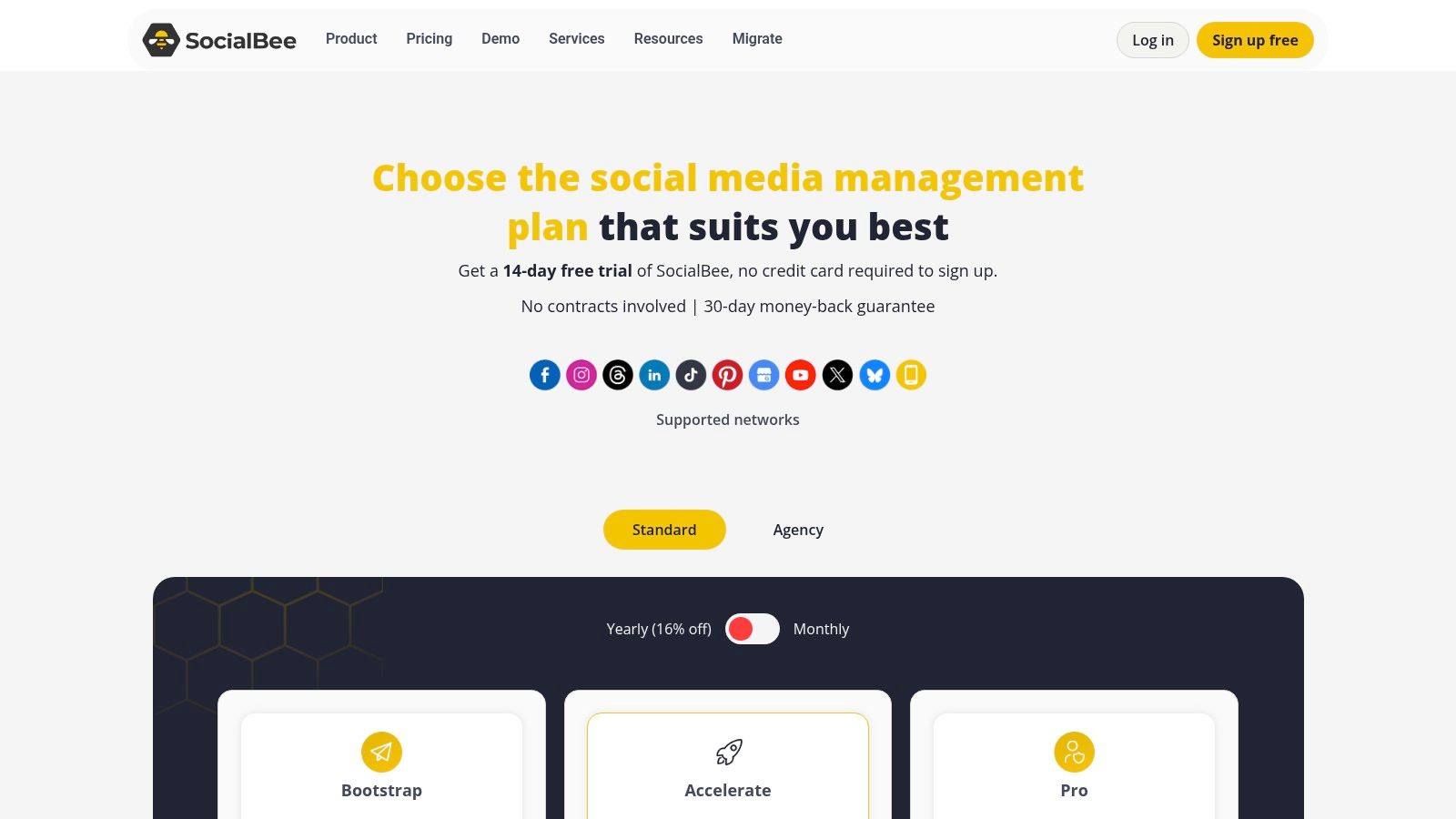
The platform also includes a built-in AI assistant to help generate post ideas and captions, streamlining the creative process. For growing teams, SocialBee’s Workspaces feature and user role permissions facilitate collaboration and content approvals, making it one of the more flexible social media management tools for small business teams looking to expand. The option to add on concierge services for content creation also provides a valuable safety net for busy entrepreneurs.
Key Features:
- Content Categories & Recycling: Organise posts into queues and automatically recycle evergreen content to fill your schedule.
- AI-Assisted Content Creation: Generate captions, ideas, and complete posts directly within the platform.
- Workspaces & Team Collaboration: Manage multiple brands or clients in separate workspaces with specific user roles and approval workflows.
Pricing:
The Bootstrap plan starts at €24 per month for 1 user and 5 social accounts. The popular Accelerate plan is €41 per month, supporting 1 user and 10 accounts.
| Pros | Cons |
|---|---|
| Great value for managing multiple profiles | Advanced analytics are reserved for higher-tier plans |
| Flexible add-ons for users and workspaces | Promotional pricing can change; watch for renewal rates |
10. Loomly
Loomly is a social media management tool that places a strong emphasis on content planning and team collaboration. It shines for small businesses that prioritise a structured, approval-based workflow, making it simple to move from a content idea to a published post. Its interface is clean and built around a content calendar, providing an at-a-glance view of your entire social media strategy. This makes it one of the best social media management tools for small business teams needing clear organisation.
The platform guides users through every step of post creation, from generating ideas based on trending topics and social media best practices to crafting the post with its built-in editor, Loomly Studio. What sets it apart is its meticulous approval and feedback system, which allows team members, clients, or managers to comment on and approve content before it goes live. This structured approach helps maintain brand consistency and reduces the risk of errors, a crucial consideration for any growing business.
Key Features:
- Post Ideas & Suggestions: Provides automated, data-driven ideas for content, including trending topics and hashtag suggestions.
- Loomly Studio: An integrated editor for creating and optimising visual assets for each social platform.
- Approval & Campaign Organisation: Streamlines collaboration with clear workflows for drafting, reviewing, approving, and scheduling content.
- Advanced Analytics: Delivers detailed reports on post performance, audience growth, and engagement metrics on higher-tier plans.
Pricing:
The Base plan starts at $42 per month for 2 users and 10 social accounts. The Standard plan, at $84 per month, supports 6 users and 20 accounts. All plans offer a 15-day free trial.
| Pros | Cons |
|---|---|
| Simple planning and collaboration for teams | Pricing tiers escalate as users/accounts grow |
| Nonprofit discounts (50% lifetime) available | No always-on free plan, only a free trial |
Visit Loomly
11. Meta Business Suite (Facebook & Instagram)
For small businesses primarily focused on Facebook and Instagram, Meta Business Suite is an indispensable and completely free tool. As the official first-party platform, it provides native scheduling, a unified inbox for messages and comments, and direct access to performance insights without needing third-party connections. It's an excellent starting point for new businesses learning to manage their social presence.
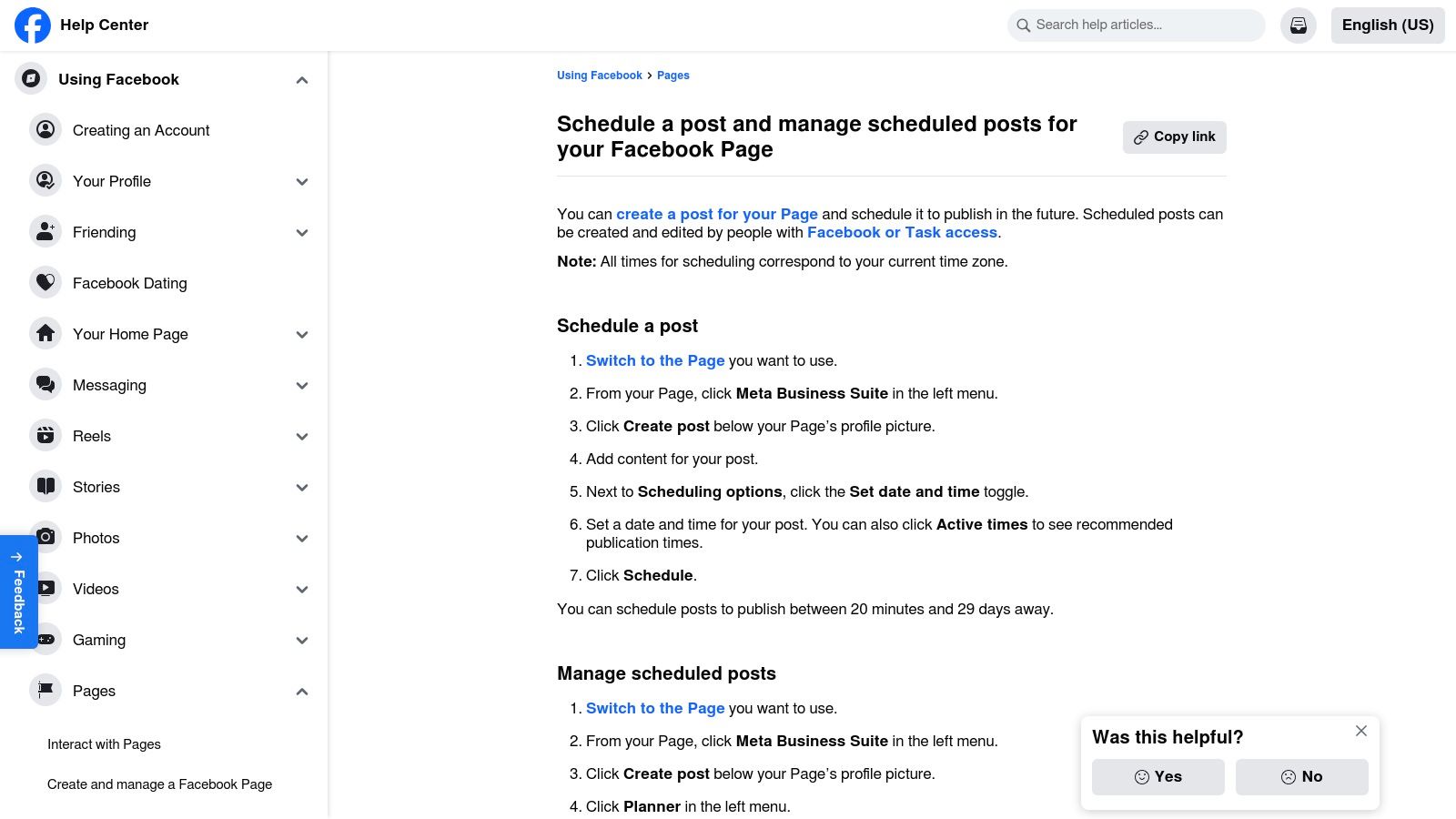
The suite is designed to streamline management across Meta's core platforms, offering a content calendar with recommended posting times based on when your audience is most active. While it lacks the multi-network support of paid tools, its seamless integration with Facebook and Instagram's advertising platforms makes it one of the best social media management tools for small business owners who want to keep their core activities within one ecosystem without any software cost.
Key Features:
- Free Scheduling & Unified Inbox: Plan posts, Stories, and Reels, and manage all FB and IG messages and comments from one central hub.
- Content Calendar: Visualise your posting schedule and get recommendations for optimal posting times.
- Native Insights: Access detailed, first-party analytics for posts, audience growth, and ad performance directly from Meta.
Pricing:
Completely free to use for any business with a Facebook Page and Instagram account.
| Pros | Cons |
|---|---|
| Zero software cost and no need for external connectors | Limited to Facebook and Instagram networks |
| Deep integration with native features (e.g., ads, shops) | Support and feature reliability can be inconsistent at times |
12. Capterra Deutschland
While not a management tool itself, Capterra Deutschland is an indispensable resource for German-speaking small businesses looking to find the perfect software solution. It’s a software marketplace that allows users to shortlist, compare, and analyse social media management tools with German-language user interfaces and pricing in Euros. This localisation is crucial for discovering EU-friendly vendors that might be overlooked in global-centric lists.
The platform empowers business owners to make informed decisions by providing verified user reviews and side-by-side feature comparisons. This is particularly useful for filtering through the noise and finding the best social media management tools for small business needs specific to the European market. Practical use involves applying filters for essential features, reading authentic user feedback to understand real-world performance, and then using the direct links to vendor sites to start a trial.
Key Features:
- Category Filters: Narrow down searches specifically for Social Media Management and related marketing tools.
- Verified User Reviews: Access authentic feedback and ratings from real users to gauge software quality and support.
- Feature Comparisons: Compare key functionalities of different platforms side-by-side in a structured format.
Pricing:
Capterra is a free-to-use resource for software buyers. Pricing for the tools listed is displayed on the individual vendor websites, which Capterra links to directly.
| Pros | Cons |
|---|---|
| Localised catalogue and discovery in German | Sponsored placements may appear high in listings |
| Broad coverage beyond just global brands | Users must verify final pricing/features on vendor sites |
Visit Capterra Deutschland
Top 12 Social Media Management Tools Comparison
| Platform | Core Features / Automation ✨ | User Experience / Quality ★★★★☆ | Value & Pricing 💰 | Target Audience 👥 | Unique Selling Points / Highlights 🏆 |
|---|---|---|---|---|---|
| Repostly 🏆 | Automates posting on 6 major platforms; scheduling; unified analytics | Intuitive UI; saves 5+ hours weekly; real-time metrics | Starter $5.33/mo (annual); flexible plans | Content creators, SMBs, social managers | 300% reach boost in 1 month; OAuth secure integration 🏆 |
| Hootsuite | Scheduling, engagement, AI-assisted posting | Mature platform; team workflows | Higher entry price; scalable | SMBs, growing businesses | AI caption/image assist; Canva templates |
| Buffer | Queue publishing; visual calendar; AI assistant | Simple onboarding; lightweight | Budget-friendly; transparent per-channel pricing | Freelancers, very small teams | Generous free tier; easy setup |
| Sprout Social | Advanced analytics; automation; approvals | Premium UX; enterprise polish | High price; per-seat costs | Enterprises, customer care teams | Top-rated on G2; deep data insights |
| Zoho Social | Scheduling incl. emerging networks; CRM integration | Competitive EUR pricing; agency editions | Cost-effective, especially in EU | EU SMBs, agencies | Multi-brand handling; smart scheduling |
| Sendible | Scheduling; client dashboards; custom reports | Functional UI; team & client-focused | Tiered plans; nonprofit discounts | Agencies, consultants | White-label options; multi-currency billing |
| Metricool | Unlimited scheduling; deep analytics | Strong reporting; scalable brand support | Competitive EUR pricing | SMBs, European market | Competitor benchmarking; export templates |
| Later | Visual calendar; auto-publish; link-in-bio builder | Creator-friendly UI; scalable via social sets | Starter limits posts per profile | Content-heavy SMBs, creators | Strong Instagram & TikTok workflows |
| SocialBee | Category queues; post recycling; AI assistant | Good multi-profile value; flexible add-ons | Variable pricing; good for SMBs | SMBs, multiple accounts | Evergreen content recycling; concierge service option |
| Loomly | Post ideas; approvals; campaign organization | Clean workflows; team collaboration | Pricing escalates with users/accounts | Brands, nonprofits | Nonprofit lifetime discount |
| Meta Business Suite | Free scheduling and inbox for FB & IG | Native; simple for micro/small businesses | Free | FB & IG SMBs | Zero cost; localized interfaces |
| Capterra Deutschland | Marketplace with reviews & comparisons | Localized in German; broad vendor coverage | Free browse | EU software buyers | German language & EUR pricing focus |
Choosing the Right Tool to Fuel Your Business Growth
Navigating the crowded market of social media management tools can feel overwhelming, but making an informed decision is a critical step towards scaling your digital presence. As we've explored, the "best" tool isn't a one-size-fits-all solution; it's the one that aligns perfectly with your unique business needs, budget, and long-term objectives.
This guide has showcased a variety of platforms, each with distinct strengths. From the enterprise-level analytics of Sprout Social to the budget-friendly, focused approach of Buffer, the options are diverse. For businesses deeply embedded in the Meta ecosystem, the free Meta Business Suite provides an accessible starting point, while tools like Metricool offer a fantastic balance of analytics and scheduling for data-driven marketers.
Key Takeaways for Your Decision-Making Process
The core of your decision should centre on a simple question: what is your primary goal? Is it to save time, deepen audience engagement, analyse performance, or collaborate more effectively with a team? Answering this will immediately narrow your focus.
Consider these final points when making your choice:
- Core Functionality vs. Specific Needs: Do you need a powerful all-rounder like Hootsuite, or a specialist tool like Later, which excels at visual-first platforms like Instagram and Pinterest? Don't pay for features you won't use.
- Scalability: Your needs will evolve. A tool that serves your solo operation today should ideally have a growth path for when you hire a social media manager or expand your team. Platforms like Zoho Social or Sendible are built with this scalability in mind.
- The Learning Curve: How much time can you realistically invest in learning a new platform? A simple, intuitive interface, like that offered by Repostly or Buffer, can be more valuable for a busy entrepreneur than a complex system with a steep learning curve.
- Budgetary Realities: Be honest about your budget. While premium tools offer extensive features, many of the best social media management tools for small business provide robust free or low-cost plans that are more than sufficient to drive significant results.
Your Actionable Next Steps
Before committing to a subscription, leverage the free trials offered by nearly every platform on this list. Create a checklist of your non-negotiable features and use the trial period to test them in real-world scenarios. Schedule a week's worth of content, pull a performance report, and test the user interface. This hands-on experience is invaluable.
Ultimately, the right tool should feel like an extension of your team. It should simplify your workflow, provide clear insights, and free up your most valuable resource: your time. By carefully evaluating your priorities against the options we've detailed, you can confidently select a platform that not only organises your social media but actively fuels your business's growth.
Ready to reclaim your time and supercharge your social media reach? Repostly is designed specifically for busy entrepreneurs and small businesses who need maximum impact with minimal effort. Its intelligent automation and multi-platform support make it one of the most efficient choices among the best social media management tools for small business. Start your free trial today and discover a smarter way to manage your social media at Repostly.
Keep reading

10 Fresh Instagram Story Idea Tactics for 2025
Stuck for content? Discover our top Instagram story idea list, with actionable tips to boost engagement and grow your audience in 2025.

A Practical Social Media Planner for German Markets
Build a results-driven social media planner for Germany. This guide offers actionable strategies for content, scheduling, and analysis in the German market.

Crafting Your Social Media Content Plan
Stop guessing and start strategizing. This guide provides an actionable social media content plan to audit, plan, and execute content that gets results.
Post once. Show up everywhere.
Start your 7-day free trial and publish your next video to every platform in minutes.Pick a plan and publish your next video to every platform in minutes.
Start your free trialSee plansCancel anytime