How Do You Post YouTube Videos on Facebook? Expert Tips
Wondering how do you post YouTube videos on Facebook? Learn simple steps to share, optimize, and boost engagement effortlessly.
Posting your YouTube videos on Facebook is a breeze. Just head to your video on YouTube, hit the 'Share' button, grab the link it gives you, and paste that right into a new post on your Facebook page. Simple as that. It's a quick and dirty way to get your content in front of a whole new crowd.
Why Sharing YouTube Videos on Facebook Still Works
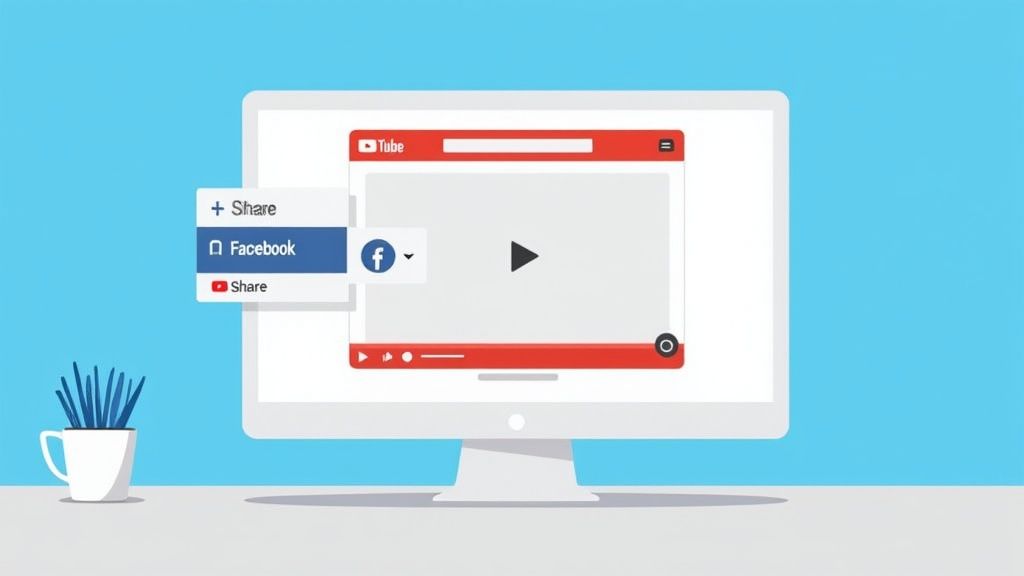
Before we get into the nitty-gritty, let's talk about why this is still a smart move. Yes, social media algorithms tend to push native videos (ones you upload directly to the platform). But sharing a YouTube link has a unique superpower: it drives traffic directly back to your channel. That’s the gold standard for growing subscribers, racking up watch time, and telling YouTube's algorithm you're the real deal.
Tapping into a Massive Audience
Think of it like this: you’re using Facebook’s gigantic social network to feed your YouTube channel. You're simply meeting your audience where they already spend their time. This is a huge deal in large markets. For example, Germany was home to around 43.7 million Facebook users in early 2025. That’s a massive pool of potential viewers who might never stumble upon your YouTube channel otherwise.
When you share that link, you’re building a direct bridge between the two platforms. Every single click from Facebook over to YouTube is a little thumbs-up to the YouTube algorithm, showing that your content is compelling enough to pull people in from other sites. This can give your videos a nice little boost in YouTube's own recommendations.
The Strategic Edge of Cross-Promotion
Cross-posting isn’t just about slinging a link and hoping for the best; it’s a strategic play to expand your online presence. You get to play to each platform’s strengths. Use Facebook’s community-building tools and massive reach to create that initial buzz, while YouTube handles the heavy lifting with its top-notch video hosting and monetisation features.
By thoughtfully sharing your YouTube content on Facebook, you’re not just posting a video; you’re creating a pathway for new viewers to become loyal subscribers. It’s a simple action with a powerful impact on your channel's long-term health.
This tactic helps you understand what social media reach is in a very practical way by stretching your content's visibility across different audiences. In the end, it helps you maintain a solid, consistent presence without having to reinvent the wheel for every single platform.
The Smart Way to Manually Share Your YouTube Videos
Knowing how to post your YouTube videos on Facebook is about more than just copying and pasting a link. To actually stop someone from scrolling past, you need to treat every share like a mini-launch.
The basics are simple, of course. Go to your video on YouTube, hit the 'Share' button, grab the link, and pop it into a new Facebook post. But the real work—the stuff that gets clicks—happens next.
Your caption is where the magic happens. A lazy "New video is live!" just isn't going to cut it. This is your shot to start a conversation and give people a compelling reason to leave the comfort of their Facebook feed. A great caption adds the context and personality that a simple video title can't convey.
Crafting a Post That People Actually Want to Click
You need to put your marketing hat on for a moment. What would make you stop scrolling?
Let's say you run a cooking channel. Instead of just announcing your new lasagna recipe, you could ask, "What’s the one secret ingredient you think makes the best lasagna? We reveal ours in our latest video!" That little hook immediately sparks curiosity and invites comments.
Or, if you’re a tech reviewer, why not turn the share into a quick poll? Something like, "We just put the new XYZ gadget through its paces—but is it really better than the competition? Watch our full review and cast your vote below!" Suddenly, a passive announcement becomes an interactive experience.
Here are a few ideas to get you started:
- Pose a direct question that your video answers.
- Share a fun behind-the-scenes fact about making the video.
- Pull a powerful quote or a juicy soundbite from the video to use as a text hook.
Fine-Tuning Your Post for Maximum Engagement
Beyond the words you write, think about the visuals. Facebook automatically generates a preview when you paste the link, but you have more control than you think. If your YouTube thumbnail is packed with text that’s hard to read on a small screen, consider uploading a more striking, high-quality image directly to Facebook instead. It can make a huge difference in grabbing attention.
Don't forget the power of tagging. If you worked with other creators, mentioned any brands, or filmed at a specific location, tag their official Facebook pages. This simple action can massively expand your reach if they decide to re-share your post with their own followers.
Finally, timing is key. Dropping your video when your audience is offline is a recipe for low engagement. For a deeper dive, check out our guide on the best time of day to post on Facebook, which can help you make sure your post lands in front of the most people possible.
Remember, the goal isn't just to rack up views; it's to build a community. A thoughtfully crafted Facebook post does so much more than share a link—it builds anticipation and strengthens the connection with your audience.
Link Sharing vs Native Uploading: Which is Better?
So, you’ve got a new YouTube video ready to go. Now, how do you get it in front of your Facebook audience? This is where many creators hit a crossroads: do you simply drop the YouTube link, or do you take the time to upload the video file directly to Facebook?
It’s not just a technical choice—it's a strategic one. Each path has a completely different impact on your reach, audience engagement, and ultimately, your channel's growth. Let’s break down what really happens with each method.
The Case for Native Uploading
At its core, Facebook is designed to keep you on Facebook. Its algorithm loves content that doesn’t send users away, which is why it rolls out the red carpet for native video uploads.
When you upload your video file directly, you’re playing by Facebook's rules. The video will auto-play in the feed, instantly grabbing attention as people scroll. You can also add custom thumbnails, calls-to-action, and captions—all optimised for the Facebook experience. The result? Typically, you'll see a big boost in organic reach and engagement right there on your Facebook Page. This is the way to go if your main goal is to spark a conversation and maximise visibility on Facebook.
Why Link Sharing Still Matters
On the flip side, sharing the YouTube link has one crucial advantage that native uploading can't touch: it sends people directly to your YouTube channel.
Every single click on that link is a potential new subscriber, a new comment on your YouTube video, and more watch time logged where it counts for monetisation. This traffic is a powerful signal to YouTube’s algorithm that your content is worth promoting. If your primary objective is building your YouTube empire—subscribers, watch hours, AdSense revenue—then directing traffic back to your channel is absolutely essential.
The speed of this method is also a huge plus. As you can see, it's a very quick process.
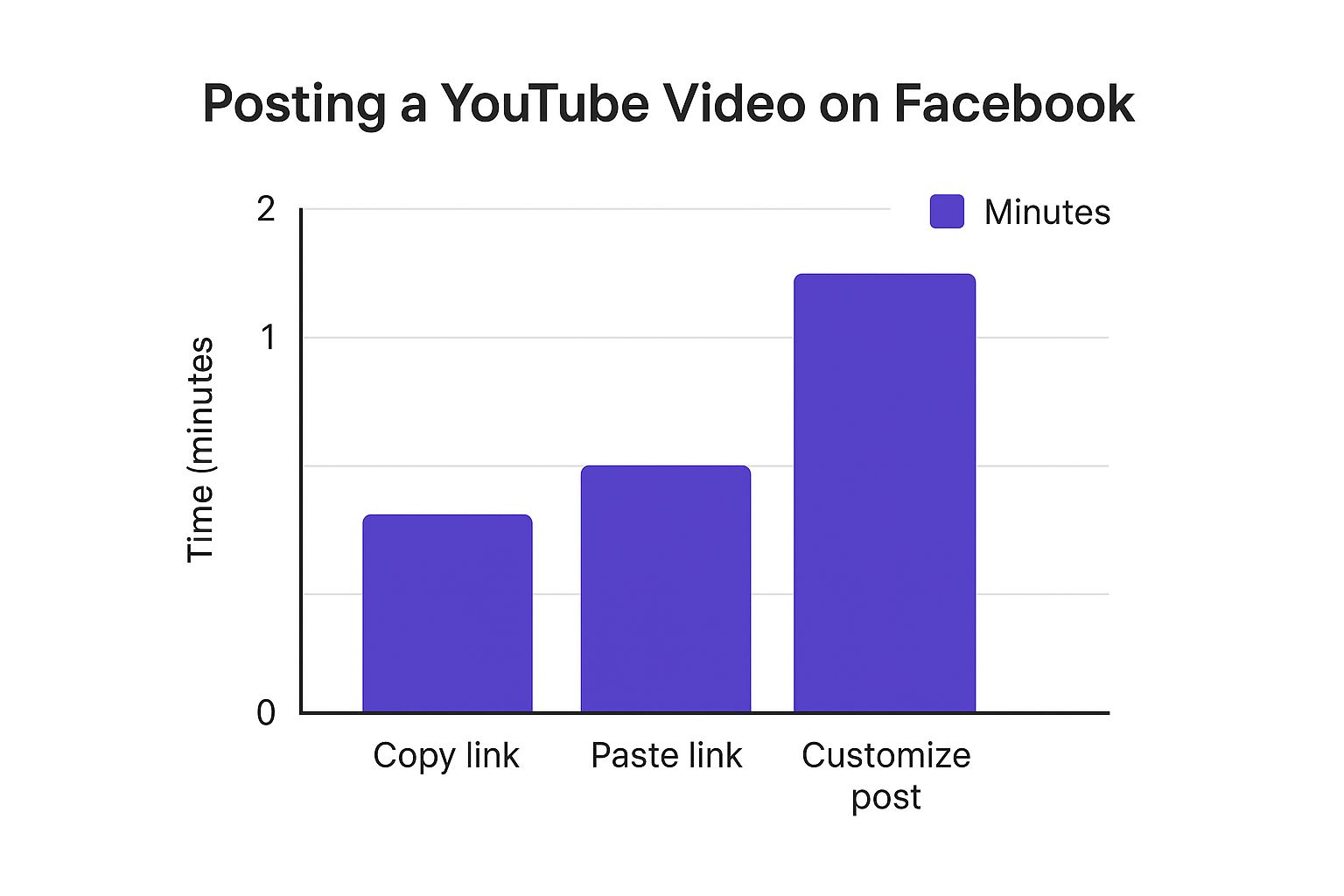
This simple visualisation drives home just how little time it takes to share a direct link, making it an efficient choice when you're short on time.
YouTube Link vs Native Upload: A Strategic Comparison
To make the decision clearer, let's put these two methods side-by-side. Think about your goal for a specific video, and this table will help you pick the right strategy.
| Feature | Sharing a YouTube Link | Uploading Natively to Facebook |
|---|---|---|
| Primary Goal | Drive traffic to YouTube, gain subscribers, increase watch time. | Maximise reach and engagement directly on Facebook. |
| Audience Experience | Users must click away from Facebook to watch the video. | Seamless in-feed viewing with auto-play. |
| Algorithm Favour | Lower organic reach on Facebook as it's an external link. | Higher organic reach, prioritised by the Facebook algorithm. |
| Analytics | Metrics are tracked primarily within YouTube Analytics. | Detailed video performance metrics available in Facebook Insights. |
| Best For | Your main, long-form content; videos key to channel growth. | Teasers, trailers, short clips, and behind-the-scenes content. |
Ultimately, there's no single "best" way—only the best way for a particular piece of content. The smartest creators don't just pick one method and stick with it; they use both.
A hybrid approach often works best. Use native uploads for short-form content designed for Facebook engagement, and share YouTube links for your main, long-form videos to drive traffic where it counts most for monetisation.
Before you post, just ask yourself one simple question: "What do I want this post to achieve?" Are you trying to get eyes on your Facebook Page, or are you trying to build your subscriber base on YouTube? Your answer will point you in the right direction every time.
Advanced Tactics for Maximum Facebook Reach
Just dropping your YouTube link onto Facebook is a solid first step, but if you really want to get eyes on your content, you need to be a bit more strategic. Think of every share not just as a post, but as its own mini-campaign to grab attention and get people clicking.
A brilliant, and often overlooked, tactic is to share your video in relevant Facebook Groups. These are goldmines—communities of people already passionate about your topic. For example, if you've just released a video reviewing a new hiking backpack, sharing it in a "UK Hiking & Outdoors" group will connect you with a far more engaged audience than just posting it on your main page.
Have you tried a Facebook Watch Party yet? It's a fantastic feature that lets you schedule a live viewing of your video. You and your followers can watch and comment together in real-time, creating a genuine sense of community and event. This live interaction is exactly the kind of engagement the algorithm loves.
Turning a Post Into a Promotion
Don’t forget the power of putting a little money behind your post. In Germany, as of early 2025, Facebook ads can reach over 39.4% of the population aged 18 and up, which shows just how much potential there is for a well-targeted video promotion.
By boosting your post with even a small budget, you can target people based on their specific interests, demographics, and even their online behaviour. It’s the difference between hoping the right people see your video and making sure they do.
Imagine creating a targeted ad that shows your video specifically to a "lookalike audience" of your existing YouTube subscribers. This means you're reaching people who are almost guaranteed to be interested in your content. If you want to get really granular with this, digging into Facebook's ad tracking mechanisms will give you some powerful insights into how to refine your targeting.
Finally, think about your visuals. The thumbnail that works perfectly on YouTube might not stand out in the fast-scrolling world of a Facebook feed. It’s worth taking a few extra minutes to create a custom, high-contrast image specifically for your Facebook share. A graphic that stops the scroll is often what makes or breaks a click.
Streamlining Your Workflow with Automation Tools
If you're juggling multiple social media channels, you know the drill. Manually posting every single video is a surefire path to burnout. The endless loop of copying links, crafting new captions, and scheduling posts eats up valuable time that you could be using to, you know, actually create more great content. This is precisely where automation tools step in to save the day.
Imagine this: you hit 'publish' on a new YouTube video, and moments later, it's already shared to your Facebook Page, perfectly formatted. You didn't have to do a thing. That’s the magic of using a dedicated service to handle your cross-posting.
Working Smarter, Not Harder
Bringing automation into your workflow isn’t just about clawing back a few hours. It's about building a consistent, professional presence across your platforms without the manual grind. When you're looking for the right tool, keep an eye out for a few key features:
- Advance Scheduling: The ability to plan out your content calendar weeks or even months ahead of time is a game-changer.
- Custom Captions: You need to write unique descriptions for each platform to really connect with that specific audience and boost engagement.
- Unified Analytics: Seeing how your content performs across all channels from a single dashboard makes it so much easier to track what's working.
Platforms like Repostly are built specifically for this. It’s worth taking a look at a few different social media automation tools to find one that feels right for your specific needs.
By automating the repetitive, low-value tasks, you free up your mental bandwidth to focus on the big picture—your content strategy and creative ideas. This shift is crucial for any creator looking for sustainable growth.
To really get the most out of your efforts, it also helps to master marketing workflow management in a broader sense. Putting these systems in place ensures your brilliant content actually reaches the right people at the right time, every single time.
Got Questions About Sharing Your Videos? We’ve Got Answers.
Creators are always asking us about the best ways to get their YouTube videos seen on Facebook. It's a common puzzle. Let's break down some of the biggest questions we hear all the time.
Does Dropping a YouTube Link on Facebook Kill My Reach?
This is the big one, isn't it? The short answer is: it can. Facebook's algorithm is no secret—it wants to keep people on Facebook. That means it naturally favours videos uploaded directly to its platform over links that send users elsewhere.
But that's not the whole story. A YouTube link isn't doomed to fail. If you write a killer post with a hook that grabs attention and gives people a really good reason to click, you can absolutely overcome the algorithm's bias. Think of it as a challenge to make your post so compelling that the click becomes irresistible.
Can I Schedule My YouTube Shares on Facebook?
You bet. While YouTube itself doesn't have a feature to schedule shares to other platforms, Facebook's own tools are more than capable. You can head into the Meta Business Suite and schedule your post there, just like any other content.
For those of us managing multiple channels and platforms, this is where automation tools really shine. A service like Repostly can be set up to spot your new YouTube upload and automatically share it on Facebook according to a schedule you've already defined. It’s a huge time-saver.
It’s not just about what you post, but when you post. Scheduling is your secret weapon for making sure your content shows up right when your audience is scrolling.
How Can I Actually Get People to Click My Link?
Getting that click from Facebook over to YouTube is an art form. It all starts with creating a post that's impossible to ignore.
- Lead with a powerful hook: Start your caption with a question or a bold statement from your video. Pique their curiosity.
- Visuals are key: Don't just rely on the default thumbnail YouTube generates. Create a custom, high-contrast image that pops in a busy news feed.
- Craft a strong call-to-action (CTA): Instead of a generic "Check out my new video," be specific. Try something like, "Find out the top 3 mistakes you’re making in the full video" or "Click to see the final reveal!" This gives people a clear, valuable reason to leave Facebook and watch.
Ready to stop juggling platforms and start growing your audience? Repostly automates your content sharing so you can get back to creating. See how much time you could save.
Keep reading

10 Fresh Instagram Story Idea Tactics for 2025
Stuck for content? Discover our top Instagram story idea list, with actionable tips to boost engagement and grow your audience in 2025.

A Practical Social Media Planner for German Markets
Build a results-driven social media planner for Germany. This guide offers actionable strategies for content, scheduling, and analysis in the German market.

Crafting Your Social Media Content Plan
Stop guessing and start strategizing. This guide provides an actionable social media content plan to audit, plan, and execute content that gets results.
Post once. Show up everywhere.
Start your 7-day free trial and publish your next video to every platform in minutes.Pick a plan and publish your next video to every platform in minutes.
Start your free trialSee plansCancel anytime