How to Post YouTube Video on Instagram: Step-by-Step Guide
Learn how to post YouTube video on Instagram effortlessly. Our guide helps you repurpose content, optimize posts, and boost engagement.
It's a common frustration: you've got a great video on YouTube, but you can't just share the link directly to your Instagram feed. The good news is you can still get your content there. The trick is to download your own video from YouTube, reformat it for Instagram’s vertical-first world, and then upload it as a Reel or Story. This extra step makes a huge difference in how your content looks and performs.
Why You Can’t Just Post a YouTube Link on Instagram
Ever dropped a YouTube link in an Instagram post and watched it get zero engagement? You’re not the only one. The problem boils down to a simple fact: Instagram and YouTube are competitors, and their platforms are designed to keep you on their site, not send you to someone else's.
Instagram works hard to be a self-contained universe. Its main job is to keep you scrolling, watching, and engaging inside the app. To do that, the algorithm gives a massive boost to native video content—videos that are uploaded directly to Instagram's servers.
YouTube, on the other hand, is built for a different purpose. It's a massive library of long-form videos designed to be shared and embedded all over the internet. Its business model thrives on its videos living everywhere.
The Technical and Algorithmic Walls
This clash in strategy creates some very real technical roadblocks for creators like us. When you try to bridge the gap between YouTube and Instagram, you run into a few key issues that make direct sharing pretty much useless.
- No Live Links in Captions: This is the big one. Instagram has never allowed clickable hyperlinks in the captions of feed posts. That means you can't just drop a link and expect people to tap through to your YouTube channel.
- Format and Length Clashes: Most YouTube videos are filmed in a horizontal 16:9 aspect ratio. Instagram, especially for Reels and Stories, is all about the vertical 9:16 view. A 10-minute deep dive on YouTube just isn't going to work as a 90-second Reel.
The core takeaway is that Instagram's algorithm rewards content that keeps users on Instagram. By making us upload native videos, the platform prevents its audience from leaking over to a major competitor like YouTube.
To get around this, you have to adapt. It's not just about getting the video to play; it's about making it feel like it belongs on Instagram. Research consistently shows that native video crushes the performance of external links, making content repurposing a crucial skill. If you're curious, you can read the full analysis on how cross-posting impacts reach.
Once you understand why the platforms work this way, you can build a smarter strategy. By converting your content to fit Instagram’s rules, you’re setting yourself up for much better engagement and reach.
Instagram Video Format Quick Guide
To make your YouTube content fit in, you need to know the rules of the road for Instagram's video formats. Here's a quick cheat sheet I use all the time to make sure my repurposed videos are optimized correctly.
| Format | Max Length | Best Aspect Ratio | Primary Use Case |
|---|---|---|---|
| Reels | 90 seconds | 9:16 (Vertical) | Short, engaging, discoverable content for a broad audience. |
| Stories | 60 seconds (per clip) | 9:16 (Vertical) | Casual, behind-the-scenes updates for your current followers. |
| Feed Video | 60 minutes | 4:5 (Portrait) | Longer content for your existing audience, appears in the main feed. |
| Live | 4 hours | 9:16 (Vertical) | Real-time engagement and direct interaction with your community. |
Knowing these specs ahead of time saves a ton of headaches during the editing process. It helps you decide which clips from your longer YouTube video will work best for each format and ensures they look great when you post them.
Getting Your YouTube Video Ready for Instagram
First things first, you need a copy of your video. The best way to do this is by downloading the original file directly from your YouTube Studio. This is the safest bet, hands down. It skips any sketchy third-party sites and guarantees you have the highest-quality version to work with.
Once that file is on your computer, the real fun begins. This isn't just about hacking a few seconds off the beginning and end. You're completely rethinking the video for a fast-scrolling, mobile-first audience. Your mission is to find the most powerful 60 to 90 seconds that tell a complete mini-story or deliver a single, impactful takeaway.
How to Find the Perfect Clip for Instagram
What makes you stop scrolling on Instagram? It's almost always a hook that grabs you in the first three seconds. You need to hunt through your long-form video to find those golden moments—a jolt of high energy, a bold statement, or something visually captivating.
Here are a few things I always look for:
- Quick Wins: Is there a spot where you solve a super common problem for your viewers? Pull that out.
- Emotional Highs: Find the clips that make people laugh, gasp, or feel inspired. Those are pure gold.
- The "Aha!" Moment: If you're doing a tutorial, pinpoint the most satisfying part of the process.
This whole exercise is the heart of smart content repurposing. You're squeezing every last drop of value from the hard work you already did. If you want to get really good at this, there are some great ideas on advanced content repurposing strategies that can take your content much further.
The technical steps to get your file ready for Instagram are pretty straightforward, as this flow shows.
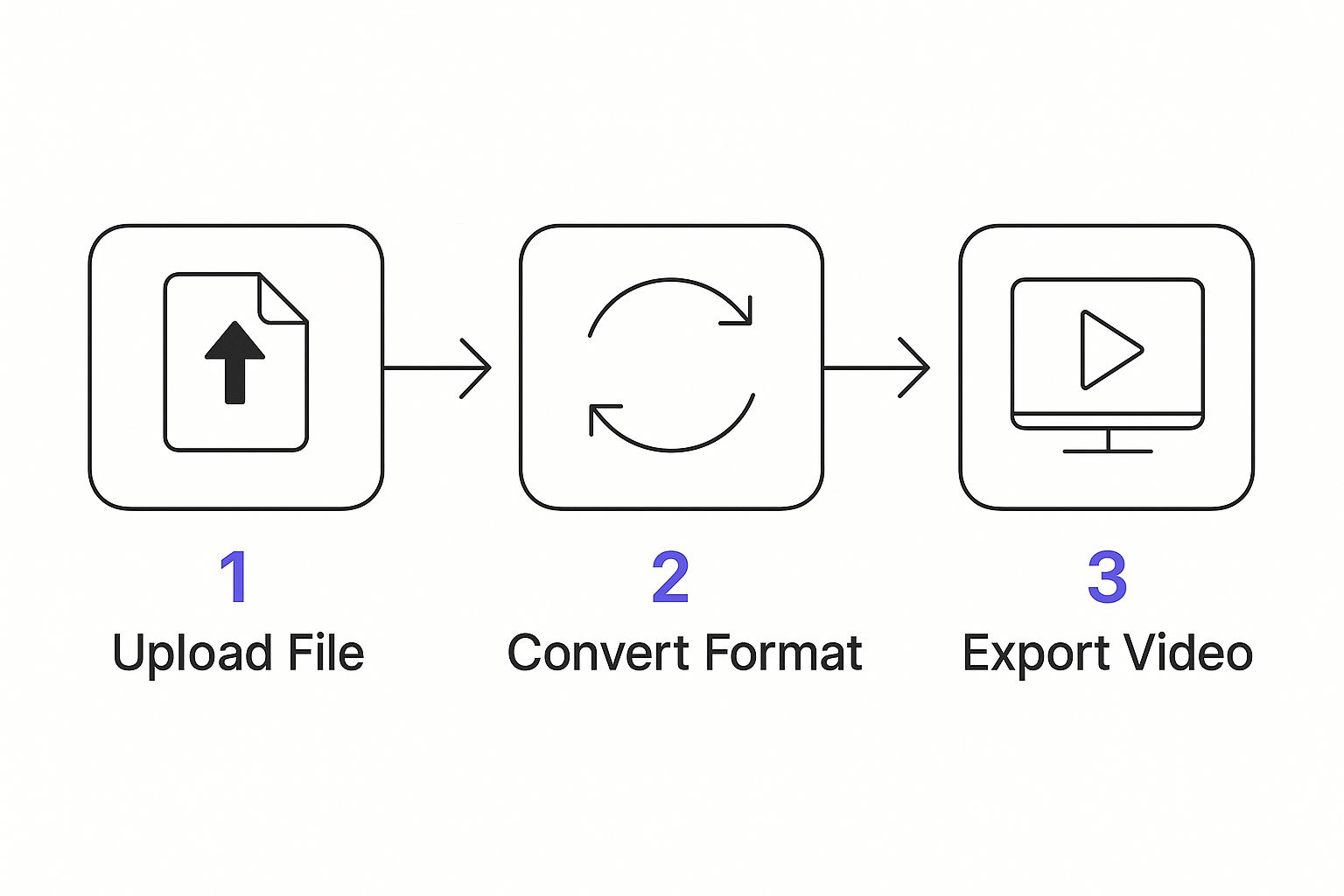
This just breaks down the journey from the original file to an Instagram-ready clip. It's a simple, multi-step process once you get the hang of it.
Making Your Video Fit a Vertical World
Most YouTube videos are filmed horizontally (16:9), but Instagram Reels and Stories live in a vertical world (9:16). A simple crop won't cut it. You have to actively reframe your shot in an editor to make sure the most important part of the action stays front and center.
Key Takeaway: Think about this—over 80% of users watch Instagram videos with the sound off. This means burning captions directly onto your video is non-negotiable. It’s absolutely essential for keeping people engaged.
Hop into your favorite video editing app and add text that pops. These captions should highlight key messages and make your video easy to follow without any sound. Of course, this all starts with having a good video in the first place. For anyone just starting out, check out a creator's guide on how to record videos for YouTube. When you take the time to reframe and add captions, your repurposed clip looks like it was made for Instagram, not like a lazy, chopped-up afterthought.
Making Your Instagram Post Work for You
Getting a great clip from your YouTube video is a solid start, but it won't do much on its own. If you want to turn Instagram viewers into YouTube subscribers, your post needs to be more than just a video—it has to be an invitation. That means writing a caption that grabs attention and a call-to-action (CTA) that people can't resist.
Think of your caption as the teaser. Don't just explain what's in the video clip. Instead, ask a question or make a bold claim that your video answers. Let's say your YouTube video is about baking sourdough. A killer caption would be something like, "Tired of flat, dense sourdough? This one simple trick in my new video guarantees a perfect rise every time. Check out the clip!"
See how that works? It creates a little bit of mystery and makes people want to watch the clip to find the answer, which then leads them to your full YouTube video for the whole story.
Create a Call to Action That Actually Converts
Let's be honest, "Link in bio" is lazy and ineffective. It just doesn't cut it anymore. You have to give people a genuine reason to take that extra step and leave the app. The key is to spell out exactly what's in it for them if they click.
Here's an example of a CTA that gets results:
"Want the full recipe and my top 5 sourdough secrets? Tap the link in my bio to watch the complete video on YouTube now!"
This one is so much better because it’s:
- Direct: It tells them precisely what to do ("Tap the link in my bio").
- Value-Packed: It clearly outlines the benefits ("full recipe," "top 5 secrets").
- Immediate: It includes an action word that encourages them to act right away ("now").
Cross-posting is a smart move, but only if you adapt the content for each platform. Simply dumping the same post everywhere is a recipe for low engagement. In fact, while 59% of social media posts are cross-posted, the ones that perform best are tailored to the audience. You can get more details on making this work from Buffer's 2024 analysis.
Finally, don't forget your hashtags. A good strategy uses a mix of different types to maximize your visibility. Combine broad tags like #baking, more specific ones like #sourdoughstarter, and a unique branded tag like #YourBrandBakes. This approach helps you reach new people without looking like you're just spamming tags.
Let's be honest: manually downloading, editing, and scheduling every single YouTube clip for Instagram is a surefire way to burn out. If you value your time—and I know you do—automating this whole process is a total game-changer.
Smart tools can link your YouTube and Instagram accounts, basically turning a tedious, multi-step chore into a set-it-and-forget-it operation. A great example of this is a platform like Repurpose.io. You just set up a simple workflow telling the tool to keep an eye on your YouTube channel. The moment you publish a new video, it automatically grabs it, reformats it for a vertical screen, and pushes it out as an Instagram Reel. Just like that, you’ve reclaimed hours of your week.
Why Automated Cross-Posting is a Big Deal
This isn't just about saving time, though that's a huge plus. Automating your workflow builds incredible consistency. We all know the Instagram algorithm loves accounts that post regularly. By putting your content distribution on autopilot, you guarantee a steady flow of posts, which keeps your profile fresh and your audience hooked.
The advantages are tangible and easy to see:
- More Time for What Matters: Spend less time on the boring, repetitive stuff and more energy creating great content.
- A Rock-Solid Schedule: Keep up a reliable posting rhythm that your followers—and the algorithm—will love.
- Wider Reach, Less Effort: Your content gets seen on multiple platforms while you're free to focus on other parts of your business.
This strategy is quickly becoming essential. In early 2025, YouTube even teamed up with Repurpose.io to make it easier for creators to cross-post videos to YouTube Shorts, showing just how powerful this concept is. The data doesn't lie: creators who used these tools saw audience growth on Shorts that was up to 30% higher. It's solid proof that automated distribution works. You can read more about this strategic move on influencermarketinghub.com.
Think of it this way: setting up an automation workflow is like hiring a virtual assistant who works around the clock to repurpose and publish your content. You never miss a chance to connect with your audience. For really complex setups, you can even look into specialized workflow automation services.
By getting comfortable with these tools, you can shift your content strategy from a manual grind to a smart, efficient system. If you want to dive even deeper, you can learn more about how to automate social media posting in our article.
Actionable Tips for Maximum Engagement
You've done the hard work of converting your video and crafting a great post, but don't stop there. Hitting "publish" is just the start. The real magic happens when you spark a conversation and show the Instagram algorithm that your content is worth sharing.
A few small, deliberate actions can make a world of difference.
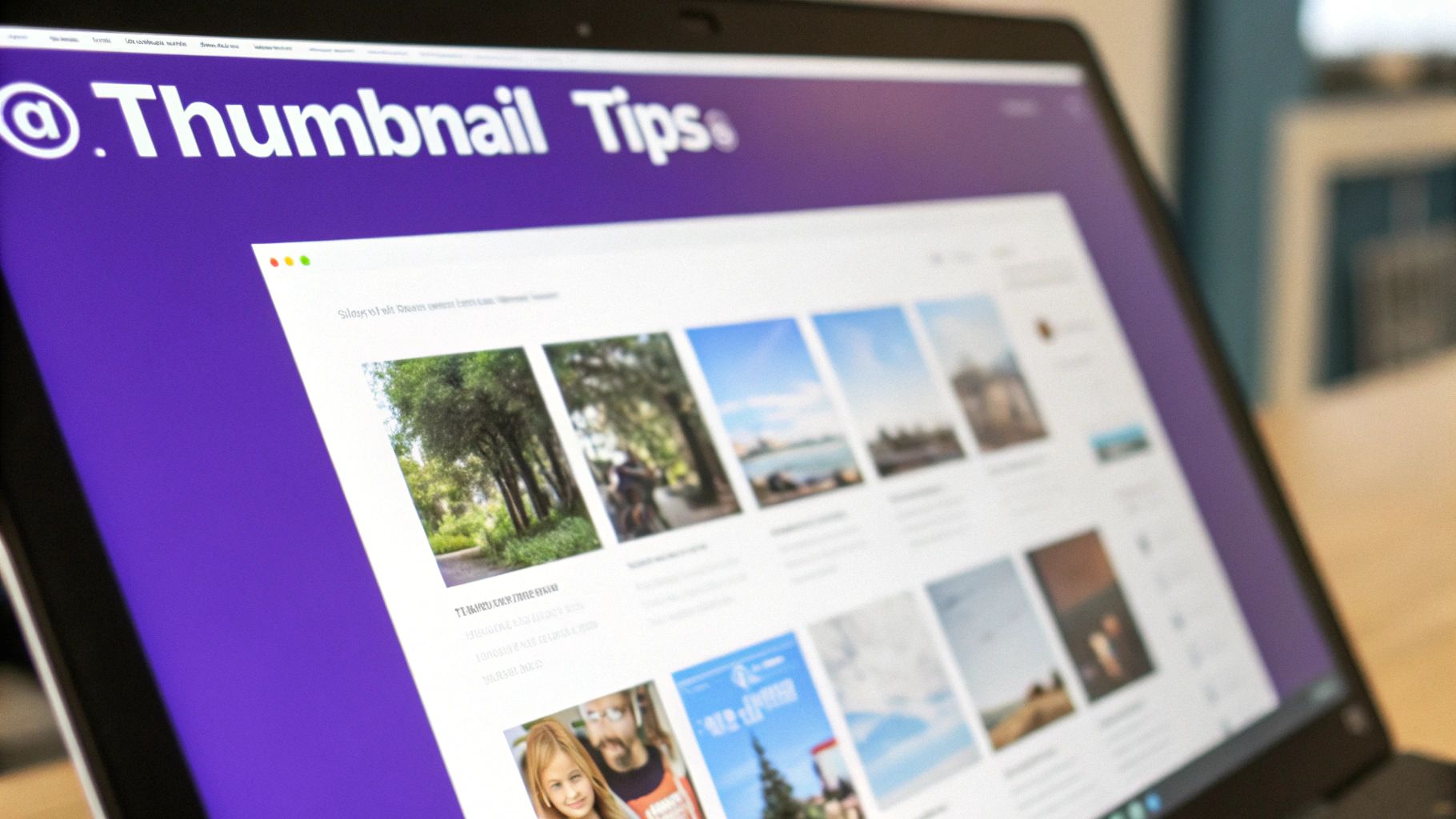
One of the most effective—and often missed—opportunities is creating a custom cover image for your Reel. Think of it as a movie poster. While the video plays automatically in the feed, this cover is what people see on your profile grid and in the Reels tab. An eye-catching cover with a clear, curiosity-piquing title can be the single reason someone decides to tap and watch.
Drive Interaction With Instagram Stories
Never just post your video and walk away. You need to actively promote it. Instagram Stories are your best friend for building buzz and sending people directly to your new Reel or video post.
Stories are packed with interactive tools that are perfect for this.
- Run a Poll: Ask a simple question tied to your video's theme. Something like, "Struggling with [the problem your video solves]? Yes / No" works great.
- Drop a Q&A Sticker: Get your audience thinking with a prompt like, "What's your biggest question about [topic]?" Then, point them to your new video for all the answers.
- Set a Countdown: If you have a regular posting schedule, a countdown sticker is a fantastic way to build anticipation for your next video drop.
These stickers turn your followers from passive viewers into active participants, making them feel like part of the conversation. For a deeper dive, our guide on how to https://repostly.app/blog/increase-instagram-engagement-689453d8650d8992d6cf6f0a is packed with more ideas.
Master the First Hour and Beyond
Pay close attention to the first hour after your video goes live. This is a critical window. The algorithm is watching to see how people react, and that initial engagement heavily influences how far your content will spread.
Your top priority during this time? Respond to every single comment and DM.
Responding quickly does more than just build community; it sends a powerful signal to the algorithm that your post is generating conversation. This simple habit is one of the easiest, most effective ways to give your video's performance a serious boost.
Finally, get into the habit of checking your Instagram Insights a few days after you post. This isn't just data; it's a roadmap telling you exactly what to create next. See which clips get the most shares, saves, and comments. This is direct feedback from your audience on what they love, helping you sharpen your content strategy over time. For more great ideas, check out these expert tips for social media engagement that work across any platform.
A Few Common Questions You Might Have
Even with a solid plan, a few tricky questions always seem to pop up when you’re trying to get a YouTube video onto your Instagram grid. Let's run through some of the most common ones I hear so you can post without second-guessing yourself.
Can I Just Share a YouTube Link Directly to My Instagram Feed?
Short answer: nope. There's no "share to Instagram" button on YouTube for a reason. The platforms are separate ecosystems and, let's be honest, direct competitors.
You'll always have to download the video file from YouTube first. Only then can you upload it to Instagram as a fresh, native post.
What’s the Deal With Copyright if I Use Someone Else’s Video?
This is a huge one, and you’ve got to get it right. If you want to share a YouTube video that isn't yours, you absolutely must get permission from the creator. Just grabbing someone's content without their consent is a fast track to copyright violations and a breach of Instagram's rules.
That can get your post taken down, or worse, get your account suspended. To stay completely safe, the best practice is to only repurpose your own content.
The golden rule here is simple: if you didn't create it, you need the original creator's explicit permission to post it. Don't just assume it's okay—it's not worth risking your brand's reputation.
Should I Post a Short Teaser or a Full Clip?
This really comes down to what you're trying to achieve with the post.
Want to drive people back to your YouTube channel? A punchy teaser clip is the way to go. Give your audience just enough of the good stuff to get them hooked, then hit them with a clear call-to-action pointing to the link in your bio for the full video.
On the other hand, if your main goal is to boost engagement on Instagram itself, a self-contained clip that tells a complete story or gives a full tip usually works better. This approach keeps your audience happy on the app they're already using. Many creators I know mix it up, using both strategies to grow their channel and their Instagram following at the same time.
Ready to stop wasting time and put your content distribution on autopilot? Repostly makes it easy to automatically convert and share your videos across all your social platforms. Start your free trial today at https://repostly.app and see how much time you can save.
Keep reading

10 Fresh Instagram Story Idea Tactics for 2025
Stuck for content? Discover our top Instagram story idea list, with actionable tips to boost engagement and grow your audience in 2025.

A Practical Social Media Planner for German Markets
Build a results-driven social media planner for Germany. This guide offers actionable strategies for content, scheduling, and analysis in the German market.

Crafting Your Social Media Content Plan
Stop guessing and start strategizing. This guide provides an actionable social media content plan to audit, plan, and execute content that gets results.
Post once. Show up everywhere.
Start your 7-day free trial and publish your next video to every platform in minutes.Pick a plan and publish your next video to every platform in minutes.
Start your free trialSee plansCancel anytime