How to Schedule Instagram Stories Like a Pro
Learn how to schedule Instagram Stories to save time, stay consistent, and boost engagement. This guide covers the best tools, tips, and strategies.

Figuring out how to schedule Instagram Stories is one of those small changes that completely overhauls your content workflow for the better. It’s a genuine time-saver and a smart way to level up your content game. You can either stick with Instagram's native tools inside the Meta Business Suite or, for more firepower, bring in a third-party app like Repostly. Either way, you get to map out your content ahead of time and post when it matters most, without being chained to your phone.
Why Scheduling Instagram Stories Is a Game Changer
Scheduling your Stories isn't just about clawing back a few minutes here and there; it’s about making a fundamental shift in your entire content strategy. When you move from posting on the fly to planning ahead, you completely change how you engage with your audience. This proactive approach gives you the creative space to actually build a community instead of constantly stressing about what to post next.
The real perks go way beyond just convenience. Having a queue of Stories ready to go has a direct, positive impact on your brand’s visibility and impact.
- Boosts Engagement: Being present when your audience is most active is everything. Scheduling means you can hit those peak engagement windows every single time, even if you’re tied up in a meeting or just offline.
- Strengthens Brand Consistency: A consistent look, feel, and voice are what make a brand memorable. Planning lets you nail that cohesive aesthetic across all your Stories, reinforcing your brand identity with every single post.
- Elevates Content Quality: Let's be honest, rushed content rarely lands well. When you batch-create and schedule your Stories, you can dedicate real, focused energy to making something high-quality that your audience will actually care about.
Reaching Your Target Audience
Knowing your audience inside and out is the key to making scheduling work for you. Take Germany, for example. The biggest chunk of Instagram users there are between 25 and 34 years old. As of January 2025, they made up almost 9.9 million of the country's 33.8 million total users. So, if that's who you're trying to reach, scheduling your Stories for early weekday evenings or mid-afternoon on weekends—when they're most likely scrolling—is a seriously effective move. You can dig deeper into German Instagram user demographics on Statista.com.
A quick glance at the modern Instagram interface shows you just how vital Stories are. They’re right at the top, front and centre.
This isn't an accident. The layout is designed to put Stories first, proving they are your best bet for grabbing immediate attention.
When you get the hang of scheduling, you stop just using Instagram and start directing your brand's narrative. It’s about taking full control of your content calendar so that every Story has a clear purpose—whether that’s to drive sales, connect with your community, or simply tell your story with polish.
Think about it: you could roll out a multi-part product launch or a week-long behind-the-scenes series without any of the day-of panic. That’s the freedom scheduling gives you. You can build up excitement and deliver a smooth, compelling story for your followers, all mapped out in one go. It’s a win for your workflow and a much better experience for your audience.
Using Instagram's Built-in Scheduling Tools
Believe it or not, you don't always need a third-party app to schedule your Instagram Stories. Meta actually provides its own tool, and for anyone just dipping their toes into content planning or managing a single account, it's a brilliant, cost-free place to start. The whole process is handled right inside the Meta Business Suite.
This native feature lets you get your Stories ready ahead of time and set them to publish at a specific time. It’s a simple way to make sure you’re posting when your audience is most active, freeing you from being constantly tied to your phone.
Scheduling Stories with Meta Business Suite
Getting this set up is surprisingly straightforward. You can hop on the desktop version at business.facebook.com or just use the mobile app. Once you’re in, the steps are pretty much the same on both platforms.
Look for the "Create story" button on your dashboard. You’ll then get a prompt to choose where you want to share it—just make sure your Instagram account is ticked. After that, you can upload your photo or video. The suite even has a few basic editing tools, so you can crop your media, throw on some text, and add a handful of simple stickers.
When your creative looks good to go, don't hit "Publish." Instead, look for the scheduling option. A calendar will appear, letting you pick the exact date and time you want the Story to go live. Set it, confirm it, and you're done. Your Story is officially in the queue and will post automatically.
The biggest win for using the built-in scheduler is its sheer simplicity. There are no extra logins or platforms to juggle; it all happens within the Meta ecosystem you’re already familiar with.
Understanding the Limitations
Now for the catch. While the native scheduler is convenient, it has some pretty big limitations, especially when it comes to the fun, interactive stuff. This is a crucial point to grasp before you build your entire strategy around it.
The main issue is the lack of support for Instagram's most popular interactive stickers. Sure, you can add basic text or simple graphics, but many of the features that really drive engagement are missing.
Here’s what you CAN'T use when scheduling through Meta:
- Poll Stickers: Forget about asking your audience to vote on things.
- Quiz Stickers: You won't be able to test your followers' knowledge with a fun quiz.
- Question Stickers: The classic "Ask me anything" sticker isn't an option.
- Music Stickers: Adding that trending track or your favourite tune is off the table.
These restrictions mean that while your visual content can be planned, you lose out on the spontaneous, interactive vibe that makes Stories so powerful. It feels like a deliberate choice by Meta, probably to encourage people to post live and engage in real-time. If your strategy hinges on these features, the native tool might feel a bit too restrictive.
For a broader look at planning your content, you might want to check out our complete guide on how to schedule social media posts to see how this fits into a larger strategy.
Leveling Up Your Strategy with Repostly
While Instagram's built-in scheduler is a decent starting point, if you're serious about your content, you'll likely outgrow it fast. When you're ready to get past the basics, a dedicated tool isn't just a luxury—it's essential for scaling your strategy and getting your time back. This is exactly where a platform like Repostly comes in, built to handle the demands of a high-volume, strategic content plan.
Tools like Repostly are designed to fill the gaps left by native schedulers. They offer advanced features you just won’t find in the Meta Business Suite, completely changing how you approach your content planning and execution.
These platforms are all about efficiency. They let you manage your entire workflow from one central hub, giving you access to features like:
- A Drag-and-Drop Content Calendar: Get a bird's-eye view of your entire month of Stories. This makes it incredibly easy to see where the gaps are and ensure you have a good mix of content.
- Bulk Uploading Capabilities: Forget uploading one Story at a time. You can prepare and upload all the media for an entire campaign in a single batch.
- First-Comment Scheduling: This is a game-changer. You can automatically add your hashtags to the first comment, keeping your captions clean and focused on your message.
A Real-World Scheduling Scenario
Let's make this practical. Imagine you're the social media manager for a small e-commerce brand. You've got a big week-long product launch coming up, and your goals are to build hype, get your audience involved, and ultimately, drive sales.
Using a tool like Repostly, you could map out the entire campaign in a single afternoon. You’d start by bulk-uploading all the assets—teaser videos, behind-the-scenes shots, and maybe some user-generated content you’ve collected. Then, using the visual calendar, you schedule it all out: a teaser poll on Monday, a countdown on Wednesday, and the final "link in bio" push on Friday, with each post timed perfectly for when your audience is most active.
This is the kind of efficiency that truly transforms your workflow.
The real advantage here is moving from a reactive, last-minute posting schedule to a proactive, well-thought-out strategy. You save countless hours of manual work and get the analytics you need to make smarter, data-driven decisions.
To get the most out of your Instagram Stories strategy, it helps to see it as one part of a larger picture. Integrating a wider set of essential startup marketing tools will give you a much bigger impact across all your marketing efforts.
The right tool really depends on your specific needs, so take the time to evaluate the features that matter most to you.
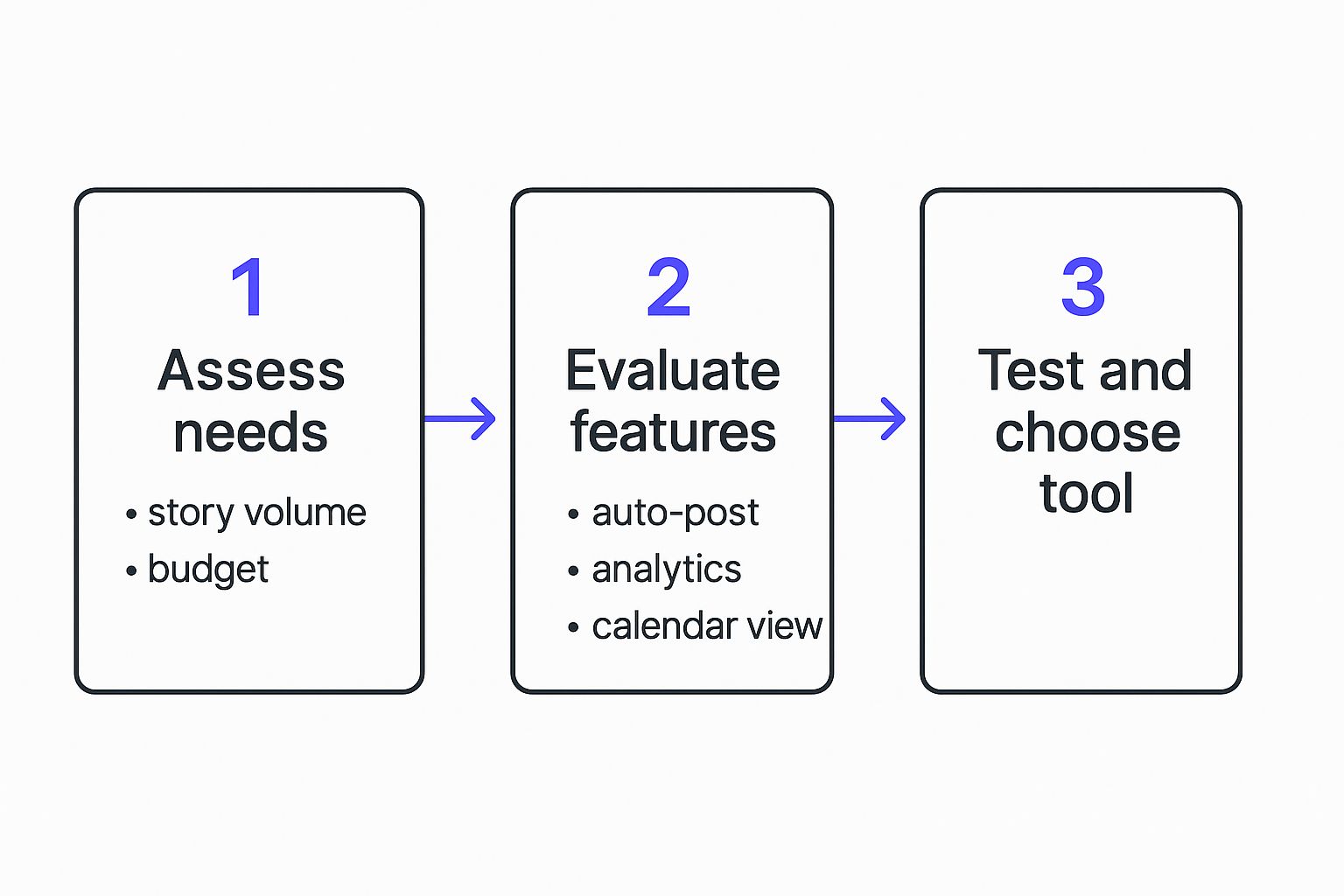
Native Scheduling vs Repostly: A Feature Comparison
To see the difference clearly, let's compare Instagram's native tool against a dedicated platform like Repostly. While one offers basic functionality, the other provides a suite of professional features designed for growth.
| Feature | Instagram Native Scheduling | Repostly |
|---|---|---|
| Content Calendar | Basic list view | Full drag-and-drop visual calendar |
| Bulk Uploading | No, single post upload only | Yes, upload multiple assets at once |
| First Comment Scheduler | Not available | Yes, automatically schedule hashtags in the first comment |
| Cross-Platform Posting | Limited to Facebook | Supports multiple platforms from one dashboard |
| Advanced Analytics | Basic performance metrics | In-depth analytics and customisable reports |
| Team Collaboration | Very limited | Full team management with approval workflows |
As you can see, the jump from native scheduling to a tool like Repostly is significant. It's about moving from simply posting content to strategically managing your entire social media presence.
Tapping into German Audience Behaviour
Understanding your audience's local habits is key to getting the most out of your scheduled content. In Germany, for example, user behaviour on Instagram can directly inform your scheduling strategy for better performance.
Data shows that activity often peaks between 6 to 9 PM CET on weekdays. With a large portion of German users falling into the 25 to 34 age demographic, tailoring your Story schedule to hit these primetime hours can massively increase your visibility and engagement.
By using a sophisticated scheduler, you can target these windows with pinpoint accuracy, making sure your content gets in front of the right eyes at the right time. This level of precision is what separates an okay strategy from a truly great one, turning scheduling from a simple chore into a powerful tool for growth.
Actionable Best Practices for Smarter Scheduling
It’s one thing to load your content into a scheduler; it’s another thing entirely to make it work for you. The real magic happens when you move beyond simple automation and start thinking strategically. This is how you turn your scheduler from a convenience tool into a powerful engine for growth, focusing on data, efficiency, and the right content mix.
Your first port of call should always be your Instagram Insights. This is where you’ll find the gold—the specific days and hours your followers are most active and likely to engage. This data isn't just nice to have; it's the foundation of your entire strategy, ensuring your Stories get maximum visibility. For a proper deep dive, our guide on finding https://repostly.app/blog/best-time-to-post-to-instagram-688b0f80650d8992d6cf6eb1 is a great place to start.
Once you’ve figured out when to post, it's time to get smarter about how you create your content. And that’s where batching comes in.
Embrace Content Batching
Content batching is a game-changer. The idea is simple: instead of scrambling to create a Story every day, you dedicate one solid block of time to create content for a week or even a month. Think of it as a creative sprint—one afternoon spent filming all your behind-the-scenes clips, designing your graphics, and writing captions in one go.
This approach pays off in a big way:
- Maintains Consistency: It guarantees a steady stream of high-quality content, so you’re never caught out.
- Prevents Burnout: By focusing your creative energy, you free up valuable headspace for other crucial tasks, like actually talking to your community.
- Creates a Cohesive Look: When you create content in a single session, it naturally develops a more consistent visual style and tone.
This kind of organisation is a key pillar of good content planning. To get the bigger picture on how this fits into your overall online presence, it’s worth exploring proven social media content planning strategies.
The goal of smart scheduling isn't just to "set it and forget it." It's to create a system that allows you to be more present and strategic, using automation to free up time for meaningful interaction rather than replacing it.
Build a Balanced Content Calendar
Finally, a truly effective scheduling strategy depends on variety. A balanced content calendar is what keeps your audience coming back for more. You’re not just scheduling promos; you’re building a narrative they want to be a part of.
Make sure your calendar includes a healthy mix of different content formats.
- Interactive Content: Think polls, quizzes, and Q&A stickers that get people tapping and replying.
- Behind-the-Scenes Footage: Show the human side of your brand to build genuine trust and connection.
- Educational Tips: Share your expertise and provide real value that establishes you as an authority.
- User-Generated Content (UGC): Showcase posts from your community to foster loyalty and provide powerful social proof.
This strategic blend is incredibly powerful, especially in large markets like Germany. With over 33 million users, the German market is a huge part of Instagram's advertising ecosystem, which saw a 5.5% global growth in ad reach to 1.74 billion users between 2024 and 2025. By scheduling your Stories to align with peak local times—usually weekday evenings and weekend lunchtimes—you can tap directly into this massive, highly engaged audience.
Common Scheduling Mistakes and How to Avoid Them

Learning how to schedule Instagram Stories is a game-changer for productivity. It feels like you’ve suddenly found a bunch of extra hours in the day. But I’ve seen so many brands fall into the trap of over-automating, and it can make them seem robotic or, even worse, completely out of touch.
A few common mistakes can trip you up, but with a bit of planning, you can easily sidestep them.
The biggest pitfall by far is the classic "set it and forget it" approach. Scheduling is brilliant for freeing you up to focus on strategy and community, not for replacing you entirely. People follow you for a connection, so they expect you to be there. You absolutely have to be ready to jump on replies and DMs as they come in. It’s called social media for a reason!
The Dangers of Tone-Deaf Automation
Another mistake I see all the time is scheduling content in a vacuum, completely unaware of what’s happening in the world. Think about it: a major global event happens, and your fun, pre-scheduled promotional Story pops up. It immediately makes your brand look insensitive and disconnected.
A flexible strategy is your best defence here. You need to keep one eye on the news and be prepared to pivot in an instant. Have a clear plan in place to pause your entire content queue if a serious situation arises. That kind of agility is non-negotiable for protecting your brand's reputation and showing your audience you’re paying attention.
Remember, scheduling should make your social media presence better, not automate your brand’s personality into oblivion. Real connection requires real-time awareness and a human touch.
Avoiding Repetitive Content and Sticker Missteps
Finally, there are a few smaller, more tactical errors that can make your scheduled Stories feel pretty stale. It’s easy to get lazy with automation and end up with a feed where every Story looks and feels the same. Always mix it up! Plan for different formats, topics, and creative styles to keep things interesting and organic.
Also, be careful with interactive stickers. Scheduling a poll or a quiz is great, but it falls flat if you’re not there to react to the results or engage with the responses. Those features are built for real-time interaction. If you’re going to schedule them, make sure you also block out time in your calendar to actually follow up. Getting these details right is what separates an efficient scheduling strategy from one that just feels empty.
Got Questions About Scheduling Stories? We've Got Answers.
Even with the best tools in your arsenal, diving into scheduling Instagram Stories can bring up a few questions. Getting these details right is what separates a decent strategy from a truly effective one. Let's clear up some of the most common sticking points so you can schedule with absolute confidence.
Can You Schedule Stories with Interactive Stickers?
This is probably the biggest question on everyone's mind. Can you schedule a Story with a poll, a quiz, or one of those handy question stickers? The short answer: it depends entirely on your tool.
If you’re using Instagram’s native scheduler inside Meta Business Suite, the answer is mostly no. You're limited to basic text and simple graphics, which means you miss out on the interactive elements that really get your audience talking.
This is where third-party tools like Repostly really shine. They've cracked the code, allowing you to add and schedule those engaging stickers. For many brands, that single feature is the deciding factor for investing in a more powerful platform.
What if I Need to Edit a Scheduled Story?
Spotted a typo right after hitting "schedule"? Or maybe a last-minute change means you need to swap out an image? Don't panic. You aren't locked into your decision.
Both Meta Business Suite and dedicated schedulers like Repostly give you the power to go back and edit your queued-up content.
You’ll usually find your scheduled Stories laid out in a content calendar or a simple list. From there, it's easy to jump in and:
- Tweak the scheduled date and time.
- Swap out the image or video file.
- Fix any text overlays or captions.
This kind of flexibility is crucial. It lets you stay agile and ensures your content is always perfect before it goes live. Think of your scheduler's calendar as a living plan, not something set in stone.
The ability to edit scheduled content isn't just a nice-to-have; it's essential. It gives you the power to react to real-world events or simply refine your creative, ensuring every Story that goes live is exactly as you intended.
How Far in Advance Can I Schedule My Stories?
Another big one is about the planning runway. How far out can you actually map your content? Once again, it comes down to the tool you're using.
Meta Business Suite typically lets you schedule content a few weeks in advance. For most day-to-day planning, that’s perfectly fine.
However, more advanced platforms often offer a much longer scheduling window, sometimes letting you plan months ahead. This is a game-changer for big campaigns. Imagine a retail brand in October scheduling its entire holiday season Story campaign, freeing up the team to focus on customer engagement during the chaotic festive rush. The key is finding a tool that can keep up with your strategic ambitions.
Ready to stop the last-minute scramble and start building a smarter, more consistent Instagram presence? Repostly gives you the advanced tools to schedule Stories, manage all your social accounts in one place, and finally get your time back. Start your free trial today and see the difference.
Keep reading

10 Fresh Instagram Story Idea Tactics for 2025
Stuck for content? Discover our top Instagram story idea list, with actionable tips to boost engagement and grow your audience in 2025.

A Practical Social Media Planner for German Markets
Build a results-driven social media planner for Germany. This guide offers actionable strategies for content, scheduling, and analysis in the German market.

Crafting Your Social Media Content Plan
Stop guessing and start strategizing. This guide provides an actionable social media content plan to audit, plan, and execute content that gets results.
Post once. Show up everywhere.
Start your 7-day free trial and publish your next video to every platform in minutes.Pick a plan and publish your next video to every platform in minutes.
Start your free trialSee plansCancel anytime