How to Post a Video from YouTube to Instagram Easily
Learn the simple steps for posting a video from YouTube to Instagram. Master posting a video from YouTube to Instagram today for quick sharing!
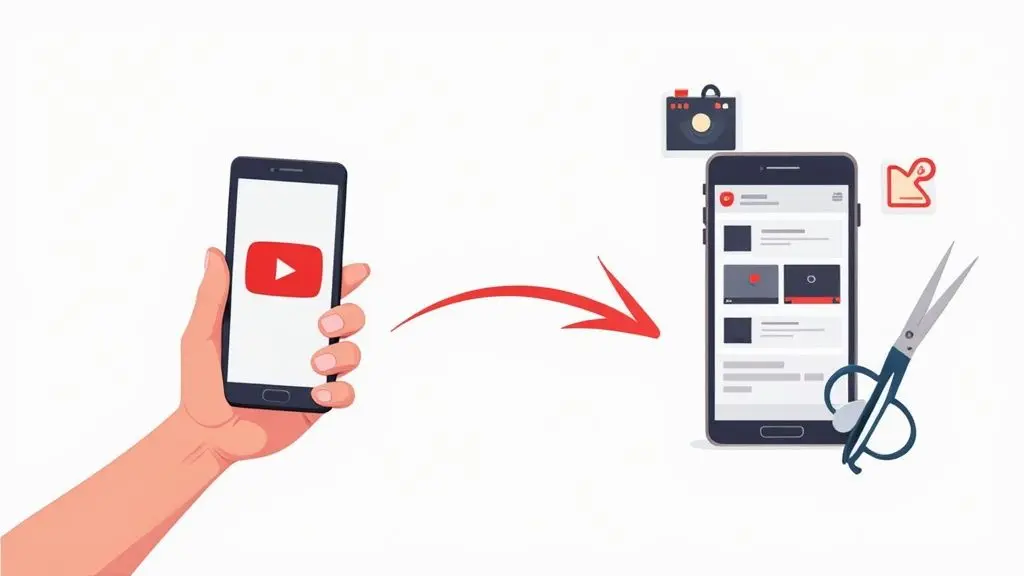
So, you've got a great video on YouTube, but how do you get it in front of your Instagram audience? It’s not as simple as just sharing a link. The real magic happens when you strategically slice up your long-form YouTube content into short, punchy clips that feel native to Instagram.
Think of it as translating your content for a completely different culture. This means downloading your video, re-editing it for Instagram's vertical format, and adding elements like captions that grab attention in the first few seconds.
Why Bother Repurposing YouTube Videos for Instagram?
Let's be honest, creating high-quality video is a ton of work. Repurposing is all about making that effort go further. Instead of grinding out brand-new content for every platform, you intelligently adapt your big YouTube productions for Instagram’s fast-scroll environment. It's a game-changer for your content strategy.
A single 10-minute YouTube video is practically a content goldmine. You can pull out killer highlights, memorable quotes, or quick how-to moments and turn them into several different Reels or a series of Stories. This keeps your Instagram feed fresh and full of valuable content, all from one original video shoot.
Tapping into Different Audience Habits
Success here comes down to understanding how people use each platform. Someone settling in to watch YouTube is often ready for a deep dive. The Instagram user? They're scrolling for quick hits of entertainment or information. By repurposing, you're serving the same core message but packaging it perfectly for each audience.
- Find New Followers: The people who love your long-form YouTube content might not even be on Instagram, and your Instagram followers might not know you have a YouTube channel. This is your bridge between those two worlds.
- Strengthen Your Brand: When your core message is consistent across platforms, you build a much stronger and more memorable brand identity.
- Boost Your Engagement: Short, snappy video clips are perfect for sharing. They're designed for interaction and can give your Instagram engagement a serious lift. We dive much deeper into these tactics in our guide on how to repurpose content.
This infographic really brings home the value of repurposing. You can see how a single video can fuel multiple pieces of content and seriously increase your engagement.
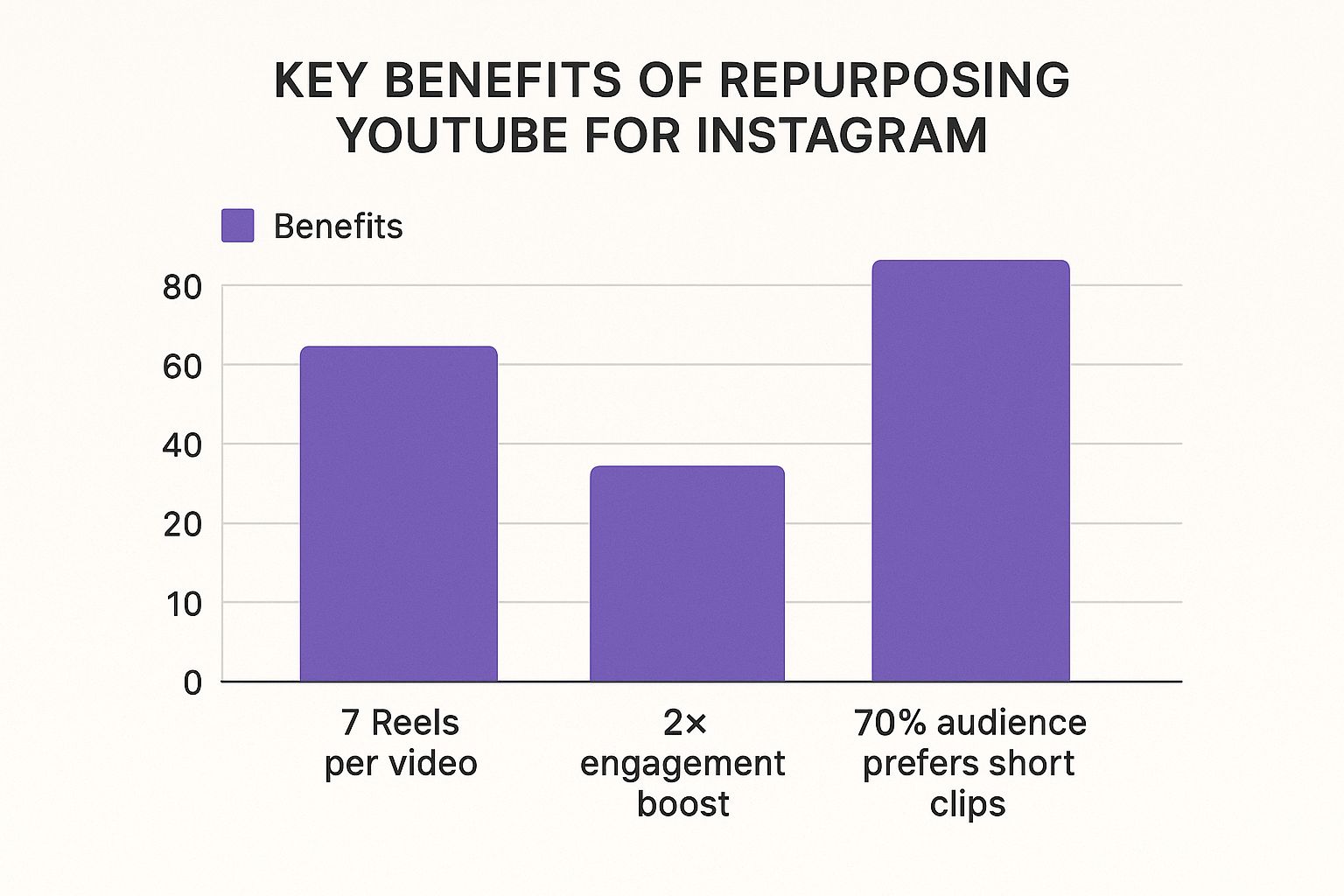
The numbers don't lie. Adapting your best stuff for short-form video directly caters to how people consume content today and can easily double your interaction.
Your best YouTube moments deserve a second life on Instagram. Don't let your hard work sit on one platform—give it the reach it deserves by transforming it into bite-sized content that stops the scroll.
Take Germany, for example. YouTube is massive, with over 56 million users, but Instagram isn't far behind with around 34 million. If you're not on both platforms with content that works for each, you're leaving a huge chunk of your potential audience on the table. Making your content work across platforms is absolutely essential for any brand wanting to maximise its reach.
Getting to Grips with Instagram’s Video Requirements
Before you even think about downloading that YouTube video, you need to know the rules of the new playground you're about to enter. Simply dumping a widescreen YouTube video onto Instagram is a classic rookie mistake. It often leads to awkwardly cropped visuals, blurry playback, and a final product that just screams "repost."
Think of it like this: a horizontal video made for a big screen just won’t have the same impact when squished into a vertical phone screen. It’s a bit like trying to fit a square peg in a round hole. You'll lose key parts of the action, and your audience will probably just scroll on by. Getting the specs right from the very beginning is what separates a professional-looking post from a lazy one.
Cracking the Code on Aspect Ratios and Dimensions
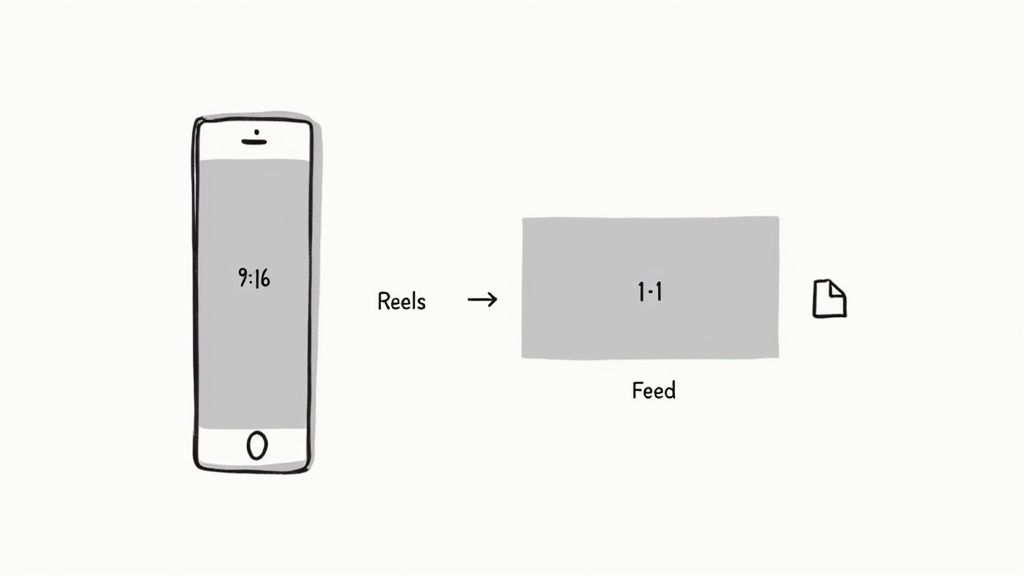
The first and biggest hurdle you'll face is the aspect ratio. YouTube is the land of horizontal 16:9 video, but Instagram is built for a vertical experience. This is non-negotiable.
Instagram Reels & Stories: These formats are all about taking up the entire mobile screen. That means you absolutely must use a vertical 9:16 aspect ratio. For the best quality, aim for a resolution of 1080 x 1920 pixels.
Instagram Feed Videos: You’ve got a bit more wiggle room here. The classic square 1:1 (1080 x 1080 pixels) is always a safe bet. However, I’ve found that a vertical 4:5 ratio (1080 x 1350 pixels) is often better because it claims more of that precious screen space as someone scrolls, making your video harder to ignore.
Nail these technical details before you start editing. This is your pre-flight check to ensure your video doesn't just fit the frame but looks sharp, intentional, and native to the platform. It makes a huge difference in how people engage with your content.
For a quick reference, here’s a little cheat sheet I use to keep things straight.
Instagram Video Format Cheat Sheet
| Video Type | Aspect Ratio | Maximum Length | Recommended Resolution |
|---|---|---|---|
| Reels | 9:16 | 90 seconds | 1080 x 1920 px |
| Stories | 9:16 | 60 seconds per slide | 1080 x 1920 px |
| Feed Videos | 1:1, 4:5, or 16:9 | 60 minutes | 1080 x 1080 px (Square) or 1080 x 1350 px (Vertical) |
This table covers the essentials you'll need for most of your video repurposing efforts.
The All-Important Time Limits and File Sizes
Beyond the shape of your video, you also have the clock to worry about. People on Instagram are conditioned to consume content quickly, so the platform has some firm limits.
An Instagram Reel can run up to 90 seconds, while each individual Story is capped at 60 seconds. While you can post a feed video that’s up to an hour long, I’d strongly advise against it. Shorter, punchier content almost always performs better.
Lastly, make sure your final video is an MP4 file, as it's the most compatible format for Instagram. Keeping these simple specs in mind is the foundation for turning your YouTube content into a stellar Instagram post.
Your Guide to Downloading and Editing Videos
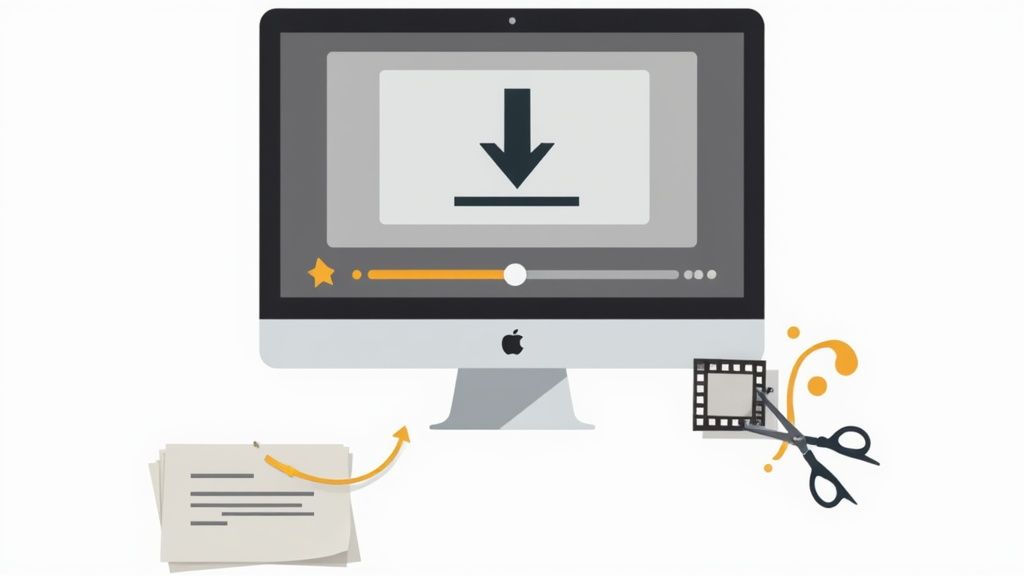
Alright, with the technical rules out of the way, let’s get our hands dirty. Actually getting a video from YouTube onto your Instagram feed involves a bit more than just a simple download and upload. It's really about reimagining your content for a completely different audience and a much faster-paced environment.
But before we even think about downloading, let's cover the most important rule: only download and repurpose your own content. Seriously. Grabbing someone else's video without their crystal-clear permission is a fast track to copyright strikes, which can get your post taken down or even put your whole account at risk. Always stick to content you own.
Choosing a Reliable Downloader
First up, you need a way to get the video file off YouTube. You’ll find tons of online tools for this, but be picky. You're looking for something that's safe, reliable, and gives you options. The best ones let you choose the resolution, and you should always go for the highest quality available, ideally 1080p. This gives you the best possible footage to work with before you start editing.
A high-quality download is your insurance against a pixelated, unprofessional-looking final product. Never compromise on the source file’s quality, as it directly impacts how your video is perceived on Instagram.
Editing for Maximum Impact
Now for the fun part. With the video file on your computer, it’s time to get creative. You don't need to break the bank on fancy software; fantastic free tools like CapCut or Clipchamp have everything you need. Your main job here is to find the most compelling 30 to 60-second nugget from your longer video that can stand on its own. Think of it as isolating the "hook."
Here’s a practical workflow I always follow when I'm doing this:
- Crop to Vertical: The very first thing to do is switch the aspect ratio. Go for 9:16 if you’re making a Reel or a Story, or 4:5 for an in-feed post. This immediately forces you to rethink the framing for a mobile screen.
- Identify the "Gold" Clip: Scroll through your timeline and find that one killer moment—a crucial tip, a surprising reveal, or a punchy quote. This is the heart of your new Instagram post.
- Add Captions (Subtitles): This is absolutely non-negotiable. So many people watch Instagram videos with the sound off. Clear, easy-to-read captions make sure your message still gets across, no sound required.
- Pacing and Cuts: Instagram is all about speed. Don't be afraid to make quick cuts or even speed up parts of the clip to keep the energy high. This helps hold attention and makes your video feel more dynamic.
This is where you turn a simple repost into a genuinely strategic piece of content. By taking a few extra minutes to reformat and add key elements like subtitles, you're not just throwing a video online; you're crafting an experience built specifically for your Instagram audience.
Using Automation Tools to Save Time
For anyone serious about content creation, manually downloading, editing, and posting every single clip just isn't sustainable in the long run. Let's be honest, juggling multiple platforms is a huge time sink. This is exactly where automation tools step in and change the game for getting your YouTube content onto Instagram.
Picture this: a service that links directly to your YouTube channel. The moment you upload a new long-form video, an AI-powered system gets to work. It scans your video, pinpoints the most engaging clips, and automatically formats them into perfect, ready-to-post Instagram Reels. It can even generate accurate subtitles and schedule the posts for you. Suddenly, your content workflow goes from a daily grind to a 'set it and forget it' process.
If you’re a brand manager, this is a lifesaver. One solid YouTube video a week can effortlessly become a steady stream of high-quality Reels, all without you spending hours chained to your editing software. That kind of consistency is what keeps you top-of-mind with your audience.
The Power of Automated Repurposing
This approach is particularly powerful in markets like Germany, where influencer marketing drives massive cross-platform engagement. Consider that 2.35% of all German Instagram users are influencers, and 24% of internet users there make purchases based on YouTuber recommendations. The synergy is undeniable.
For influencers and brands looking to tap into an ad market nearing €622 million, automation is no longer a luxury—it's essential for amplifying content and maximising your return.
Automation isn’t about replacing creativity; it’s about freeing up your time to focus on it. By handling the repetitive tasks, these tools let you concentrate on making great original content.
This strategy goes beyond just saving time; it's about smart content distribution. To really level up, you need to think about your entire workflow. Implementing effective social media scheduling strategies can make a world of difference for your Instagram presence.
By connecting your accounts and setting a few simple rules, you can create a constant flow of engaging content. We dive deeper into this in our guide on social media automation tools. It’s genuinely the smartest way to keep your momentum going without risking burnout.
How to Craft the Perfect Instagram Post
Getting your video perfectly edited and ready to go is a great start, but it's only half the battle. I've seen far too many brilliant clips get completely lost in the endless scroll because the bits that go with it—the caption, hashtags, and timing—were an afterthought. The real goal here is to stop those thumbs in their tracks and get people interacting.
When you're posting a video from YouTube to Instagram, you need to think strategically. Your caption is your first, best chance to hook someone. Don't bury the interesting stuff; kick things off with an intriguing question or a bold statement that piques curiosity and practically begs for a response.
Optimising Your Post for Maximum Reach
A killer caption is your foundation, but getting your video seen by more people means using every tool Instagram offers. You have to think beyond just the words in the description box.
- Strategic Hashtags: Forget generic tags like #video. Dive deeper and find a solid mix of popular, niche, and even your own branded hashtags. From my experience, a sweet spot is around 5-10 highly relevant tags. This helps you connect with people who are actively searching for content just like yours.
- Captivating Thumbnails: For any video that lives on your feed, that first frame is everything—it’s your thumbnail. Make sure you choose a visually arresting, high-quality image that instantly tells people what the video is about.
- Timing is Everything: Dropping your post when your followers are actually online and scrolling can make a massive difference to its initial performance. We've put together a detailed guide to help you find https://repostly.app/blog/best-time-to-post-to-instagram-688b0f80650d8992d6cf6eb1 for your unique audience.
- Collaborator Tags: Is another creator or brand featured in your video? Use Instagram's "Invite Collaborator" feature. This is a game-changer because it puts the post directly onto their feed as well, effectively doubling its potential reach right from the start.
Remember, every single post is a chance to start a conversation. That video you've repurposed isn't just a piece of content; it's a conversation starter, carefully crafted to connect with a whole new audience.
To really make sure your repurposed videos hit the mark, it's worth learning how to boost your Instagram engagement rate. When you pull all these tactics together, you turn a simple video upload into a seriously powerful tool for building your community.
Got Questions? We've Got Answers
When you're figuring out how to get your YouTube videos onto Instagram, a few questions always pop up. Getting these sorted from the beginning will save you a ton of headaches later and help you build a workflow that actually works.
So, Can I Just Repost Any YouTube Video I Find?
That’s a hard no. You should only ever download and share your own content or videos you’ve been given explicit permission to use. Grabbing someone else's work without their consent isn't just bad form; it's copyright infringement.
Instagram can take your post down for this, and if it happens repeatedly, you could even lose your account. The safest bet is always to stick to your own creations.
Will My Video Look Terrible After I Upload It?
It’s true that Instagram compresses videos, which can sometimes knock the quality down a peg. The best way to fight this is to start with the best possible material. Always download your video from YouTube in the highest resolution available—1080p is a solid baseline.
When you're trimming it down, export the final clip with settings optimised for Instagram. This one small step makes a massive difference in how sharp your video looks once it's live.
A rookie mistake is to edit an already low-quality download. That just compounds the problem. Give your content the best chance to shine by starting with a high-resolution file.
Should I Post the Whole YouTube Video?
Almost never. Think about the platform. Instagram thrives on short, punchy content that grabs you instantly. Your best move is to create an exciting teaser or a highlight reel from your longer video.
Keep it short and sweet—ideally under 60 seconds for a Reel. Use that clip to hook viewers and then guide them to the full-length version on your YouTube channel. A simple "link in bio" call-to-action in your caption works wonders for this.
Ready to stop juggling platforms and save hours every week? Give Repostly a try and see just how simple your social media workflow can be. Start your journey at https://repostly.app.
Keep reading

10 Fresh Instagram Story Idea Tactics for 2025
Stuck for content? Discover our top Instagram story idea list, with actionable tips to boost engagement and grow your audience in 2025.

A Practical Social Media Planner for German Markets
Build a results-driven social media planner for Germany. This guide offers actionable strategies for content, scheduling, and analysis in the German market.

Crafting Your Social Media Content Plan
Stop guessing and start strategizing. This guide provides an actionable social media content plan to audit, plan, and execute content that gets results.
Post once. Show up everywhere.
Start your 7-day free trial and publish your next video to every platform in minutes.Pick a plan and publish your next video to every platform in minutes.
Start your free trialSee plansCancel anytime