Can You Schedule TikTok Videos? Expert Tips & Tools
Wondering can you schedule TikTok videos? Discover how to plan content efficiently with native tools and apps to boost engagement and save time.
Good news – you absolutely can schedule TikTok videos. This isn't just a minor convenience; for serious creators and brands, it’s a total game-changer for keeping a consistent posting rhythm. You can get all your content ready in one go and then have it roll out automatically when it’s going to make the biggest splash.
Why Scheduling Your TikToks Is a Smart Move
Let's be real: trying to create and post great content on the fly, right in the middle of a busy day, is a recipe for burnout. It often means posting becomes an afterthought. Scheduling flips this on its head, turning a reactive scramble into a proactive strategy so you never miss a chance to engage your audience.
Instead of interrupting your day to post in real-time, you can batch-create your videos and set them to go live precisely when your followers are scrolling the most.
This approach brings some serious advantages:
- Keeps You Consistent: A regular posting schedule is a huge signal to the TikTok algorithm that you're an active, reliable creator. Consistency is rewarded.
- Frees Up Your Time: You can block out dedicated time for filming and editing, rather than letting content creation bleed into every part of your day.
- Reach a Global Audience: Got followers in a different time zone? No problem. You can schedule posts for their prime time without having to wake up at 3 AM.
This infographic breaks down just how much more efficient scheduling is compared to posting everything manually.
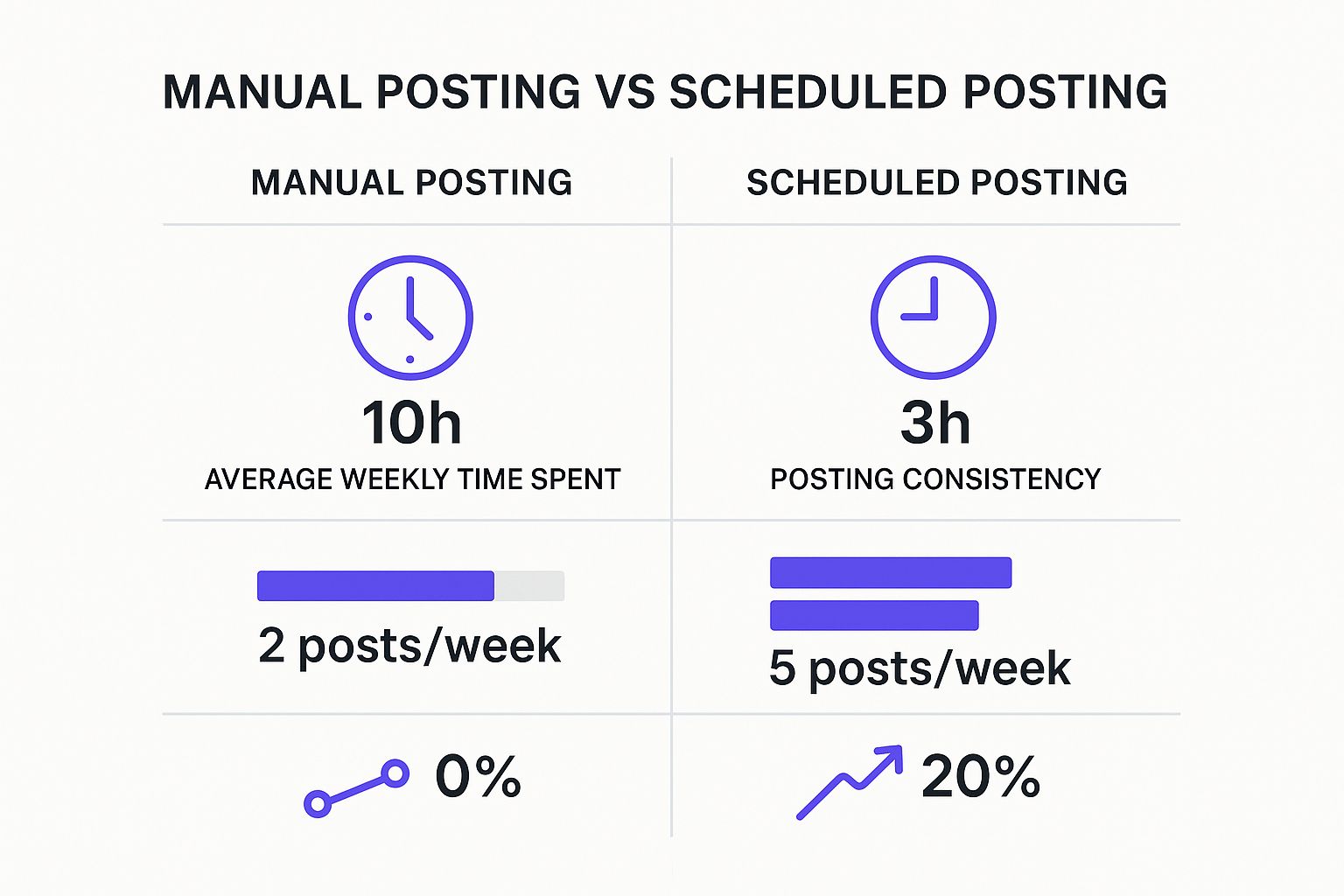
As you can see, scheduling isn't just about saving time; it directly impacts how often you can post and how much engagement you can drive.
Understanding Your Scheduling Options
When TikTok rolled out its native Video Scheduler in Germany, it was a big deal for the country's 21.6 million users. The catch? It’s a desktop-only feature, and you can only schedule 10 days in advance.
That 10-day limit can be a real pain. For creators trying to hit those peak engagement windows—like 9 AM to 12 PM CET on weekdays—it forces a much tighter planning cycle than you might be used to on other platforms. You can dig deeper into the best times to post on The Leap.
While the built-in tool is a decent starting point, it doesn't take long for creators to look for something with more power. This is where third-party platforms come in, offering longer scheduling windows, more advanced features, and the ability to manage all your social accounts in one place.
TikTok Scheduling Methods At a Glance
To make the choice clearer, here’s a quick rundown of how the two main options stack up.
| Feature | TikTok Native Scheduler | Third-Party Tool (e.g., Repostly) |
|---|---|---|
| Platform Access | Desktop browser only | Desktop and often mobile apps |
| Scheduling Window | Up to 10 days in advance | Typically 30+ days or unlimited |
| Cross-Platform | TikTok only | Manages multiple platforms (e.g., Instagram, Facebook, etc.) |
| Analytics | Basic, within TikTok's native analytics | Advanced, comparative analytics across channels |
| Best For | Casual creators, simple scheduling needs | Brands, agencies, serious creators managing multiple accounts |
Ultimately, the right method really depends on your workflow and what you're trying to achieve with your content.
Using The Native TikTok Video Scheduler
If you're looking to bring some order to your content chaos, TikTok's own scheduler is a brilliant place to start. First things first, you need to know this is a desktop-only feature. You won't find it tucked away anywhere in the mobile app, so you'll have to fire up your web browser.
Head over to the TikTok website and log into your Creator or Business account. From there, the process is pretty intuitive. Just hit the "Upload" button to get to the main content dashboard where you'll prep your video for its big debut.
Once you’ve got your video file selected, you’ll see all the usual suspects: a space for your killer caption, hashtags, and the all-important cover image. Look a little further down the page and you'll spot a toggle for ‘Schedule video’. Flip that switch, and the calendar and time options will appear.
Here’s a look at what you’ll see on the TikTok website. It’s clean and simple.
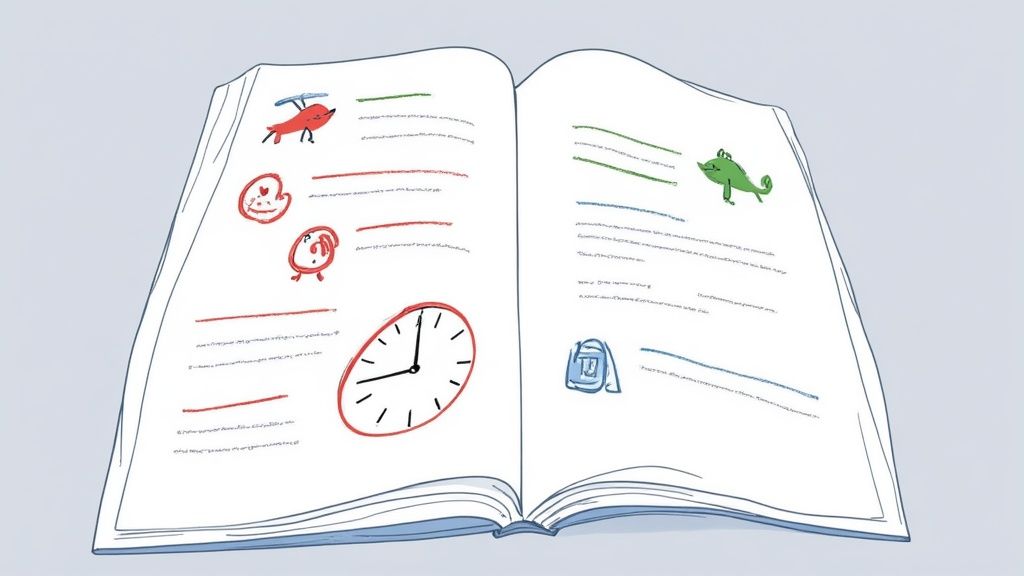
As you can see, it's a straightforward toggle that lets you pick a date and time. Keep in mind, though, that you can only schedule up to 10 days in advance.
Finalising Your Scheduled Post
Before you click that big red button, take a moment to double-check your permissions. You have the final say on how people interact with your video once it’s live. The key settings are:
- Allow comments: Turn them on or off.
- Allow Duet: Let others riff off your content.
- Allow Stitch: Give permission for others to incorporate clips from your video into theirs.
A word of warning: Triple-check everything—caption, hashtags, cover photo, and privacy settings—before you schedule. Once a video is scheduled with the native tool, you can't go back and edit it. Your only option is to delete the entire scheduled post and start over, which is a real pain if you've got a tight content calendar.
When you're happy with everything, pick your date and time, and click ‘Schedule’. That's it! Your video is now in the queue, ready to go live automatically. Now you can get back to what you do best: creating more awesome content.
Why Scheduling Your Posts Is A Game-Changer
If you think scheduling TikToks is just about convenience, you're missing the bigger picture. It’s actually a core growth strategy that turns random video drops into a deliberate plan to build a real connection with your audience. It's about more than saving a few minutes; it’s about creating a reliable presence that both your followers and the algorithm will reward.
When you post consistently, you're sending a clear signal to TikTok that you’re a dedicated creator. This kind of rhythm often translates into better visibility on the "For You" page, as the platform starts to recognise and even prioritise your content for the right viewers. Think of it as building momentum, one perfectly-timed post at a time.
Hit Your Audience’s Peak Hours, Every Time
The real power of scheduling comes alive when you match your posting times to your audience's habits. Dropping a video right when your followers are scrolling is one of the simplest ways to get that initial burst of engagement, which is critical for a video’s chance to go viral. But what if your prime time is in the middle of the night or when you’re stuck in a meeting?
This is where scheduling is your secret weapon. For example, if you're trying to reach an audience in Germany, you'll find engagement spikes on weekday mornings. A creator posting at 9 AM CET on a Tuesday might see up to 50% more engagement compared to posting at midnight. With roughly 60% of German users browsing the app before noon, scheduling lets you own that crucial window without having to be glued to your phone.
Scheduling isn't about posting and forgetting. It’s about posting at the perfect moment, every time, freeing you up to engage with comments and reactions as soon as your video goes live.
This is how the simple act of scheduling ties directly to your biggest goals: getting more views, sparking conversations, and growing a loyal community. When you know when your audience is ready to listen, your content never has to shout to be heard. To really get this right, check out our guide on the best times to post on social media for a deeper look.
When To Move Beyond TikTok's Native Tool
TikTok's built-in scheduler is a fantastic starting point for anyone just dipping their toes into organising their content. It's free, it's simple, and it absolutely gets the job done for basic, week-to-week planning.
But let's be honest—you'll probably start feeling its limits sooner rather than later, especially as your content strategy gets more serious. The moment you need to plan more than a week and a half out, you've already hit a hard ceiling.
There are three big constraints that tend to push creators and social media managers toward more robust tools. If any of these sound frustratingly familiar, it’s a good sign that you've outgrown the native feature.
- It’s Chained to Your Desktop: You can't schedule a thing from the mobile app. This means you have to interrupt your workflow, transfer your finished video from your phone to a computer, and then schedule it. For anyone with a mobile-first creative process, this is a real momentum killer.
- The Super-Short 10-Day Window: Got a holiday campaign coming up next month? Planning content around a product launch? Good luck. The strict 10-day limit makes any kind of long-term strategic planning virtually impossible.
- It Lives in a TikTok Bubble: Your social media presence rarely exists on just one platform. The native tool only handles TikTok, leaving you to manually post and manage your content on Instagram, YouTube Shorts, or anywhere else. That’s a lot of extra work.
Recognising The Need For An Upgrade
Picture this: you're managing social media for a small brand. You've got a great vertical video ready to go, and you need it on TikTok, Instagram Reels, and Facebook Stories. With the native tools, you’re logging into three different platforms just to schedule the exact same piece of content. It’s a massive time-sink.
This is exactly where a dedicated, third-party tool stops being a "nice-to-have" and becomes a necessity.
For creators and brands juggling multiple accounts or platforms, the time you save with a unified dashboard is incredible. It flips content management from a chaotic, reactive chore into a streamlined, proactive strategy.
This is the problem that platforms like Repostly are built to solve. They offer much longer scheduling windows, let you manage everything from a single dashboard, and provide analytics that show you how your content is performing across all channels. If you're serious about scaling your presence, looking into the best social media scheduling tools is the logical next step.
At the end of the day, scheduling is really just a simple form of automation. For those who want to take that efficiency to the next level, exploring broader marketing automation strategies can unlock some serious advantages for your business's growth.
Actionable Tips For Smarter TikTok Scheduling
 Just hitting the schedule button isn't a strategy. To get real results, you need to be intentional about what you're posting and when. That’s how you turn scheduling from a simple time-saver into a serious tool for growing your audience.
Your first port of call should always be your TikTok Analytics. Stop guessing when your followers are scrolling and let the data guide you. Find the "Follower activity" tab—it’ll show you the exact days and hours your community is most likely to see and engage with your stuff. That's your golden window.
Streamline Your Creative Workflow
Batching your content is a game-changer. I've found it's far more efficient to block out a few hours to film a handful of videos, then have a separate session just for writing captions and researching hashtags. This assembly-line method helps you stay in the creative zone and keeps your content pipeline full.
Here's a quick breakdown of how that might look:
- Prep Your Text: Get all your captions written out in a document beforehand. This gives you space to proofread and perfect your message without the pressure of posting on the fly.
- Plan Your Grid: Decide on your cover images ahead of time. It’s a small detail that makes a massive difference in creating a polished, consistent look for your profile.
A crucial tip I've learned is that the work isn't done when the video is published. Make a point to be online and ready to jump into the comments for the first hour after a post goes live. That early engagement can give your video a serious nudge in the algorithm.
Build a Cohesive Content Plan
A proper content calendar is your best friend for telling a consistent brand story. When you plan your posts in advance, you can build a real narrative and maintain a visual theme that people recognise. If you need some inspiration, checking out different social media content calendar examples can help you find a format that clicks.
Finally, think of your schedule as your own personal testing lab. Mix things up! Post different styles of video at various times and see what sticks. This data-driven approach means you're constantly improving your strategy based on what your audience actually loves, not just what you assume they will.
Got Questions About Scheduling TikToks?
Even with the best-laid plans, you're bound to have a few questions when you first start scheduling TikToks. Getting the right answers can save you a ton of frustration and keep your content creation process flowing. Let’s clear up some of the most common things people ask.
One of the biggest headaches creators run into is making last-minute changes. We've all been there: you schedule a post, walk away, and then suddenly realise there's a typo in the caption or you've used the wrong hashtag.
Can I Edit A TikTok Video After I Have Scheduled It?
The short answer is, unfortunately, no. Once you've locked in a video using TikTok's own scheduler, that's it—you can’t go back and edit the video file, tweak the caption, or change any settings.
If you spot a mistake, your only real option is to delete the scheduled post and start the whole upload process over again. It’s a good reason to get into the habit of double-checking everything before you hit that schedule button. This is a major limitation and a big reason why many creators look for more powerful third-party tools.
Why Can't I Find The Schedule Option On My TikTok App?
This is easily the most common stumbling block. TikTok's scheduling feature is exclusive to the desktop version, which you can only get to through a web browser. It's simply not available on the mobile app.
So, if you want to schedule a post natively, you have to:
- Log into your TikTok account on a computer.
- Find and use the "Upload" function on the website.
- Make sure your account is switched to a Business or Creator account, as this feature isn't available for personal accounts.
Does Scheduling A TikTok Negatively Affect Its Reach?
Absolutely not. There's zero evidence from TikTok or from what we see with other creators to suggest that using the built-in scheduler hurts your video's performance. The algorithm doesn't care how a video was uploaded; it treats a scheduled post just like one you upload manually in the moment.
In fact, it's often the opposite. By allowing you to post consistently when your audience is most active, scheduling can actually help improve your reach and engagement. The performance of your video will always come down to the quality of the content itself, not how it got there.
At the end of the day, scheduling is a tool designed to make your life easier, not to penalise your content.
Ready to move beyond TikTok's limitations and manage all your social media in one place? Repostly lets you schedule content across every major platform, giving you more flexibility and saving you hours every week. Start streamlining your content strategy with Repostly today!
Keep reading

10 Fresh Instagram Story Idea Tactics for 2025
Stuck for content? Discover our top Instagram story idea list, with actionable tips to boost engagement and grow your audience in 2025.

A Practical Social Media Planner for German Markets
Build a results-driven social media planner for Germany. This guide offers actionable strategies for content, scheduling, and analysis in the German market.

Crafting Your Social Media Content Plan
Stop guessing and start strategizing. This guide provides an actionable social media content plan to audit, plan, and execute content that gets results.
Post once. Show up everywhere.
Start your 7-day free trial and publish your next video to every platform in minutes.Pick a plan and publish your next video to every platform in minutes.
Start your free trialSee plansCancel anytime