How to Create a Content Calendar That Gets Results
Learn how to create a content calendar that streamlines your workflow and drives growth. Our guide covers strategy, tools, and real-world examples.

At its core, a content calendar is your roadmap. It's where you define your goals, take stock of what you already have, brainstorm new ideas, and schedule everything out with clear deadlines. It’s the strategic plan that connects every blog post, tweet, and video back to your bigger marketing goals.
Why a Content Calendar Is Your Strategic Blueprint
Forget thinking of a calendar as just a tool for staying organized. A great content calendar is the strategic blueprint that turns your marketing from a chaotic, reactive scramble into a consistent, purposeful machine. It’s the central nervous system for your entire content operation.
This blueprint gets everyone on the same page, ensuring your message is unified across all your platforms. It makes your workflow predictable, scalable, and—most importantly—measurable against your actual business goals.
From Sporadic Posting to Consistent Leads
I’ve seen it a hundred times: a startup posts on social media whenever someone has a spare 15 minutes. Their engagement is flat, the message is all over the place, and they have no clue if their effort is bringing in any business. Sound familiar?
Now, let's imagine that same startup starts using a simple content calendar.
- Planning: They begin mapping out weekly themes that actually tie into their upcoming product launches.
- Consistency: They commit to scheduling three posts per week, every single week. No more guesswork.
- Clarity: The whole team knows exactly what needs to be created, who needs to approve it, and when it goes live.
What happens next is almost inevitable. Their audience starts to see them as a reliable source. Engagement slowly but surely climbs. Before long, they're generating consistent leads right from their social channels. The calendar wasn't just a schedule; it was the framework that made their success possible. For a deeper dive into this initial planning phase, exploring a comprehensive social media marketing plan template can provide the structure needed to get started.
A content calendar reframes your thinking from, "What should we post today?" to, "How does this piece of content move us closer to our quarterly goals?" It forces strategic thinking by design.
Ultimately, this shift is what separates aimless content creation from a high-performing marketing engine. A calendar gives you the structure to build momentum, measure what’s working, and prove the value of your content over time. It’s not about filling empty space; it’s about making every single word and image count.
Build Your Strategic Foundation First

It’s tempting to jump right into a spreadsheet and start plugging in ideas. We’ve all been there. But a content calendar that actually works isn’t just a list of dates and topics; it’s built on a solid strategic foundation. Before you ever think about scheduling a post, you need to get brutally honest about what you're trying to accomplish.
This upfront thinking is what separates content that gets results from content that just fills the void. Your goals have to be specific and measurable. Vague ambitions like "get more engagement" won't cut it. Instead, aim for something concrete, like "increase Instagram story replies by 15% this quarter" or "boost blog traffic from organic search by 20% in the next six months." Clarity like this makes every other decision a whole lot easier.
Define Your Core Content Pillars
Once you know your goals, it's time to figure out your content pillars. Think of these as the 3-5 core topics or themes your brand will own. These are the subjects you want to be known for, the conversations you want to lead. They should be broad enough to spark endless ideas but narrow enough to establish you as an expert.
For a company like Repostly, those pillars might look something like this:
- Social Media Automation: All about workflows, scheduling tips, and smarter cross-posting.
- Creator Growth Strategies: Real-world advice on building an audience and making money from content.
- Platform-Specific Guides: Deep dives into what it takes to win on TikTok, Instagram, and other key platforms.
- Analytics and Performance: How to read the data to figure out what's working and do more of it.
These pillars become the guardrails for your content calendar, ensuring everything you create is on-brand and reinforces your authority. It’s this kind of strategic approach that has fueled the incredible growth of digital planning tools. In fact, the global market for calendar applications is expected to balloon from $3.5 billion in 2023 to $7.6 billion by 2032. That's a massive jump, and it shows just how critical organized planning is to staying competitive. You can discover more about this market trend on Dataintelo.com.
Before you can decide what to post, you have to define why you are posting. Your goals and pillars provide that "why."
Understand What Your Audience Wants
You have your goals and you have your pillars. Now for the final piece of the foundation: figuring out what your audience actually cares about. This isn't just for SEO specialists anymore; a little keyword research gives you a direct line into your audience’s biggest questions and problems.
Simple tools like Google Trends can be a goldmine. They show you what’s popular, what’s seasonal, and what’s gaining momentum. For instance, a quick look at the term "content marketing" shows that interest is steady all year long.
What does this tell you? There’s no “off-season” for this topic. It’s a conversation your audience is having consistently, so you should be creating content about it year-round.
Don't forget to look at your own backyard, either. A quick audit of your existing content is one of the most powerful things you can do. Dive into your analytics and find your greatest hits—the blog posts with the most traffic, the social updates with the most shares, and the emails with the highest click-through rates. These are clear signals of what already resonates, giving you a proven formula to build on.
Picking the Right Tools and Template for Your Content Calendar
Alright, you’ve got your strategy mapped out. Now comes the fun part: deciding where your content calendar will actually live. The tool you pick is more than just a spreadsheet; it's the central hub for your entire content operation. It’s going to shape your daily workflow, so choose wisely.
My best advice? Don't overthink it, especially at the beginning. The most sophisticated tool is useless if nobody on your team wants to open it. Start simple.
Lots of people kick things off with a basic spreadsheet, and honestly, there's no shame in that game. A tool like Google Sheets is free, everyone knows how to use it, and you can customize it to your heart's content. For a solo creator or a small, nimble team, it’s often the perfect way to get a clear, straightforward view of what's coming up.
The planning you've already done—auditing your old content and brainstorming new ideas—is what will inform how you set up that spreadsheet or tool.
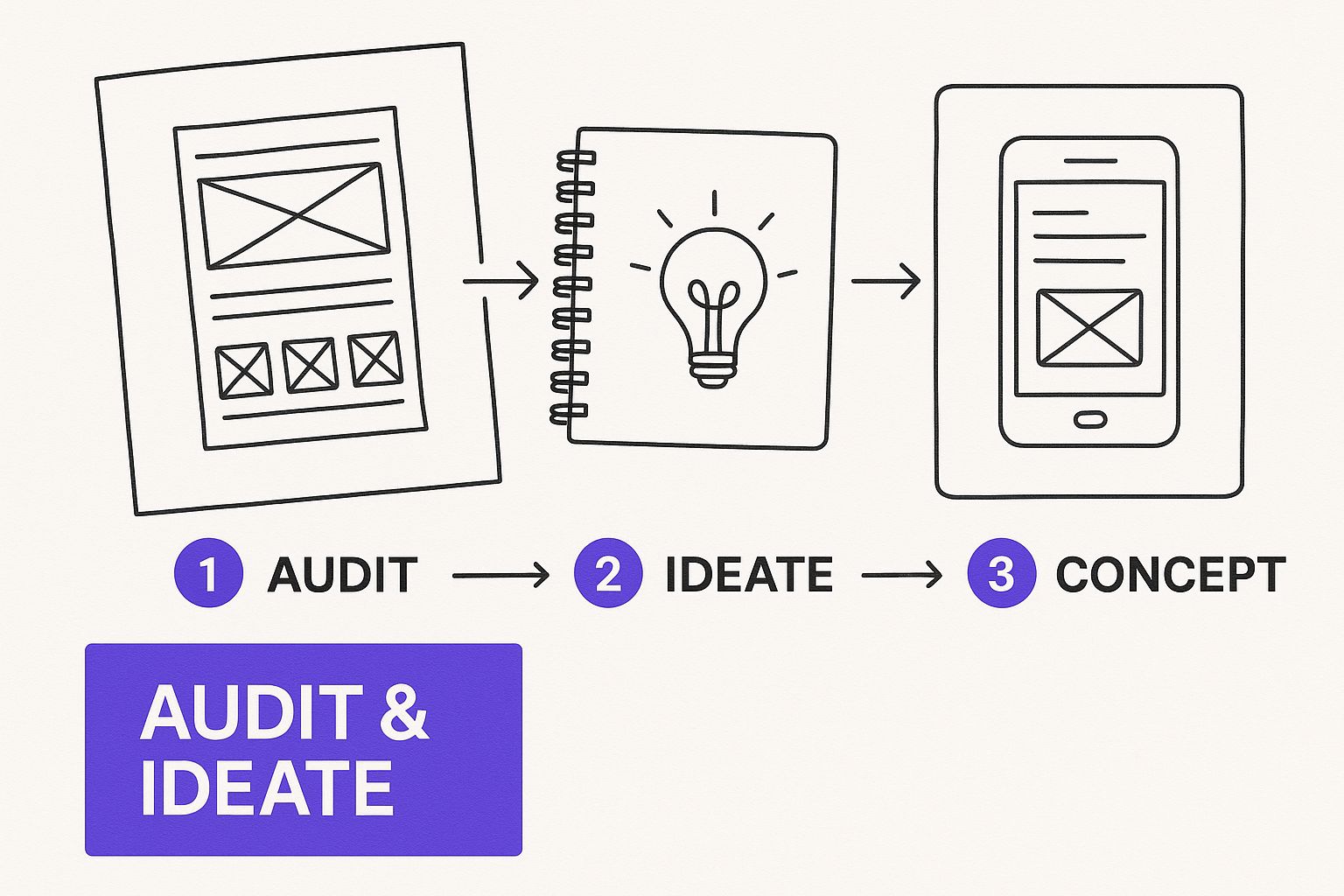
Think of that initial ideation as the foundation. The tool is just the house you build on top of it.
When Spreadsheets Start to Feel Small
There comes a point where a spreadsheet just doesn't cut it anymore. As your team or your content velocity grows, that once-simple Google Sheet can turn into a monster. You're dealing with version control issues, messy collaboration, and a total lack of automated reminders. Sound familiar?
That's your cue to look at dedicated project management tools. Platforms like Trello, Asana, or Notion are built for this kind of work.
- Trello: If you're a visual person, Trello's Kanban-style boards are a dream. You can literally drag and drop content cards from "Idea" to "Drafting" to "In Review" and finally to "Scheduled." It's incredibly satisfying.
- Asana: This is more of a powerhouse project management tool. It’s perfect when you have multiple people involved and need to assign specific tasks, set deadlines, and see how everything connects on a timeline.
- Notion: Think of Notion as digital LEGOs. It gives you the ultimate freedom to build a custom system from the ground up—your calendar, content archive, and brand guide can all live in one interconnected space.
The right tool simply makes your job easier. If your current system is causing headaches, constant "just checking in" emails, or confusion about where the latest version is, it’s time to find a new one.
To help you get a clearer picture, here’s a quick rundown of some popular options.
Content Calendar Tool Comparison
| Tool | Best For | Pricing Model | Key Feature |
|---|---|---|---|
| Google Sheets | Solo creators & small teams starting out | Free | Extreme flexibility and familiarity. |
| Trello | Visual-based workflows & tracking stages | Freemium | Intuitive Kanban boards. |
| Asana | Teams with complex projects & dependencies | Freemium | Robust task management & timeline views. |
| Notion | Building a completely custom, all-in-one workspace | Freemium | Unmatched flexibility with database functionality. |
| Repostly | Teams focused on social media execution | Subscription | Direct scheduling & publishing integration. |
Ultimately, the "best" tool is the one that fits your team's unique rhythm and workflow. Don't be afraid to try a few free versions before you commit.
The Must-Have Fields for Any Calendar Template
No matter what tool you land on, its real power comes from the information you put into it. A good content calendar is more than a list of dates. To get a handle on this, understanding What is a template in a broader sense helps you build a system that truly works for you.
At the bare minimum, every single piece of content logged in your calendar needs these details:
- Publication Date & Time: Be specific. When exactly is this going live?
- Topic/Headline: The working title. It doesn't have to be final, but it should be clear.
- Content Format: Is it a blog post, an Instagram Story, a YouTube video, or a podcast episode?
- Owner: Who is the single person responsible for getting this across the finish line?
- Status: This is crucial for a quick overview. A simple dropdown (e.g., Idea, In Progress, In Review, Scheduled, Published) works wonders.
- Target Keywords: For any SEO-driven content, list the primary and secondary keywords here.
- Distribution Channels: Where is this going after it's published? List all channels, from LinkedIn and Twitter to your email newsletter.
For teams heavily focused on social media, this is where dedicated platforms like Repostly can be a game-changer by combining your planning with the actual execution. Learning how to schedule social media posts within the same ecosystem you plan in saves a ton of time.
Your calendar should be the one place anyone can go to get the full story on a piece of content without having to ask a single question.
From Plan to Published: Breathing Life Into Your Content Calendar
Alright, you've done the heavy lifting on strategy and picked your tools. Now for the fun part: turning that abstract plan into an actual, living schedule. This is where we shift from the why to the what—the specific pieces you'll be creating and sharing every day. The first thing to do is start brainstorming ideas that fit neatly under the content pillars you've already defined.
Think of each pillar as a big bucket you need to fill. Let's say one of your pillars is "Creator Growth Strategies." You wouldn't just drop one idea in there. Instead, you'd fill it with a mix of formats:
- A blog post on "5 Ways to Monetize a Small Audience."
- An Instagram Reel showing a quick tip for better video lighting.
- A LinkedIn post detailing a case study of a creator who successfully scaled their business.
The idea is to have a rich variety of content types for every major theme you cover.
Match the Content to the Channel
One of the biggest mistakes I see people make is creating a single piece of content and then just blasting it across every platform, unchanged. A deep-dive blog post is gold, but that same wall of text will get completely ignored on TikTok. Every platform has its own vibe, its own audience expectations, and its own unique rhythm.
Your calendar has to account for this. Don't just pencil in "New Blog Post" for Tuesday. Instead, map out the entire ecosystem of content that will surround that one core piece.
For example, for a guide on repurposing, your calendar might look like this:
- Blog: Publish the full, in-depth article: "The Ultimate Guide to Repurposing."
- LinkedIn: Write a text-only post that pulls out a key professional insight from the article, maybe with a compelling stat.
- Instagram: Create a carousel post that visually breaks down three main takeaways into bite-sized slides.
- Twitter/X: Start a thread summarizing the core arguments, with a link driving back to the full piece.
This way, you’re not just posting; you're speaking the native language of each channel, which makes all the difference.
Find Your Rhythm and Make Your Content Work Harder
Consistency will always beat frequency. It’s far better to publish three genuinely great, strategic posts a week than to burn out trying to post ten mediocre ones. Take an honest look at your resources—your time, your budget, and your team's bandwidth—and commit to a schedule you can actually maintain.
This is where repurposing becomes your secret weapon. A single, well-researched blog post can be sliced and diced into a dozen smaller assets. Once you create something valuable, don't let it die after one post. Maximize its reach and extend its lifespan by using smart content repurposing strategies. This approach not only saves a ton of time but also fills your calendar far more efficiently.
Your content calendar isn't just for scheduling new stuff. It's a system for getting the most value out of everything you've already made.
Think about the scale you're up against. With around 5.42 billion active social media users juggling nearly seven different networks a month, a scattergun approach is a recipe for being ignored. Precise, thoughtful calendar management is how you cut through that noise. You can read the full research on social media statistics at sproutsocial.com.
Build in Flexibility and Anchor Your Key Dates
A calendar that's too rigid is a calendar that's bound to break. Your plan needs structure, absolutely, but it also needs some wiggle room. I always recommend leaving a few empty slots in your weekly schedule for spontaneous, timely content. This is your space to react to a trending topic, share a behind-the-scenes moment, or even jump on a relevant meme.
Finally, get your big rocks on the calendar first. Block out major holidays, industry trade shows, product launches, and seasonal campaigns months in advance. This high-level view lets you plan your cornerstone content ahead of time, ensuring you have a steady drumbeat of major initiatives that your day-to-day content can support.
Using AI to Supercharge Your Content Planning
Let's be honest, modern content planning can feel like a grind. Staring at a blank calendar is daunting, but you don't have to go it alone anymore. This is where artificial intelligence can step in and become your new creative partner.
Tools like ChatGPT or Jasper are brilliant for getting the ball rolling. I've used them to break through creative blocks by brainstorming topics, spitting out blog post outlines, and even drafting quick social media blurbs right inside my planning doc. It just makes the whole process smoother from the start.
From Research to First Draft Faster
Think about all the time you sink into research. AI can scan top-ranking articles in minutes, pinpointing content gaps and suggesting keywords your audience is actually searching for. It's not a magic bullet, but it can turn what used to be a week of manual SERP analysis into an afternoon's work.
This is more than just a theory. I've seen B2B tech teams completely change how they build their calendars. What once took them weeks—planning a full quarter's worth of content—can now be done in just a couple of days. They use AI for everything from finding new topics to making sure their content matches what buyers are looking for. If you’re curious about the specifics, leveraging AI for writing articles offers some great practical insights.
This shift means you can fill your calendar with ideas that are backed by real data, not just a hunch.
Keeping Your Human Touch
Now, for the important part: AI is an assistant, not a replacement for your expertise and creativity. The real goal here is to let the tech handle the repetitive, time-consuming tasks so you can pour your energy into what people actually connect with.
AI should be your starting point, not your final word. Always use its output as a foundation to build upon, infusing your unique brand voice, personal experiences, and authentic perspective into the final piece.
Here’s a simple way I think about the partnership:
- AI handles: The grunt work like keyword research, topic brainstorming, and creating a basic structure.
- You handle: The magic, like adding personal stories, fine-tuning the tone, and triple-checking every fact.
This blend of machine efficiency and human creativity is the sweet spot. You get a content plan that is strategic and scalable but still sounds completely and authentically you.
Answering Your Top Content Calendar Questions
Even with the best template in hand, you're bound to run into a few questions once you start putting your calendar into practice. Let's walk through some of the most common challenges I see and how to handle them.
How Far Out Should I Actually Plan?
This is a classic question, and the answer really depends on the type of content. My go-to rule is to plan social media about one month ahead and bigger content pieces, like blog posts or videos, a full quarter (three months) in advance.
This gives you the perfect mix of strategy and agility. Planning your blog for an entire quarter helps you build momentum for long-term goals, like SEO. At the same time, a monthly social plan leaves you enough room to jump on a trending topic or react to industry news without derailing your entire strategy.
What Happens When I Inevitably Fall Behind?
First off, take a breath. It happens to everyone. The goal isn't perfection; it's consistency. Your calendar should be a guide, not a straitjacket.
The first step is to figure out why you're behind. Is writing taking longer than you thought? Are you stuck waiting for approvals? Once you pinpoint the bottleneck, you can start making adjustments.
For now, focus on your most important posts and see what you can repurpose to fill the gaps. Got a killer blog post from last year? Turn its key takeaways into an Instagram carousel. That'll buy you some breathing room while you create a more realistic schedule for the weeks ahead.
Your content calendar is a tool for clarity, not stress. If you’re always falling behind, that’s just data telling you to adjust your workflow or how often you post.
How Often Should I Be Looking at This Thing?
I recommend two different review cadences: a quick check-in and a deep dive.
Your quick check-in should happen daily or at least a few times a week. This is just a glance to make sure everything is on track and posts are going out as planned.
Then, at the end of every month, it’s time for a proper strategic review. This is where you look at what actually worked. Which posts got the most engagement? What topics flopped? The insights you gather here are gold. They'll show you exactly what to do more of—and what to stop doing—next month. To get started, check out our guide on essential metrics and reporting in our detailed guide.
Should I Really Use Just One Calendar for Everything?
Absolutely, yes. A single, unified calendar is the secret to a sane content strategy. It gives you that crucial bird's-eye view of everything you're publishing, which is key for preventing embarrassing overlaps or mixed messages.
You don't need fancy software to make this work. A simple spreadsheet can do the trick if you use a few simple tricks:
- Color-code everything by platform (e.g., blue for LinkedIn, pink for Instagram).
- Add tags or labels for campaigns or content types (e.g., #ProductLaunch, #TutorialTuesday).
- Create different columns or tabs for each social network to keep things tidy.
This approach ensures your brand tells a consistent story everywhere, and it makes it way easier to see how a single idea can be cleverly repurposed across all your channels.
Ready to stop the guesswork and start building a powerful, automated content machine? Repostly lets you schedule, publish, and analyze your content across all your social platforms from one central hub.
Keep reading

10 Fresh Instagram Story Idea Tactics for 2025
Stuck for content? Discover our top Instagram story idea list, with actionable tips to boost engagement and grow your audience in 2025.

A Practical Social Media Planner for German Markets
Build a results-driven social media planner for Germany. This guide offers actionable strategies for content, scheduling, and analysis in the German market.

Crafting Your Social Media Content Plan
Stop guessing and start strategizing. This guide provides an actionable social media content plan to audit, plan, and execute content that gets results.
Post once. Show up everywhere.
Start your 7-day free trial and publish your next video to every platform in minutes.Pick a plan and publish your next video to every platform in minutes.
Start your free trialSee plansCancel anytime