Find Your Ideal Time to Post on Instagram
Stop guessing and find the ideal time to post on Instagram for your unique audience. Learn how to use your data to boost engagement and reach.
It's tempting to search for that one magic hour to post on Instagram, but the truth is, it doesn't exist. There's no universal secret that works for every single account out there.
While you'll see general benchmarks pointing to weekdays between 11 AM and 2 PM or 6 PM and 9 PM, those are just starting points. They line up with common lunch breaks and evening wind-down times, but they’re far from the whole story.
Why There’s No Single Best Time to Post
Let’s get one thing straight from the beginning: anyone telling you there’s one "best time to post" for everyone is selling you a myth. The real secret to getting more eyes on your content isn’t about following a generic schedule; it's about digging into the habits of your specific audience.
Think about it like a TV network. They don’t just throw their biggest shows on at random times. They schedule them for prime time, precisely when they know their target viewers are settled on the sofa. Your Instagram account works the same way. Your ideal posting time is completely tied to your followers' daily routines, where they live, and who they are.
Finding Your Audience's Rhythm
Your mission is to stop looking for a one-size-fits-all answer and start learning how to find your personal prime time. This means seeing your followers not just as a number, but as a community of real people with their own unique daily patterns.
Several key factors shape when your audience is most likely to be scrolling:
- Daily Routines: Are your followers mostly 9-to-5 office workers? Or are they students with more flexible schedules? Their daily grind heavily influences when they pick up their phones.
- Time Zones: If you have an international following, your 9 AM post might be hitting their feed at 3 AM. You need to account for where your community is based.
- Age and Demographics: Different generations use social media differently. A younger crowd might be scrolling late into the night, whereas an older audience might be more active during daytime hours.
The idea of "prime time" isn't just for television. Your Instagram has its own peak viewing hours. Finding them is less about industry averages and more about becoming a detective of your own audience's data.
The German market is a great real-world example. With around 33.2 million Instagram users in Germany, the largest slice of that audience falls into the 25 to 34 age bracket. Naturally, this group's online activity spikes during lunch breaks and after the workday wraps up, making those times a smart bet if you're targeting a German audience. You can dive deeper into German Instagram user demographics on napoleoncat.com.
The goal here is to help you move past the generic advice. We're going to show you how to analyse your own data and turn your Instagram feed into something your followers genuinely look forward to seeing.
Using Posting Benchmarks as Your Starting Point
Before you get lost in your own analytics, it's smart to have a general idea of what works. Think of industry benchmarks as your starting point—a well-informed guess that helps you kick off your first tests. These aren't rigid rules, but more like a compass pointing you in the right direction.
These general guidelines come from observing broad user behaviour, which often follows the rhythm of a typical work week. In Germany, for example, social media habits are closely tied to the standard professional schedule. This creates predictable peaks in online activity that you can use to your advantage.
Capitalising on Daily Routines
Most people grab their phones during natural breaks in their day. The most common windows of opportunity are the midday lunch break and the period right after work, when people are commuting home or finally winding down. It’s no surprise, then, that you’ll often see engagement climb during these times.
Days like Wednesday and Thursday tend to be the sweet spots for social media. Mondays are usually a blur of catching up on work, and by Friday, people's minds are already drifting towards the weekend. This leaves the middle of the week as prime time for grabbing your audience's attention.
Think of it like this: you wouldn't open a café at midnight and expect a crowd. You open when people are craving coffee—on their morning commute or during that afternoon slump. Posting on Instagram works the same way. You need to show up when your audience is looking for that digital break.
User engagement patterns in Germany back this up, showing that Instagram activity often peaks during mid-week afternoons and early evenings. The highest numbers of online users are typically seen between 11 a.m. to 2 p.m. and again from 6 p.m. to 9 p.m. In fact, posts published on Wednesdays and Thursdays within these windows can see up to 20% higher engagement. If you want to dive deeper into German social media habits, you can read the full report on digital trends at datareportal.com.
A General Timetable to Get You Started
To give you a practical starting point, here are some general posting benchmarks based on user activity in Germany (CET). Use these time slots as a foundation for your first few weeks of posting experiments.
General Instagram Posting Time Benchmarks for Germany (CET)
This table provides starting point times based on general user activity in Germany. Use these as a baseline for your initial posting schedule tests.
| Day of the Week | Primary Time Slot | Secondary Time Slot | Notes |
|---|---|---|---|
| Monday | 12:00 – 14:00 | 18:00 – 20:00 | Lunchtime scrolls and post-work catch-ups. |
| Tuesday | 13:00 – 15:00 | 19:00 – 21:00 | Engagement picks up as the work week gets into full swing. |
| Wednesday | 11:00 – 14:00 | 18:00 – 21:00 | Often a peak day. People are looking for a mid-week distraction. |
| Thursday | 12:00 – 15:00 | 19:00 – 21:00 | Another strong day for engagement, leading into the end of the week. |
| Friday | 11:00 – 13:00 | 17:00 – 19:00 | Lunchtime is still good, but evening engagement can drop as weekend plans begin. |
| Saturday | 10:00 – 12:00 | 19:00 – 21:00 | More relaxed scrolling, with a morning peak and another in the evening. |
| Sunday | 11:00 – 13:00 | 18:00 – 20:00 | People are often preparing for the week ahead, leading to more active scrolling sessions. |
Remember, these timings are a great place to begin. To learn how to pinpoint your own audience's most active hours, check out our complete guide on the best time to post on social media.
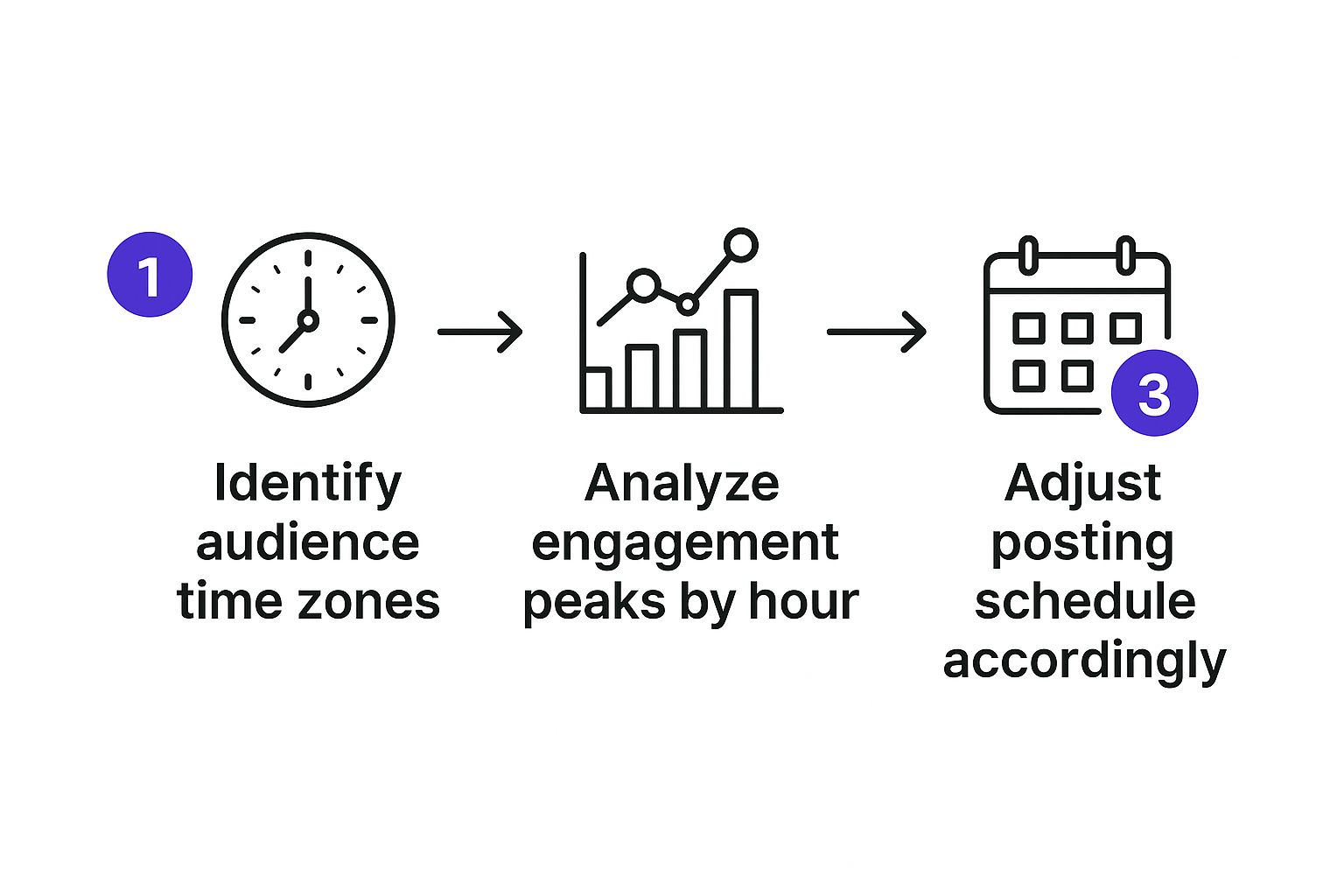
These benchmarks provide a solid framework. Your next move is to treat this as a hypothesis and use your own data to prove, disprove, or refine your schedule.
How to Find Your Personal Best Posting Time
While industry benchmarks are a decent starting point, the real treasure trove of data for figuring out your ideal posting time comes directly from your own audience. It’s time to stop making educated guesses and start looking at the cold, hard facts. This means putting on your data-detective hat and using Instagram’s own analytics tool, Instagram Insights, as your guide.
Forget what the generic guides say; this is about your unique community. Your followers' daily habits—when they’re scrolling on their morning commute, taking a lunch break, or winding down for the evening—are all neatly tracked and organised for you. You just need to know where to find the clues and what they mean.
Navigating to Your Audience Insights
To really nail down your personal best posting times, you've got to get comfortable with your data. This often involves utilizing social media analytics dashboards, but for Instagram, the journey starts right inside your professional dashboard.
First things first, make sure your account is set up as a Business or Creator profile. If it's not, you won't get access to the good stuff. Once that's sorted, finding your insights is a piece of cake:
- Head over to your Instagram profile page.
- Tap the ‘Professional Dashboard’ link right under your bio.
- Look for ‘Account Insights’ and tap ‘See All’.
- Switch to the ‘Total Followers’ tab to get to your audience data.
You’ve just hit the jackpot. This section is packed with information about your followers, like their top locations, age ranges, and, most importantly, their most active times. Getting familiar with this area is the first real step towards building a posting strategy that actually works. For a more detailed walkthrough, check out our guide on how to check Instagram analytics.
Interpreting the 'Most Active Times' Chart
Once you're in the follower details section, scroll down until you see the ‘Most Active Times’ chart. This is where the magic happens. Instagram breaks this data down for you in two really useful views: by hours and by days.
The screenshot below shows exactly what these hourly and daily activity charts look like inside Instagram Insights.
This simple visualisation instantly shows you the peaks and valleys of your audience's activity across the week. The taller the blue bar, the more of your followers are online and ready to engage.
By switching between the 'Hours' and 'Days' views, you can pinpoint specific windows of opportunity with surprising accuracy. You might find out that even though Wednesday is your busiest day overall, the real peak happens at 8 p.m., not during the typical lunch hour rush. This is the kind of detail that lets you stop guessing and start scheduling with purpose.
This simple chart is your personalised roadmap to higher engagement. It tells you exactly when your audience is listening, so you can schedule posts for maximum impact instead of just shouting into the void.
Testing and Refining Your Posting Schedule
So, you’ve dug into your Instagram Insights and found the peak times your audience is online. That’s a massive win, but don’t stop there. Think of that data as a treasure map—it points you to the general area, but now you need to do the actual digging. It’s time to move from just looking at the data to actively putting it to the test.
Finding your perfect posting time isn't a one-off task you can tick off your list. It's a living, breathing process. User habits shift, your audience evolves, and let's be honest, Instagram's algorithm is always changing. What works like a charm today might not hit the same way in six months. The real secret is building a routine of constantly testing, tweaking, and optimising.

Running Simple A/B Tests
You don’t need a fancy, complicated system to figure this out. A simple A/B test works wonders. The idea is to pit two different posting times against each other to see which one comes out on top.
Here’s a really simple way to set up your tests:
- Pick Two Peak Times: Look at your Insights and choose two of your strongest time slots. For example, maybe your data suggests Wednesday at 1 p.m. and Wednesday at 7 p.m. are both hotspots.
- Use Similar Content: This is important. You need to create two posts that are very similar in style and subject. Think two different customer testimonial graphics, or two Reels sharing a similar quick tip. This way, you know you’re testing the time slot, not the appeal of one post over the other.
- Post and Watch: In week one, share the first post on Wednesday at 1 p.m. The next week, post the second, similar piece of content on Wednesday at 7 p.m.
- Check the First Few Hours: The initial 2-3 hours after a post goes live are crucial for momentum. Compare the likes, comments, shares, and saves for both posts within that early window. The one that gets a faster start is likely in the better time slot.
Treat your posting schedule like a science experiment. Your Insights data is your hypothesis. Every post is a test, and the engagement you get is the result. This mindset shifts you from being a passive observer to an active strategist, truly in control of your account's performance.
The Importance of Patience and Consistency
A single test won't give you a definitive answer. One post might blow up for a random reason—maybe you tapped into a sudden trend—while another flops. You’re looking for a pattern, not a one-hit wonder.
To get data you can truly rely on, you need to run these A/B tests for a few weeks. Keep cycling through your top 3-4 potential time slots, comparing them against each other. After a month or so of consistent testing, you'll have a much clearer, data-driven understanding of your real ideal time to post on Instagram. You'll be able to tell the difference between a lucky fluke and a reliable trend.
How Your Content Type Changes the Game
So you’ve pinpointed when your audience is most active. That’s a huge step, but we can get even smarter about it. A truly killer strategy doesn’t just ask when you should post, but what you should post at those peak times.
Think about it: not all content is created equal. Different formats are built for different moods and moments in your audience's day.
Imagine your content strategy is like a restaurant menu. You wouldn't serve a heavy, three-course meal for a quick lunch, right? And you wouldn't offer just light snacks for a proper dinner. It's the same on Instagram. The kind of content your followers are ready to engage with changes depending on their schedule and how much attention they can give you.
This means it's time to analyse the performance of your Reels, Carousels, and single-image posts separately. Doing this lets you perfectly match what you’re posting with the natural rhythm of your followers' lives.
Matching Content to Your Audience's Mindset
Different types of content ask for different amounts of attention. A quick, snappy Story is perfect for someone scrolling on their morning commute. A detailed, multi-slide Carousel, on the other hand, is a much better fit for the evening when people have more time to relax, swipe, and read.
Let's break down some common scenarios:
- The Morning Commute (7 a.m. - 9 a.m.): People are usually just catching up. This is the prime time for easily digestible content, like an informative Story or a striking single-image post with a clear, concise caption.
- The Lunch Break (12 p.m. - 2 p.m.): Your followers have a bit more time to spare. A short, entertaining Reel or a quick tutorial can really grab their attention during this midday window.
- The Evening Wind-Down (7 p.m. - 10 p.m.): This is where you can get deep. People are relaxed and much more willing to spend time with longer content. This is the perfect slot for detailed Carousel posts, in-depth video tutorials, or even going live.
Think of each content type as a specific tool in your kit. By placing the right tool in the right time slot, you multiply its impact. A Reel might get tons of views in the afternoon, but that same topic, presented as a Carousel, could earn way more saves in the evening.
Analysing Performance by Format
To put this into action, you need to dive into your Instagram Insights and start segmenting your data. Don't just look at your overall engagement peaks. Filter your analysis by content type.
Start asking sharper questions. Which format is driving the most saves? Which one gets the most shares? Do those patterns change depending on the day or time?
You might find that your educational Carousels get the most saves on Wednesday evenings, while your fun Reels get shared like crazy during Friday lunchtimes. This is the kind of detail that turns a good content calendar into a great one. You're no longer just posting at the "best time"—you're delivering the perfect content for that exact moment, giving every single post its best shot at success.
Automating Your Schedule with Posting Tools
So, you’ve put in the work and figured out your ideal time to post on Instagram. That’s a huge win, but what comes next is just as important: consistency. Let's be honest, manually posting at precise, odd hours is a massive headache. It's tough to stay on top of it, especially if your audience is most active late at night or on weekends.
This is where automation tools completely change the game. Instead of treating your Instagram strategy like a chore, you can turn it into a smooth, set-it-and-forget-it operation. A good scheduling tool lets you line up your entire content calendar well in advance, making sure every post goes live at the perfect moment, without fail. It frees you from being glued to your phone, so you can get back to what you do best—creating fantastic content.
Building a Data-Driven Content Calendar
Think of automation as the final, crucial piece of your data-driven puzzle. You've already done the hard part of digging into your Insights and experimenting with your schedule. Now, it's time to put that hard-earned knowledge on autopilot and let technology turn your findings into a reliable system.
Here’s a simple way to approach it:
- Batch Your Content Creation: Set aside a dedicated block of time—maybe a Monday morning or one day a month—to create all your posts at once.
- Load Up Your Scheduler: Take all that great content and upload it into a tool like Repostly.
- Assign Your Prime Time Slots: Match each post to the optimal time slots you discovered. For instance, maybe your detailed Carousels perform best during the evening wind-down, while your snappy Reels are perfect for that midday lunch break.
Following this process helps you build a steady, consistent presence that keeps your audience coming back for more, all without leading to burnout.
Automation isn't about being lazy; it's about being strategic. It ensures your meticulously planned posting schedule is executed flawlessly, giving every piece of content the best possible chance to succeed.
Choosing the Right Tools for the Job
The right tool can make or break your ability to stay consistent. There are tons of options out there, from simple schedulers to powerful platforms loaded with deep analytics. When you're picking one, think about what fits your workflow. Do you need bulk scheduling? A visual calendar to see everything at a glance? Performance tracking to see what’s working?
For a full rundown, check out our guide to the best social media scheduling tools to find one that feels right for you.
And while you're thinking about automating your posting, you might be curious about how far technology can take you. People are now exploring everything from AI-assisted content creation to learning how to create AI influencers from scratch. Technology isn’t just about timing anymore; it’s reshaping how we create content, making it easier than ever to keep a vibrant profile active.
Got Questions? We've Got Answers
Even with all this data at your fingertips, a few common questions always seem to surface when you're trying to nail down that perfect posting time. Let's walk through them so you can move forward with confidence.
How Long Should I Test a New Posting Time?
This is a great question, and the answer is all about consistency. You need to give a new time slot a fair shake, which usually means testing it for at least three to four weeks.
Think of it like a science experiment. Posting once is just a single data point—it could be a fluke. But if you post at that same time and day every week for a month, you'll start to see a real pattern emerge. Look at the average likes, comments, and shares you get in the first couple of hours and compare it to your old schedule. That’s how you find out what truly works.
Will Using a Scheduling Tool Hurt My Engagement?
Nope! This is one of those stubborn myths that just won't go away. The truth is, Instagram provides an official API specifically so that approved, trusted tools can publish content.
Using an authorised scheduler like Repostly does not negatively impact your reach or engagement. The algorithm cares about one thing above all else: great content that your audience loves. It doesn't matter if you posted it yourself or scheduled it ahead of time.
What If My Audience Is in Different Time Zones?
A global audience is a fantastic problem to have! Your first stop should be Instagram Insights. Head over to the 'Top Locations' section for your followers to see where most of them are based.
Once you know where your audience lives, you have a few solid strategies:
- Play to the Crowd: Focus on the best time for the largest chunk of your audience. It's the simplest and often most effective approach.
- Find the Overlap: Look for a time that catches one audience in their evening and another in their morning. This "middle ground" can be surprisingly effective.
- Double Up: On your most important days, why not post twice? This allows you to hit the peak time for each of your major audience groups directly.
Ready to put all this knowledge into action and get hours back in your week? Repostly is built to help you schedule your content for that perfect moment, every single time. Start automating your Instagram schedule with Repostly today!
Keep reading

10 Fresh Instagram Story Idea Tactics for 2025
Stuck for content? Discover our top Instagram story idea list, with actionable tips to boost engagement and grow your audience in 2025.

A Practical Social Media Planner for German Markets
Build a results-driven social media planner for Germany. This guide offers actionable strategies for content, scheduling, and analysis in the German market.

Crafting Your Social Media Content Plan
Stop guessing and start strategizing. This guide provides an actionable social media content plan to audit, plan, and execute content that gets results.
Post once. Show up everywhere.
Start your 7-day free trial and publish your next video to every platform in minutes.Pick a plan and publish your next video to every platform in minutes.
Start your free trialSee plansCancel anytime