Repostly vs Later
If you post the same short videos to TikTok, Reels, Shorts and Facebook, often daily, Repostly fits better: no monthly post cap, every destination's settings on one screen and $190 a year for 5 accounts. If you run an Instagram-first brand that plans its grid visually and relies on Link in Bio or Stories, Later is the better pick.
Facts about Later come from its own website, checked . We make Repostly.
Pick Repostly if
- You post at least once a day, and Later Starter's 30 posts per profile would run out in any 31-day month, or in any month you post twice on one day.
- One upload should become a TikTok, a Reel, a Short and a Facebook video, each with its own settings on the same screen.
- You'd like your own TikTok or Instagram posts reposted to your other accounts automatically, or your back catalog republished on a schedule.
- You'd rather pay $190 a year for 5 accounts, with no posts to count, than work out social sets and posts per profile.
Later is the better pick if
- Your brand is Instagram-first and you arrange the feed by dragging posts around a visual grid.
- Link in Bio is how your audience clicks through, and you want it in the same tool as your schedule.
- Instagram Stories are part of your plan, or you want to add Instagram audio to Reels from the scheduler.
- Pinterest, LinkedIn or Snapchat are on your list too.
Feature by feature
Later facts link to the page they come from, checked .
| Feature | Repostly | Later |
|---|---|---|
| Platforms | TikTok, Instagram, YouTube, Facebook Pages and Threads | Instagram, Facebook, Pinterest, TikTok, LinkedIn, Threads, YouTube Shorts and Snapchat1 |
| What a plan counts | Connected accounts: 5, 15 or unlimited. Several per platform are fine | Social sets and users. A set holds one profile per network. Starter: 1 set, 1 user2 |
| Posts per month | Repostly's edge: No monthly cap | 30 per profile on Starter, 180 on Growth, unlimited on Scale. Posts count when scheduled2 |
| One video to several accounts | One post, one upload, every destination. Results per destination on the post's page | Up to 10 profiles at once, customized per profile. A scheduled post can't be added to more profiles3 |
| Automatic reposting | Repostly's edge: Workflows repost your own posts from one of your accounts to another. Unlimited on every plan | — |
| TikTok | Posts directly. Audience, comments, Duet, Stitch and disclosure set per post, from your account's options | Auto Publish or a phone notification, chosen per post. Posts sent with Auto Publish use original audio only4 |
| Instagram Reels | A video goes out as a Reel | Auto Publish, with Instagram audio from Meta's API, or a notification to finish in Instagram5 |
| Instagram Stories | Not published. Post Stories in the Instagram app | On current paid plans, from desktop. Auto Publish for business profiles, notification for creator profiles6 |
| YouTube | Shorts, with a separate YouTube title per post | Shorts only, always published automatically, with a title and visibility. No long-form videos7 |
| Facebook video | A Reel or a regular video to Facebook Pages, chosen per post | Single-video posts and Reels to Pages, always published automatically8 |
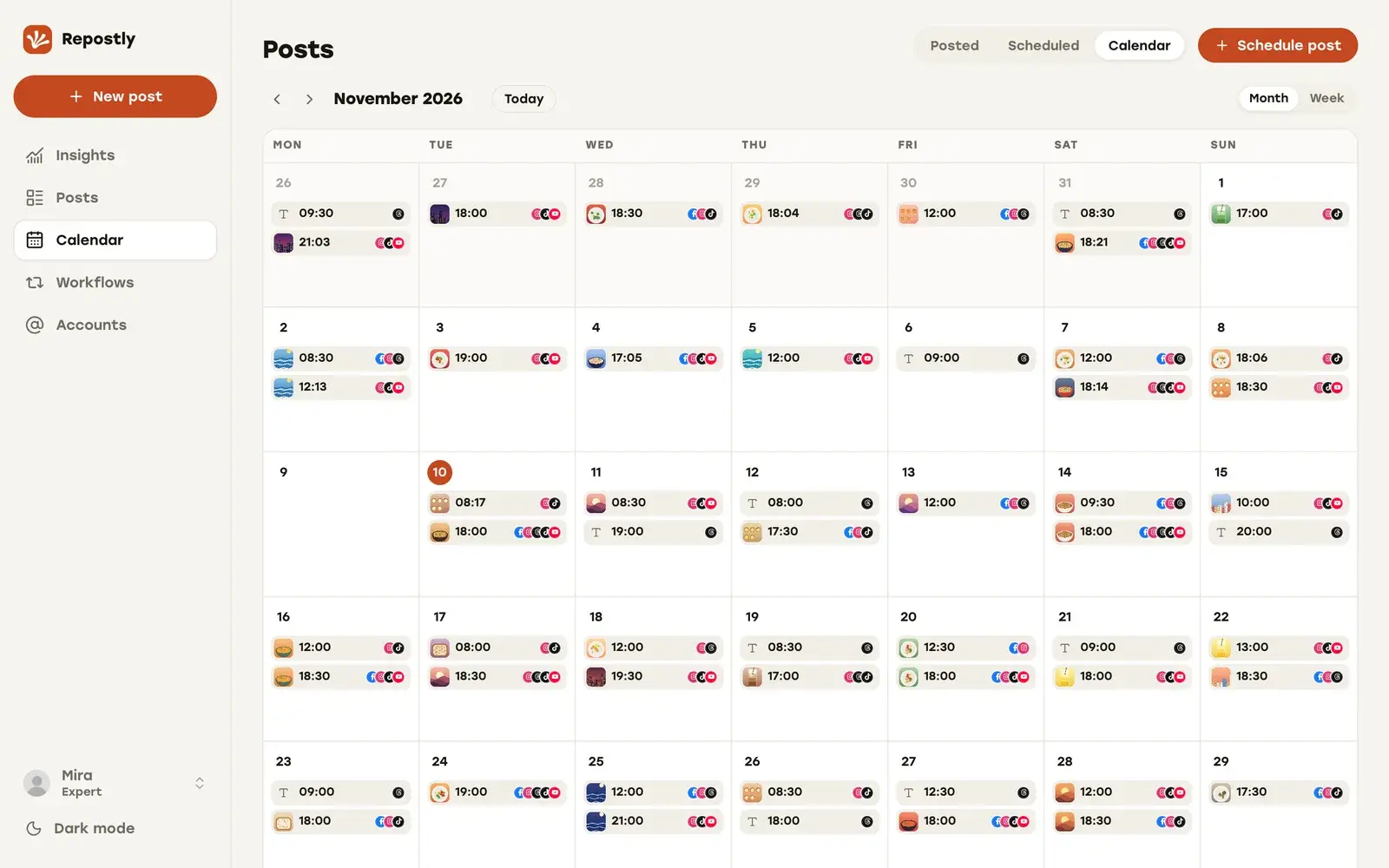
| Planning view | One calendar for everything scheduled and posted | Visual Instagram Planner: drag and drop to preview and rearrange your feed grid9 |
| YouTube analytics | Repostly's edge: Insights across all five platforms, YouTube included | Later doesn't offer YouTube analytics7 |
| Price | Billed yearly: $190 a year for 5 accounts, $390 for 15, $790 unlimited. Monthly: $19, $39, $79 | Billed yearly, in USD: Starter $18.75 a month ($225 a year), Growth $37.50 ($450), Scale $82.50 ($990)2 |
| Trial and refunds | 7-day free trial, payment method required. Refund on request within 14 days of the first payment | 14-day free trial of paid plans. Plans are non-refundable, with exceptions reviewed case by case10 |
| Team | One login per Repostly account, no approval step | 1 user on Starter, 2 on Growth, 4 on Scale. Approvals from Growth up2 |
Instagram grid or short-video pipeline
Later’s best-known tool is its Visual Instagram Planner, which lets you drag scheduled posts around a preview of your feed. Link in Bio comes with every plan, and Later schedules to 8 networks.
We built Repostly for the creator who finishes a vertical video and wants it on TikTok, Instagram, YouTube, Facebook Pages and Threads without uploading it again for each.
Publishing one video to four places
In Repostly you upload the video once and tick every account that should get it. The Settings card then has one row per destination: a separate caption where you want one, the YouTube title, a Reel or a regular video on Facebook, and TikTok’s audience, comment, Duet, Stitch and disclosure options.
We load those TikTok options from your account and check them again when the post is due. If one no longer fits, the TikTok post fails rather than going out with settings you didn’t choose.
Later can also send one post to as many as 10 profiles at once, customized for each, though a scheduled post can’t be added to more profiles afterwards (Later’s help article, checked 12 November 2026). For TikTok and Reels, it asks per post whether to Auto Publish or send you a phone notification. TikToks it publishes automatically use original audio only.
For Reels, its audio help article says you can add Instagram audio inside Later, limited to the tracks Meta’s API makes available (checked 12 November 2026). For a sound that isn’t there, you pick the notification and finish in Instagram. If sounds are your format, that’s a sensible design.
If your audio is already mixed into the file, one upload in Repostly reaches every destination you ticked. Once it’s live, the post’s page shows each one’s status with its own views, likes and comments.
Reposting your own posts automatically
Workflows suit the other way of working: you post in TikTok or Instagram and want the same posts on your other accounts. A workflow connects one of your accounts to another and reposts each new post automatically after you publish it. Set it to “Existing posts” and it republishes your back catalog at up to 5 times a day you pick. Every plan includes unlimited workflows, both accounts count toward its account limit, and they run next to your scheduled uploads.
What Later has that we don’t
The grid planner is the big one. For a brand whose feed look matters, dragging next week’s posts into place is worth a lot, and we don’t offer it. Each paid plan includes AI credits for Later’s Caption Writer and idea generator, 5 a month on Starter. Link in Bio and scheduled Stories matter nearly as much, and if Pinterest, LinkedIn or Snapchat is part of your week, we can’t help there.
An Instagram-first brand can still keep Later and use Repostly for the short videos.
What daily posting costs
A Later plan includes social sets, and one set holds one profile on each of Later’s 8 networks. A second account on the same network needs a second set, and Growth is the first plan with two. Starter and Growth also cap posts per profile per month, and Scale doesn’t. A post counts as soon as it’s scheduled, and drafts and Instagram Stories count too.
Say you post one short a day to TikTok, Instagram, YouTube and Facebook, one account each. The figures below are yearly-billing rates from Later’s pricing page (checked 12 November 2026).
- Later Starter: $18.75 a month, billed yearly. That’s $225 a year.
- Later Growth: $37.50 a month, billed yearly. That’s $450 a year, with 180 posts per profile.
- Repostly Starter: $190 a year with yearly billing, for 5 accounts and no post cap.
Don’t set Later’s $18.75 against our $19. Later’s figure is its yearly bill divided by 12, and ours is what you pay month to month.
Starter’s 30 posts cover one post a day in a 30-day month. If you stay within that, Later Starter costs $225 a year and ours $190. A 31-day month, a second post on a busy day or a parked draft takes a profile past 30, and then you need Growth at $450 a year.
Where Later gives more for the money is breadth: the Starter set also covers networks we don’t publish to, and its trial runs 14 days against our 7.
With us, the bill stays $190 a year however often you post.
How to switch from Later to Repostly
Connect your accounts
Start the 7-day trial and add each account under Accounts, two TikToks included if that's your setup. Every connection uses the platform's own sign-in, so Repostly never sees your passwords.
Upload your next video once
Create a video post, upload the finished file and tick every account that should get it under Destinations. Repostly publishes the file as you upload it, so add any music before you export.
Set each destination, then the time
Open each row in the Settings card for a separate caption, the YouTube title, a Reel or a regular video on Facebook, and TikTok's audience and disclosure options. Then pick the date and time.
Decide what stays in Later
Let the posts already scheduled in Later go out, or recreate them in Repostly, and don't schedule the same video to the same account in both. If you rely on Link in Bio, Stories or the grid planner, keep Later for those. Every new short video is then one upload here.
Frequently asked questions
Is Repostly cheaper than Later?
Against Later's paid plans on yearly billing, yes. Repostly Starter is $190 a year for 5 accounts with no post cap. Later Starter is $18.75 a month, billed yearly. That's $225 a year for one social set and 30 posts per profile a month (Later's pricing page, checked 12 November 2026). If you post more than 30 times a month to any profile, you need Later Growth at $37.50 a month, billed yearly, which comes to $450 a year. Later's set also covers networks Repostly doesn't publish to.
Does Later limit how many posts I can schedule?
Repostly has no monthly post limit on any plan. Later caps posts per profile each month: 30 on Starter, 180 on Growth and unlimited on Scale. Its help center says posts count when they're scheduled, drafts and Instagram Stories count too, and the count resets on the 1st of each month. On Starter, 30 covers one post a day in a 30-day month.
Can I use Repostly and Later together?
Yes. Schedule your short videos in Repostly and keep Later for the Instagram work it's built for and the networks we don't cover. Don't schedule the same video to the same account in both, and remember that anything you schedule in Later counts toward its monthly post limit.
Does Later publish TikToks automatically?
Both can. Repostly posts to TikTok directly with the audience, comment, Duet, Stitch and disclosure options you set. Later lets you choose Auto Publish or a phone notification for each TikTok. Its help center says TikToks sent with Auto Publish use original audio only, so for trending audio you pick the notification and add the sound in TikTok.
Can I schedule Instagram Stories?
Not with Repostly: post Stories in the Instagram app. Later schedules Stories on its current paid plans, from desktop. Auto Publish works for business profiles, and creator profiles get a notification and finish the Story in Instagram.
Publish your next video to five platforms from one upload
TikTok, Instagram, YouTube, Facebook and Threads, each with its own settings. Plans start at $19 a month for 5 accounts.
Try Repostly free for 7 daysCompare plansSources
Later pages, checked .
- help.later.com/hc/en-us/articles/360060842914-Supported-Social-Platforms-Post-Types
- later.com/pricing/
- help.later.com/hc/en-us/articles/360043243873-Schedule-One-Post-to-Multiple-Social-Profiles
- help.later.com/hc/en-us/articles/360053594793-Schedule-Publish-TikTok-Posts
- help.later.com/hc/en-us/articles/42098148094871-Add-Audio-to-Instagram-Reels
- help.later.com/hc/en-us/articles/360042772514-Schedule-Publish-Instagram-Stories
- help.later.com/hc/en-us/articles/14720878941463-Schedule-Publish-YouTube-Shorts
- help.later.com/hc/en-us/articles/360043245913-Schedule-Publish-Facebook-Posts
- help.later.com/hc/en-us/articles/360043244233-Preview-Your-Feed-With-Your-Visual-Instagram-Planner
- help.later.com/hc/en-us/articles/360042991873-Later-s-Refund-Policy