Repostly vs Repurpose.io
Both repost your own posts automatically between accounts. Repurpose.io reaches more places: Stories, Snapchat, Pinterest, podcasts and cloud storage. Repostly also schedules a file you upload, which Repurpose.io can't take directly, and reposts to a second account on the same platform. For the extra places, pick Repurpose.io. To upload files or run two accounts on one platform, pick Repostly.
Facts about Repurpose.io come from its own website, checked . We make Repostly.
Pick Repostly if
- You post in one app and want your own posts reposted automatically, including to a second account on the same platform, which Repurpose.io only reaches through a detour.
- You also cut some videos in an editor and want to upload each file once and schedule it everywhere.
- Each scheduled upload should get its own caption, YouTube title, Facebook format and TikTok options, set on one screen.
- A flat plan price suits you: $19 a month covers 5 accounts on any mix of platforms.
Repurpose.io is the better pick if
- Your audience is also on Snapchat Spotlight, Pinterest, LinkedIn, X, Bluesky or a podcast host.
- Stories are part of your routine, and it copies Instagram, Facebook and Snapchat Stories.
- Older videos are in Google Drive or Dropbox, or you want a backup copy of new ones there.
- You run 6 or more accounts with no more than 3 on any one platform, where its Starter plan costs less.
Feature by feature
Repurpose.io facts link to the page they come from, checked .
| Feature | Repostly | Repurpose.io |
|---|---|---|
| Automatic reposting | Workflows repost your own posts from one of your accounts to another, across the five platforms | Copies new posts from a connected source as soon as possible, usually within 2 hours, or in up to 5 slots a day1 |
| Back catalog | Your existing posts are republished at daily times you choose, up to 5 a day | Scheduled auto-publishing can take existing content, new content or both1 |
| Uploading a finished file | Repostly's edge: Upload once and schedule it to every destination | No direct file upload. Every video comes from a connected source, such as Google Drive or Dropbox2 |
| Two accounts on one platform | Repostly's edge: Works for scheduled posts and for workflows | Not supported, even between different accounts. Its help center suggests routing through another platform3 |
| Platforms | TikTok, Instagram, YouTube, Facebook Pages and Threads | Also Snapchat, Pinterest, LinkedIn, X, Bluesky, Amazon (US only) and podcast hosts3 |
| Per-destination settings | Scheduled posts get one Settings row per destination for caption, YouTube title, Reel or regular video on Facebook, and TikTok options | Title and description can be edited per scheduled item in the calendar4 |
| Threads | Repostly's edge: Video, image, carousel and text posts | Video only. Text posts, images and carousels are unsupported3 |
| Stories | Not published. Post Stories in the Instagram app | Instagram and Facebook Stories, plus Snapchat Stories with limited functionality3 |
| Cloud storage | Not connected. You upload from your device | Google Drive and Dropbox work as sources, and as destinations for video and audio3 |
| How the price counts | Per plan: $19 a month for 5 accounts, $39 for 15, $79 unlimited. Unlimited workflows on every plan | Per network: $35 a month for up to 3 accounts on each, $79 for 10, $179 for 255 |
| Free trial | 7 days on every plan, payment method required. Refund within 14 days of the first payment | 10 free videos within a 14-day trial, no credit card required5 |
Both tools repost your own posts
If you film in the TikTok app, add sounds there and hit post, both tools can fill your other accounts for you.
Repurpose.io copies from a connected source, such as TikTok, Instagram, YouTube, Google Drive or a podcast feed, to the destinations you pick. Its auto-publishing article (checked 12 November 2026) describes two modes: “As Soon As Possible”, which publishes new content usually within 2 hours, and a schedule of up to 5 slots a day that can also work through older content.
We built Workflows in Repostly for the same habit. A workflow connects one of your accounts to another, say your main TikTok to your YouTube channel or a second TikTok account. Choose New posts, and your posts are reposted automatically after you publish them. Choose Existing posts, and your back catalog is republished at daily times you set. Captions come over from the source post, a video goes out as a video and a carousel as a carousel, and you can pause a workflow at any time. Every plan includes unlimited workflows.
For a TikTok-first creator, it comes down to where else you post, how many accounts you run, and whether you also schedule videos you finish elsewhere. If everything you post goes to TikTok, Instagram, YouTube, Facebook Pages and Threads, both will do the job, and the price and a second account on one platform decide it.
Scheduling a finished video
Repurpose.io’s help article on scheduling says it does not currently support uploading video files directly, so every video has to come from a connected source, such as a social account or a Google Drive or Dropbox folder.
In Repostly you upload the file once and tick the accounts that should get it, including two on the same platform. In the Settings card each destination gets its own row. The Instagram caption can differ from the TikTok one, YouTube gets a title, Facebook gets a Reel or a regular video, and TikTok’s audience, comment, Duet, Stitch and disclosure options are chosen there.
TikTok’s options come from your TikTok account when you add it, and Repostly checks them again when the post is due. If they no longer fit, the TikTok post fails rather than going out with settings you didn’t pick.
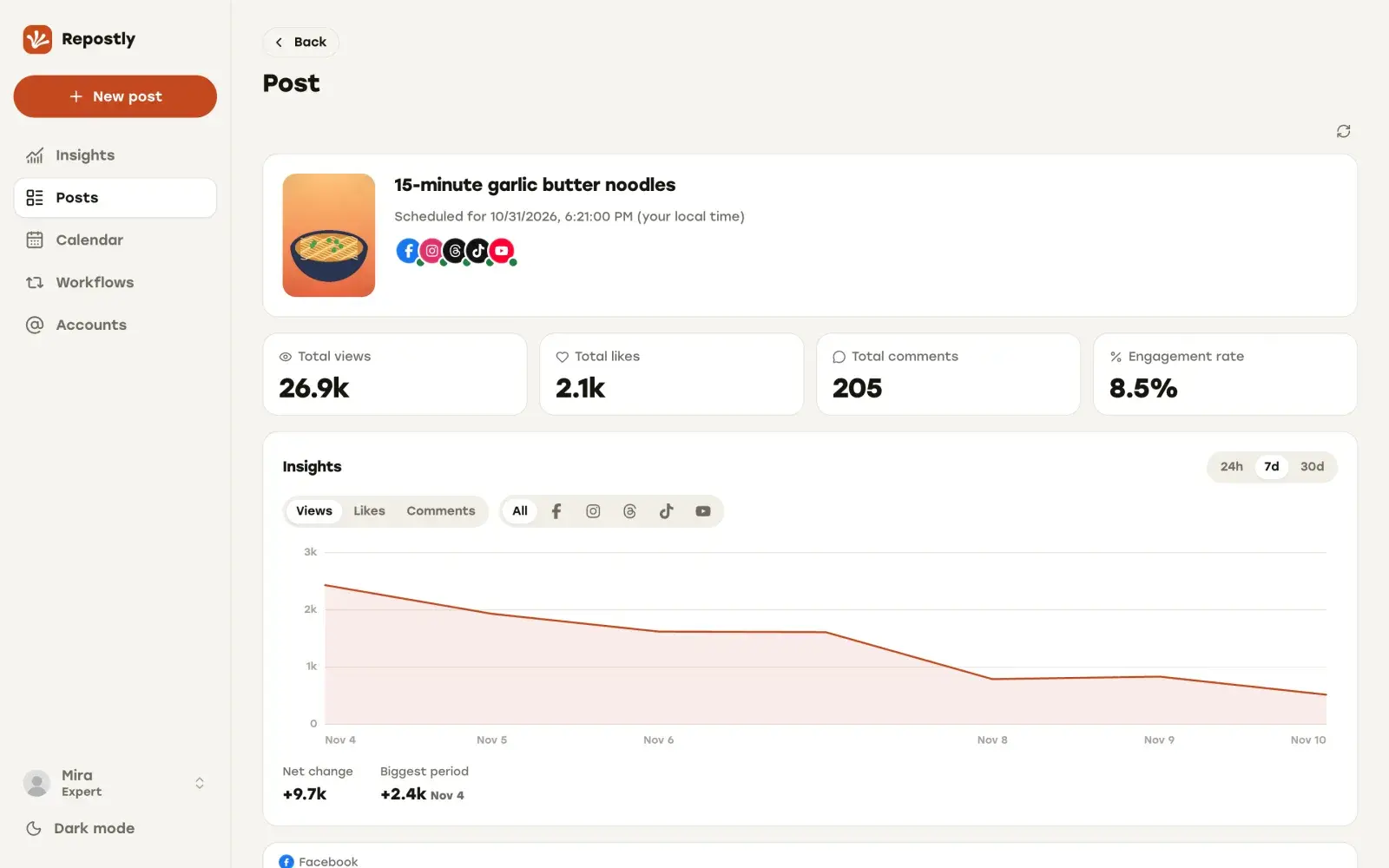
Once the video is out, its page shows every destination’s status with its own views, likes and comments. Scheduled uploads and workflows run side by side in the same account.
Stories, more destinations and watermarks
Repurpose.io’s platform list (checked 12 November 2026) includes Snapchat Spotlight, Pinterest, LinkedIn, X, Bluesky and Amazon (US only), plus podcast hosts such as SoundCloud and Libsyn. It also handles Instagram, Facebook and Snapchat Stories, which Repostly doesn’t publish. Google Drive and Dropbox work as sources, and as destinations for video and audio, so you can keep a backup copy of your videos there.
On watermarks, its TikTok FAQ and Instagram FAQ (checked 12 November 2026) say it pulls the original before the platform adds its watermark, and that a watermark already baked into the file can’t be removed.
If your videos need to go to Stories, Snapchat or a podcast host, Repurpose.io is the tool built for that.
What a solo creator pays
Repurpose.io prices per network: each plan covers a set number of accounts on every network you use. We charge per plan, and the accounts can be on any mix of platforms. Starter covers 5, Pro 15 and Expert unlimited. A workflow’s source and destination both count as accounts you’ve connected.
Say you have one account each on TikTok, Instagram, YouTube and Facebook.
- Repostly Starter: $19 a month.
- Repurpose.io Starter: $35 billed monthly, as shown on its pricing page (checked 12 November 2026).
That’s $16 a month less with Repostly. Past 5 accounts it flips: with 6 or more accounts and no more than 3 on any one network, Repurpose.io Starter at $35 a month costs less than Repostly Pro at $39 or Expert at $79. At 10 accounts on each of 5 networks, both land on $79 a month.
Its trial also asks for less up front: 10 videos within 14 days, no credit card. Our 7-day trial takes a payment method at checkout, and you can ask for a refund within 14 days of your first payment. The quickest test is to connect your TikTok and one other account, add a workflow and schedule your next upload alongside it.
How to switch from Repurpose.io to Repostly
Connect your accounts
Start the 7-day trial and connect each account under Accounts with the platform's own sign-in. Repostly never sees your passwords.
Set up a workflow for each pair
Add one workflow for each pair of accounts you want to copy between. Pick the source, the destination, and New posts or Existing posts.
Schedule your next upload
For a video you finished in an editor, create a post, upload the file and tick the accounts that should get it. Set each destination's row in the Settings card, then pick the date and time.
Decide what stays on Repurpose.io
Keep its automations for Stories, Snapchat, Pinterest, podcasts or cloud backups. Switch off any that copy to an account a Repostly workflow now covers, so nothing goes out twice.
Frequently asked questions
Can Repostly repost automatically like Repurpose.io?
Yes, between the five platforms it covers. A workflow connects one of your accounts to another and reposts your new posts automatically after you publish them, or republishes your back catalog at daily times you choose. Repurpose.io copies from more kinds of sources to more destinations, including Snapchat, Pinterest, podcast hosts and cloud storage.
Can I upload a video file to Repurpose.io?
Not at the moment. Repurpose.io's help center says it does not currently support uploading video or media files directly. Its videos come from a connected source, such as your TikTok or Instagram account, or a Google Drive or Dropbox folder. In Repostly, uploading the file is how every scheduled post starts.
Can I repost to a second account on the same platform?
In Repostly, yes, both in a scheduled post and with a workflow from one TikTok account to another. Repurpose.io doesn't copy from a platform to the same platform, even between different accounts. Its help center suggests a detour through another platform, for example TikTok to YouTube and then YouTube to the second TikTok account.
Which one is cheaper?
It depends on how many accounts you have and how they are spread. With 6 or more accounts and no more than 3 on any one platform, Repurpose.io Starter at $35 a month is cheaper than Repostly Pro at $39 or Expert at $79. With up to 5 accounts, Repostly Starter costs $19 a month and Repurpose.io starts at $35. Repurpose.io prices are from its pricing page, checked 12 November 2026.
Do both publish Instagram Stories?
No, only Repurpose.io does. Its help center lists Instagram, Facebook and Snapchat Stories as sources and destinations. With Repostly you post Stories in the Instagram app.
Publish your next video to five platforms from one upload
TikTok, Instagram, YouTube, Facebook and Threads, each with its own settings. Plans start at $19 a month for 5 accounts.
Try Repostly free for 7 daysCompare plansSources
Repurpose.io pages, checked .
- support.repurpose.io/en/article/how-auto-publishing-works-in-repurpose-aktmnm/
- support.repurpose.io/en/article/how-scheduling-works-in-repurpose-setup-and-limits-iyhn5d/
- support.repurpose.io/en/article/supported-platforms-roles-and-media-types-j22278/
- support.repurpose.io/en/article/calendar-view-114r1jj/
- repurpose.io/pricing/